OPERON D 850 SURGICAL TABLE
USING THE SERVICE PROGRAM
700000120 Rev. 1
6-11
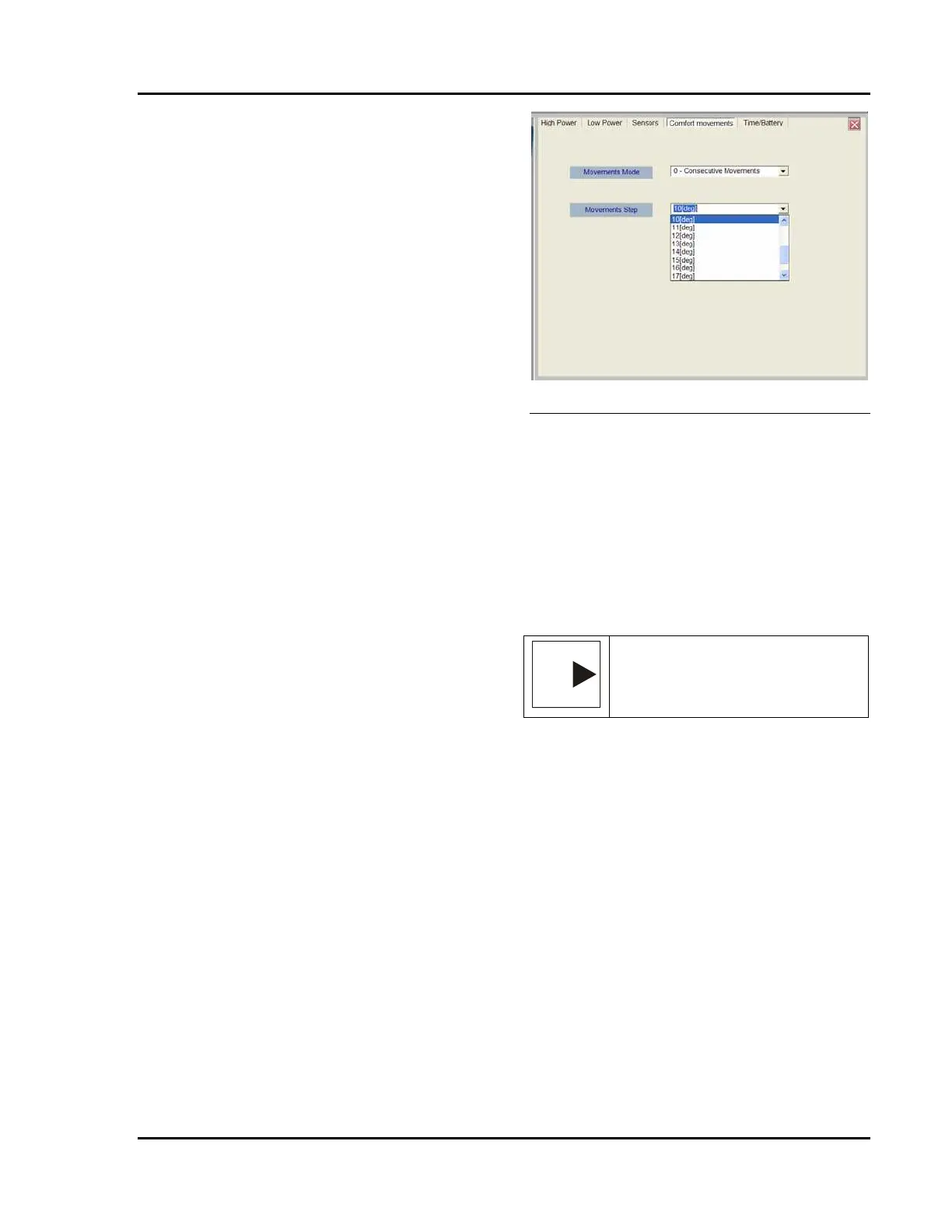
Comfort Movements Tab
The Comfort Movements tab lets you select how
the table moves in response to the Level, Flex,
Reflex, Chair and Urology buttons on the hand
pendant.
The amount of movement for each articulation is
preset in one degree increments from 1° to 20°.
This value is preset at the factory, but may be
adjusted using the Technician level password.
Holding the desired hand pendant button moves
the table sections in x-degree increments. After
the final section in the articulation has moved x
degrees, the first section will move an additional
x degrees, etc.
For example, if you have the Flex Motion
parameters set to 5 degrees and hold the Flex
button:
• The back will lower 5 degrees
(Trendelenburg) and stop.
• The seat will lower (reverse
Trendelenburg) 5 degrees and stop.
• The legs will lower (reverse
Trendelenburg) 5 degrees and stop.
• The back will lower an additional 5
degrees (Trendelenburg) and stop.
• The seat will lower an additional 5
degrees (reverse Trendelenburg) and stop.
• The leg section will lower 5 degrees
(reverse Trendelenburg) and stop.
• Etc.
If you release the button before the articulation
has reached its limit, then push and hold the
button again, the motion will begin again with
the first movement (it will not continue where it
left off) until it reaches the sequence limit. Do
this to set the movements parameters:
1. Click on the drop down arrow to the
right of the “Movements Stop”
window.
• A drop down menu will appear
3. Click on one of the choices to select it.
• The choice selected will appear
in the window next to the drop
down arrow.
4. Click on the “Set Values” button to save
your selections.
Figure 6-24 Comfort Movements Screen
Time/Battery Tab
The Time/Battery tab sets the battery power
indicator display for the hand pendant. These are
the voltage readings that cause the LED display
to change from one level to the next higher level
as the battery accumulates a charge. The
voltages should be set toward the upper end of
the range to ensure that the table has adequate
time to charge before being unplugged from the
AC mains.
NOTE
NOTE: — The battery voltages are
disabled for the Technical Service
password.
To set the value of the parameter, use your
cursor to highlight the number you wish to
change. Type in the new value to replace the old
value.
The Status window on the tab shows the current
battery charge level in VDC. This is a display
values based on CPU readings and cannot be
changed in the field.








 To Next Page