OPERON B850 SURGICAL TABLE
USING THE SERVICE PROGRAM
Rev. 1 700000120
6-4
File Menu
The File menu offers only one choice for field
service applications:
Open File
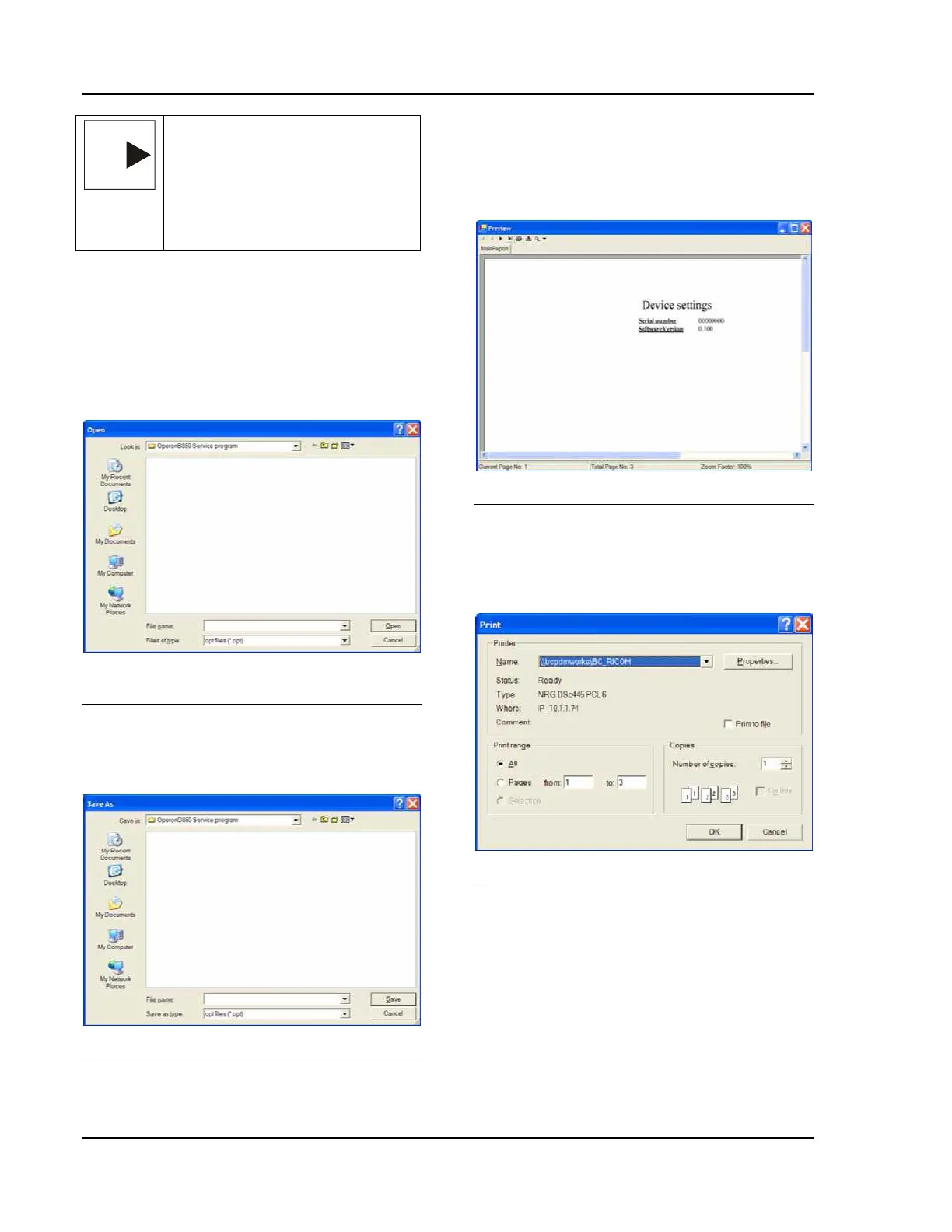
Clicking the Open File button presents a
standard Windows Open File screen.
Figure 6-6 Windows File open Selection
Screen
Save Settings to File Button
Clicking the Save File button presents a standard
Windows File Save screen.
Figure 6-7 Save Settings to file
Print Device Settings
Selecting this option displays the standard
windows print screen from which you can
choose the printer you wish to use. Within this
screen there are three options:
Figure 6-8 Device Settings Report
Print
Selecting this option displays the standard
windows print screen from which you can
choose the printer you wish to use.
Figure 6-9 Print Report Screen
Export
Selecting this option displays the Export Report
screen from which you can export the file to
adobe acrobat (*.pdf), Microsoft Excel (*.xls).
Microsoft Word (*.doc) or Rich Text Format
(*.rtf).
NOTE
NOTE: — In order to select the menu
choices with the Ctrl+ initial letter,
the menu bar must be active. The
menu bar is active if the top of the bar
is blue. If the top of the bar is light
blue, place your cursor on the bar
and click.








 To Next Page