OPERON D 850 SURGICAL TABLE
GENERAL INFORMATION
Rev. 1 700000120
1-6
FOOTSWITCH (Optional)
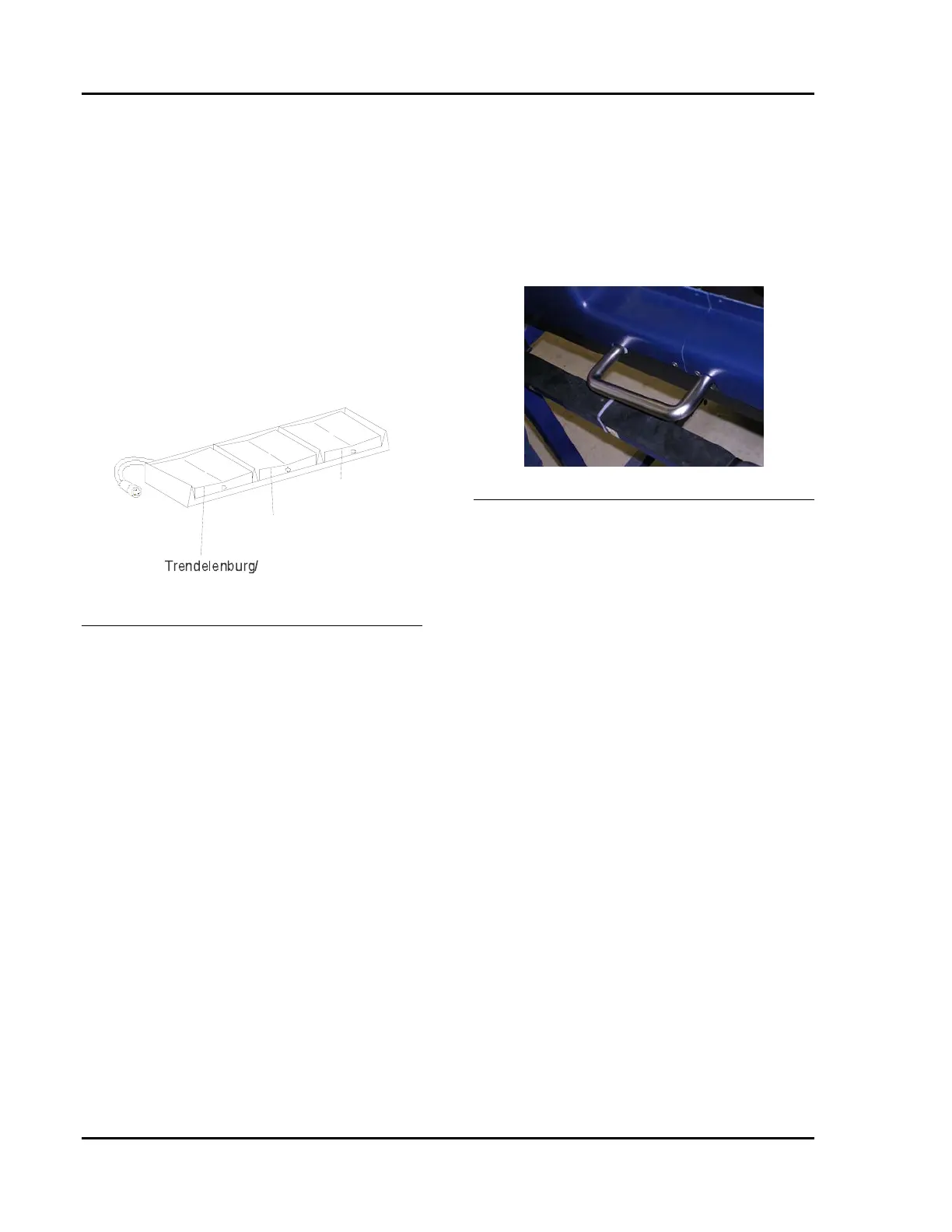
A footswitch control is available for procedures
where the surgeon is normally seated at the
pelvic end of the patient (Figure 1-5).
Footswitch functions include:
• Trendelenburg/Reverse Trendelenburg
• Tilt Left/Tilt Right
• Table Up/Down
The footswitch is connected into the remote
control connector box by aligning the red dot on
the footswitch connector with the red dot on the
socket in the remote control connector box. See
Figure 1-5 for location of connector.
Reverse Trendelenburg
Table Up/
Table Down
Tilt Left/
Tilt Right
Figure 1-5 Footswitch
Pressing one of the footswitch controls turns the
table on and places it in “controls active” status.
However, none of the functions will operate
unless the floor locks are set. The floor locks
must be operated through the hand pedant.
MANUAL FOOT PUMP
The manual foot pump is used to provide
hydraulic pressure when there is no electric
power to operate the hydraulic pump. This
could occur due to any of the following
conditions:
• Battery power is low as indicated by a
steady or flashing red battery light on the
hand pendant.
• A combined failure of the battery and AC
mains power supplies.
• A failure of the table’s hydraulic pump or
the electrical system that powers the
hydraulic pump.
• A failure of table controls
The manual pump pedal is located at the patient
left side near the head end of the base.
DEPLOYING THE FOOT PUMP HANDLE
TO ITS FULL OUTERMOST POSITION
ENABLES THE AUXILIARY PENDANT
AND DISABLES THE MAIN HAND
PENDANT.
To use the manual foot pump:
1. Pull the foot pedal straight out as far as it
will go. It will rotate counter clockwise
as it is pulled outward.
Figure 1-6 Deploying Foot Pump Pedal
2. Extend the pedal until it clicks into
position.
3. To articulate the table, press and hold the
desired function button on the auxiliary
control pendant (see next section) and
operate the manual pump with your foot.
For best results, depress the pump pedal
completely, making full strokes, at the
rate of about one stroke per second.
To re-insert the pump pedal:
1. Push the pedal back into the table until
the end is inserted into the base cover.
2. Continue to push the pedal into the table
until it snaps into the retracted position.
EMERGENCY UNLOCK
In the unlikely situation where the control
system is completely disabled AND the
auxiliary system is disabled, there is a back-up
emergency switch that will allow the table to be
unlocked and moved. It is wired directly to the
batteries. There should always be enough power
in the batteries to open the valve solenoids. This
switch is located inside the base near the foot
pump handle storage location.








 To Next Page