OPERON B850 SURGICAL TABLE
USING THE SERVICE PROGRAM
Rev. 1 700000120
6-6
database as a part of the table’s history. This list
can be sorted by Localization (code for where
the error occurred), type of error and date/time
of the error. This is a great aid for
troubleshooting.
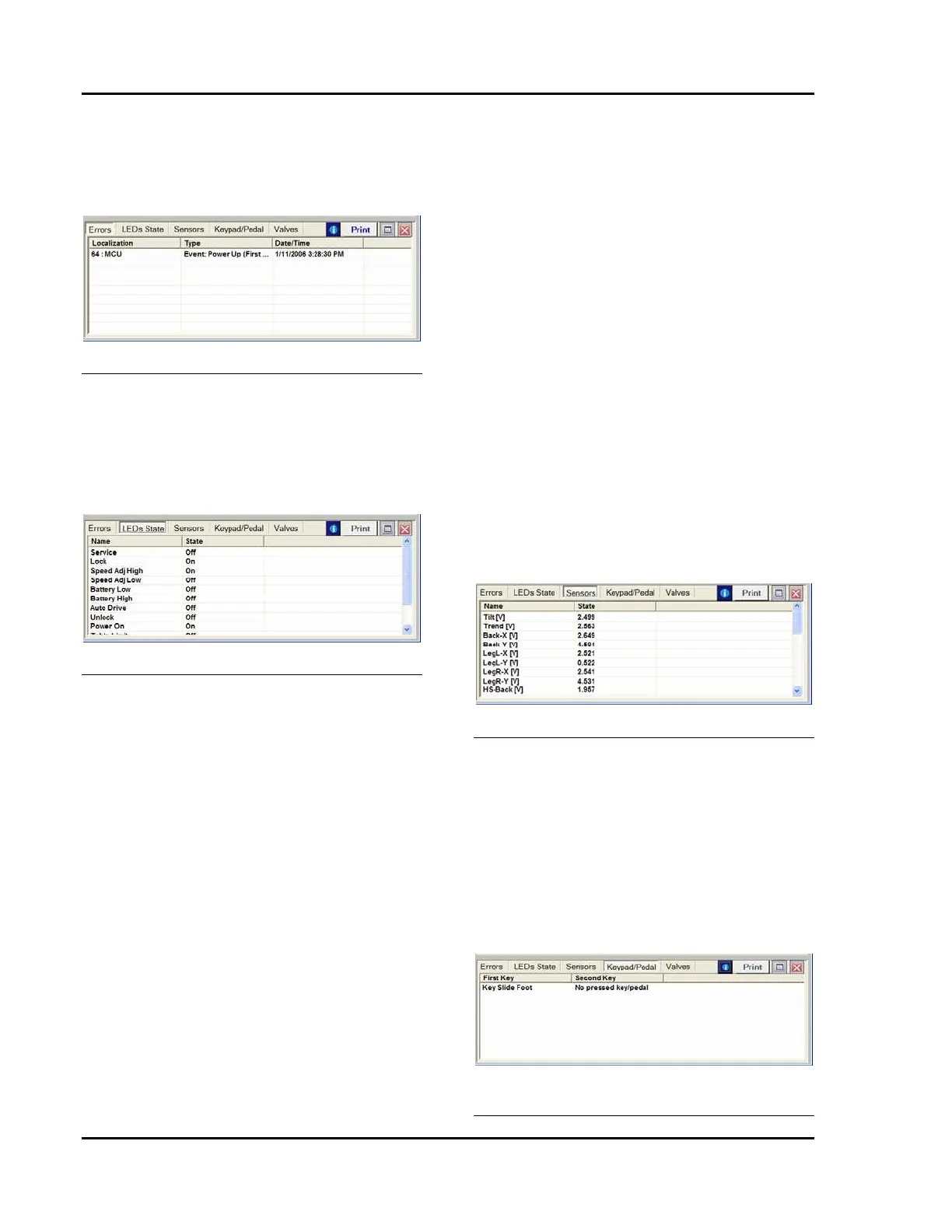
Figure 6-14 Errors Information Screen
LEDs State
Selecting this option displays the LEDs State
screen. By clicking the “i” icon, the system will
read the current status of the LEDs on the
pendants and base. This list can be sorted by
LED Name and State (on or off).
Figure 6-15 LEDs State Information Screen
Sensors
Selecting this option displays the Sensors
information screen. By clicking the “i” icon, the
system will read the current status (V= volts
DC) of all of the sensors in the D850 system.
This list can be sorted by Sensor Name and State
(sensed voltage). You will get a report on the
voltage or amperage readings of all sensors in
the list below.
• Tilt (V)
• Trend (V)
• Back-X (V)
• Back-Y (V)
• LegL-X (V)
• LegL-Y (V)
• LegR-X (V)
• LegR-Y (V)
• HS-Back (V)
• HS LegL (V)
• HS LegR (V)
• Kidney (V)
• Slide (V)
• Height (V)
• Lock PS1 (V)
• Lock PS2 (V)
• ACCU state (V)
• AC Line (V)
• U24V sense (V)
• I-sense (A)
• 5V state (V)
• 7V state (V)
At the end of the report, the current position of
all sensors is shown, converted to degrees or
millimeters as appropriate.
The Back and Leg sensors are accelerometers
with two reference axes, X and Y. The X axes
are the only ones needed for troubleshooting.
The Y axis information is always near the
extreme (0 or 5VDC) due to the orientation of
the sensors.
The Back and Leg sections have Hall Sensors
(HS) built in to sense if a section is attached.
Figure 6-16 Sensors Information Screen
Keypad/Pedal
Selecting this option displays the Keypad/Pedal
information screen. By clicking the “i” icon, the
system will read the current status of all of the
control switches in the D850 system. Any
switch which is closed will be displayed. Two
keys on the hand pendant may be pressed
simultaneously (thus the first key and second
key categories). You can use this function to
test the pendant’s or foot switch’s performance.
Figure 6-17 Keypad/Pedal Information
Screen








 To Next Page