EasyManua.ls Logo

Berthold LB 4700 - Page 69

Berthold LB 4700
198 pages
Print Icon
To Next Page IconTo Next Page
To Previous Page IconTo Previous Page
Loading...
LB 4700
8 Maintenance and Repair
56926BA2, Rev. 02, 04/2019
65
u The program opens.
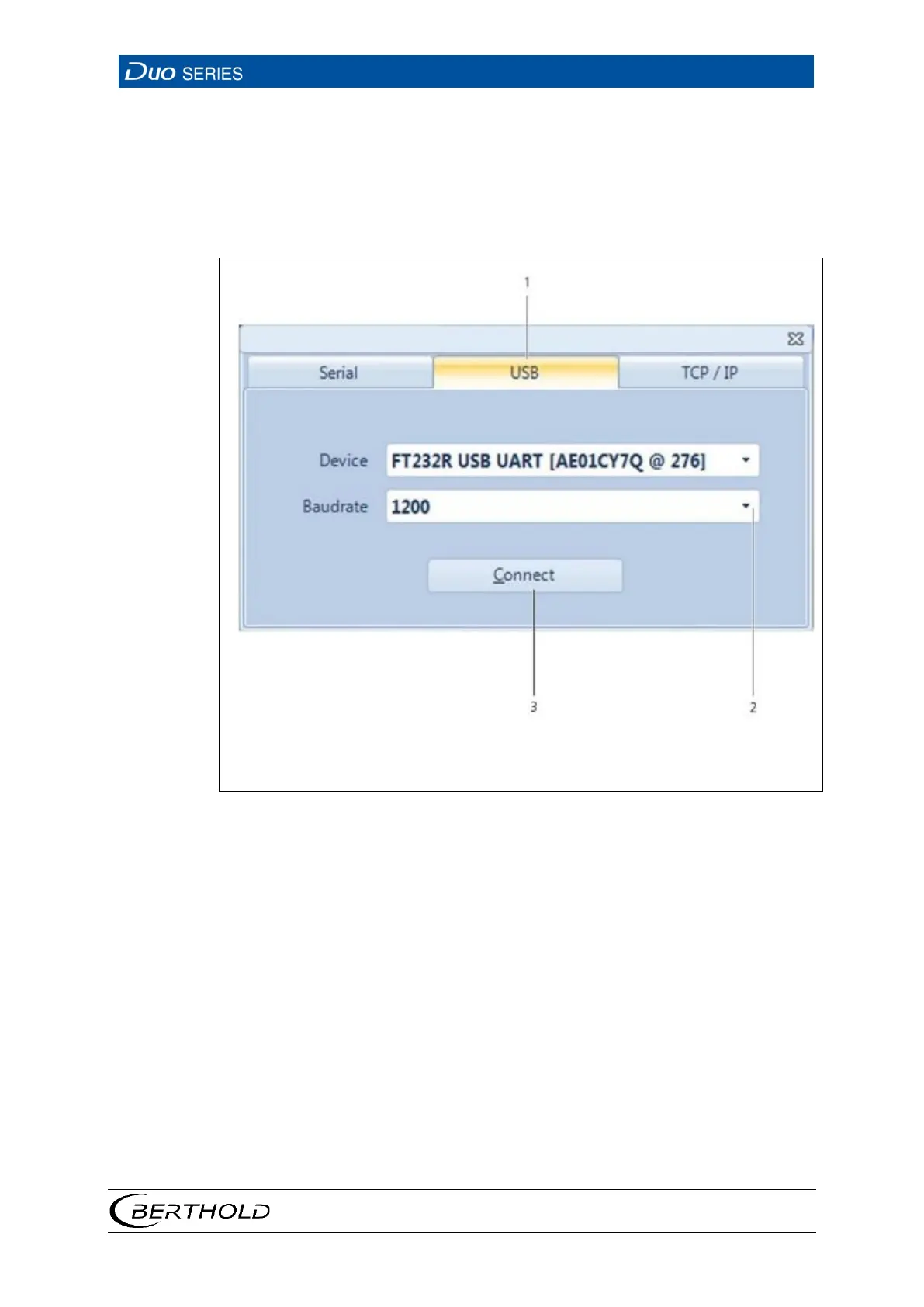
7. Click on the tab <USB> (Fig. 37, item 1).
8. Select a baud rate of 1200 in the selection menu (Fig. 37, item 2).
9. Click on <Connect> (Fig. 37, item 3).
1
2
3
USB tab
Selection of baud rate
Connect button
Fig.
37 Connection Window "Flash Loader"

Table of Contents

Related product manuals