540
9
HYDRAULIC SYSTEMS
Studio ti 03312 540-04usa
201
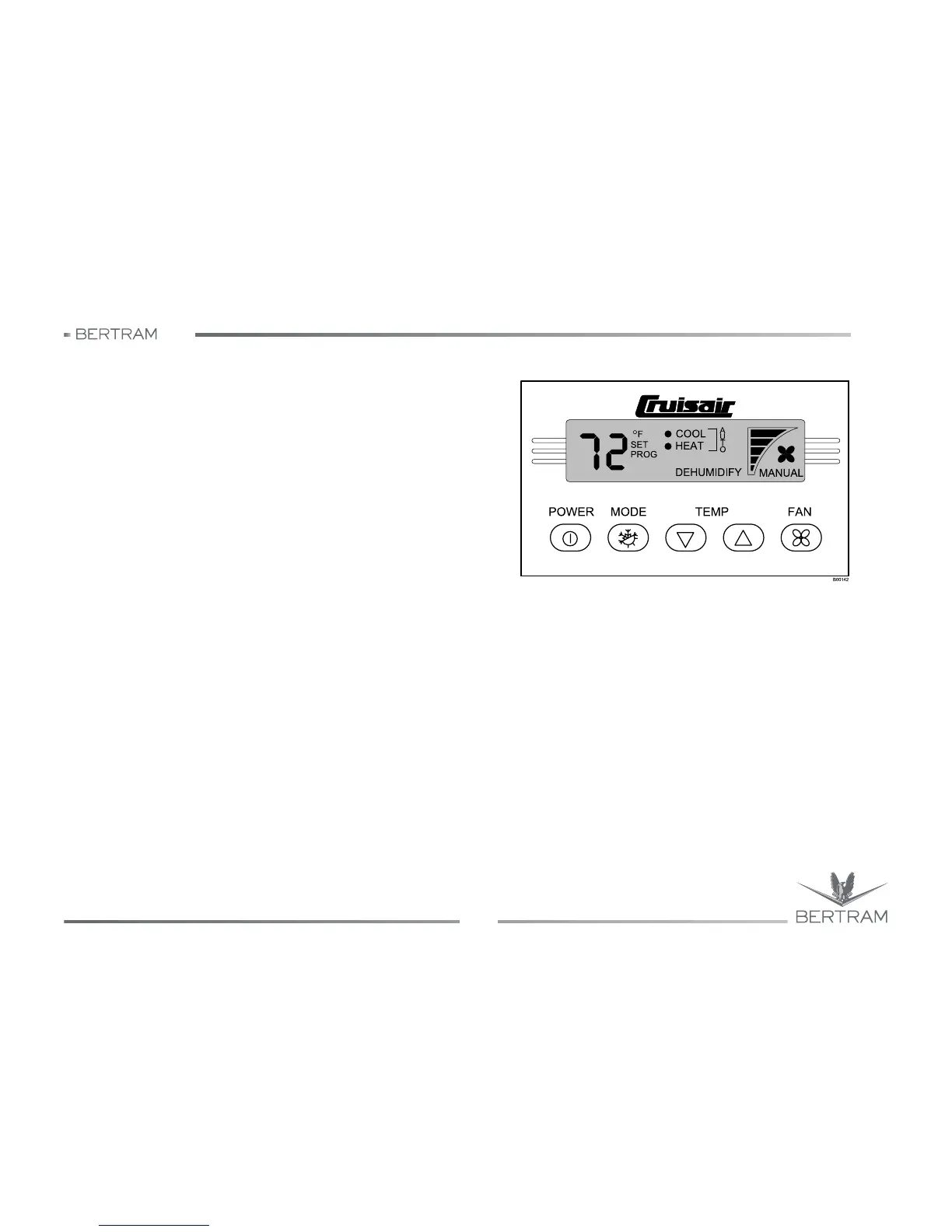
Programming
SMXht must be in the Off mode prior to entering Programming Mode;
pressing the POWER key turns the display off or on. Once in the Off
mode:
1. Simultaneously press and hold the MODE and Down arrow keys for
three seconds. The word “PROG” will flash in the display while the
buttons are being held. Successful entry into the Programming Mode
is indicated when the word “PROG” stops flashing, and a flashing “1”
appears in the display.
2. Use the Up or Down arrow keys to scroll until the desired program
function number is displayed. See SMXht keypad/display
programming summary table.
3. Press the MODE key to enter the desired function. The current value
and the word “PROG” will be displayed.
4. Use the Up or Down arrow keys to change the value oft hat program.
5. Press the POWER key to save the new settings, exit the
Programming Mode, and return to the Off mode.
Note: If SMXht is programmed for displaying °C (rather than the factory
setting °F), then functions 3 & 4 should be adjusted.
For function 3, the factory setting of 12 (or 1.5 °F) should be changed to
7 (7/8 = 33.44 °F). For function 4, the factory setting of 4 (or 0,5 °F) should
be changed to 2 (2/8 = 0,3 °C). For these functions °F (or 8) = 0.6 °C (or
5).
For more information, consult the manufacturer’s manual delivered
separately.



 To Next Page