540
6
CONTROL STATION
Studio ti 03312 540-04usa
111
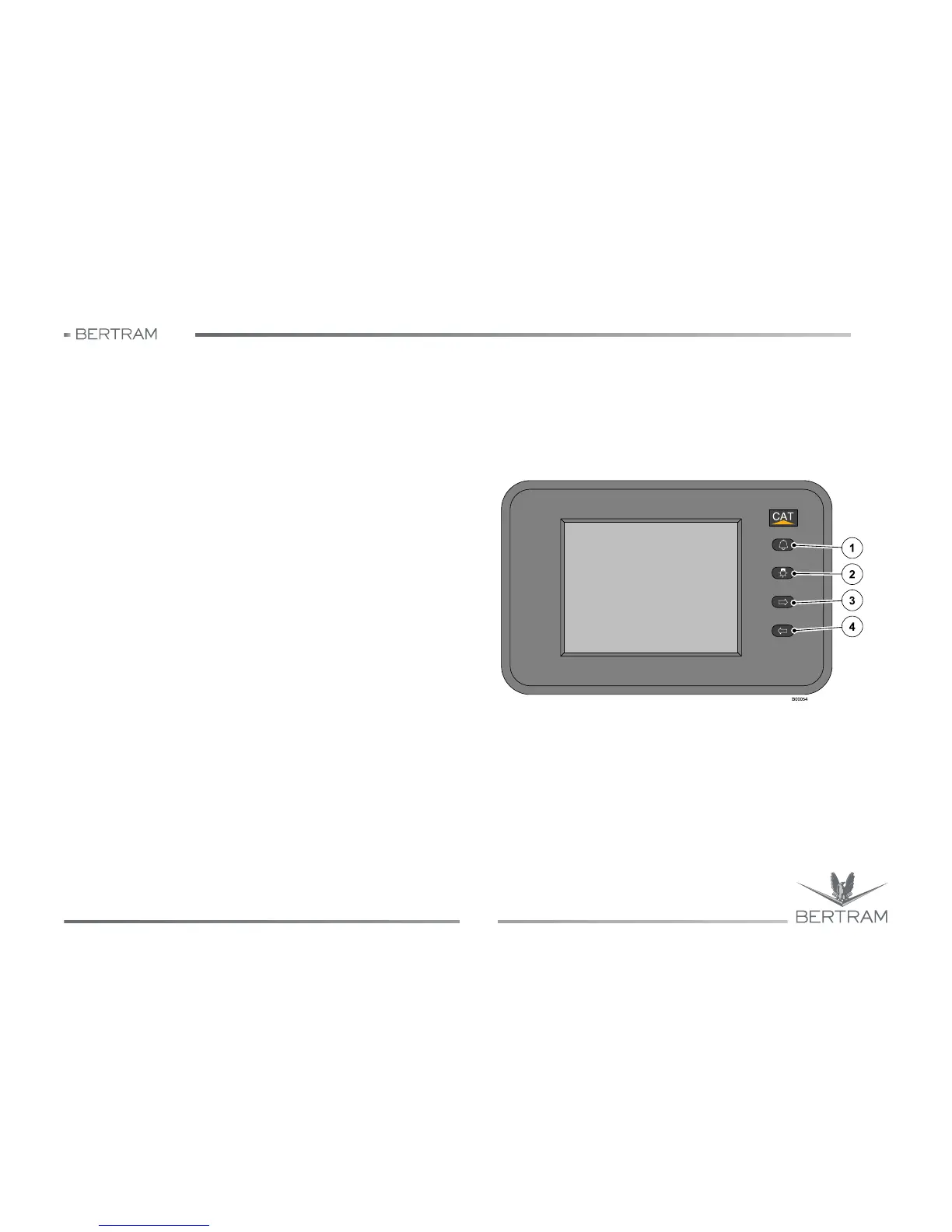
6.6.6 Engine control panel
This panel allows to monitor electronically the engine, it supplies the
same engine and delivers the operating data.
The displays can be customized to visualize the engine parameters,
using different formats and instrument types. Each type of engine
requires a dedicated display up to a maximum of five.
The keys are multifunctional according to the displays visualized. The
primary functions of the keys for measuring displays are:
1. Signal reception (recalls active diagnostics) and signals audible for
all displays on DATA Link.
2. Visualization display:
• Normal (black digits on white background) Day Mode;
• Reverse (white digits on black background) Night Mode.
3. Next screen.
4. Previous screen.
Information on configuration system of the keys
At initial start, scroll through the visualizations up to “System Information”.
This display allows to record following parameters: User Name, Unit
Location, Unit Display and Yacht Speed Unit. A menu is shown in the
upper right screen corner. Press (1) to visualize the keys functions (scroll
through parameters selection, exit, shift the cursor upward, shift the
cursor downward).
Use (3) or (4) to shift the cursor upward or downward for paragraph
selection. The parameter name will appear on the upper right corner of
the screen.



 To Next Page