540
ELECTRIC SYSTEM
Studio ti 03312 540-04usa
238
10
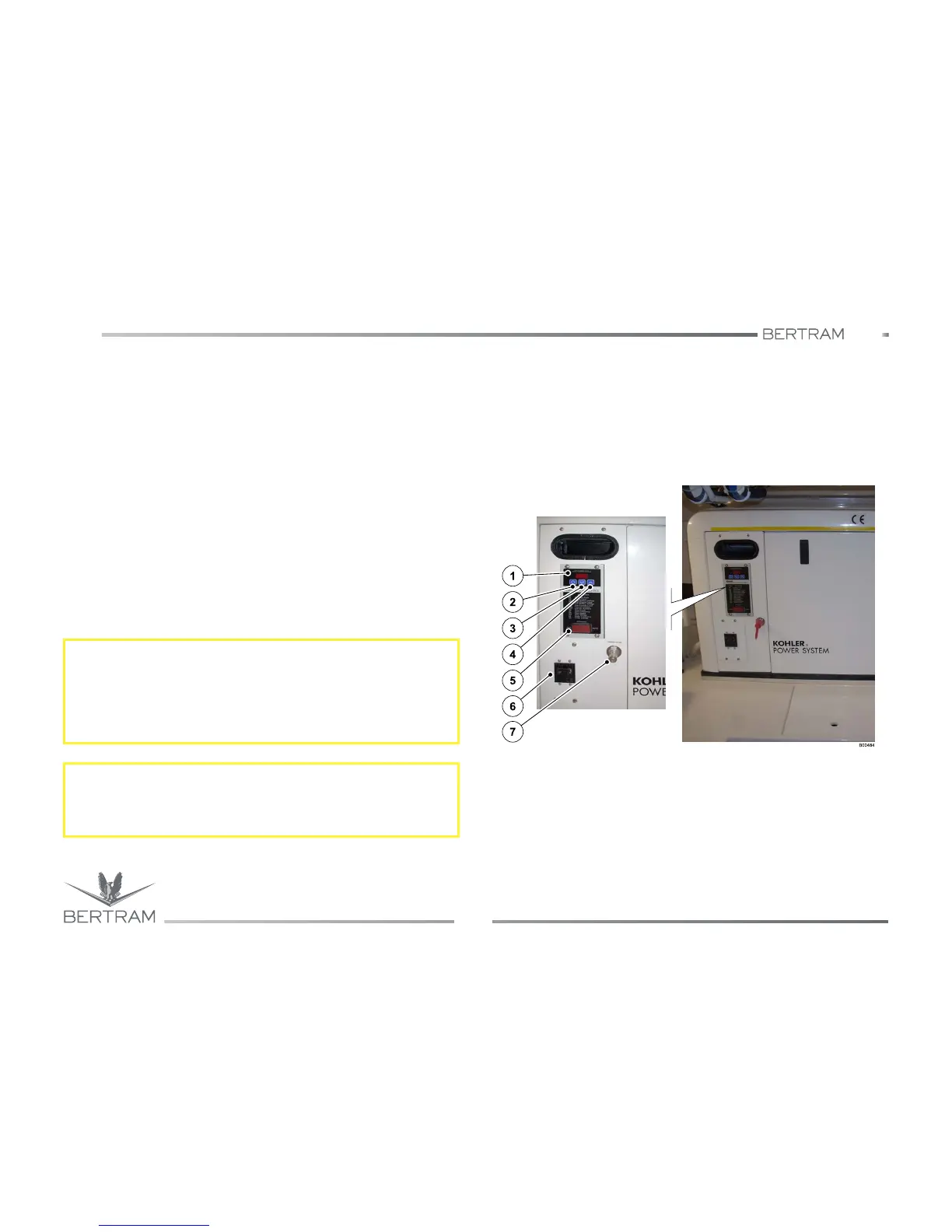
10.8.2 Generator control panel
On the power generator is installed a control panel allowing to carry out
the controls and the start/stop operations.
Function keys
1. Display
2. Confirmation key “f”
3. Scrolling key “g”
4. Scrolling key “h”
5. Start/stop switch
• RUN/OFF-RESET/AUTO
To switch on the generator, set to AUTO switch (5), placed on the
main electric panel of the salon.
6. Main power generator switch
7. Oil intake for generator cooling
For further information, see the Manufacturer’s Manual.
S
CAUTION
Carbon monoxide poisoning:
−
Operate the generator only in a well ventilated area. The carbon
monoxide, generated by the inner combustion of engines, is
extremely toxic.
S
CAUTION
Explosion/fire hazard
Check for the presence of fumes in the generator area.
Generator control panel



 To Next Page