System
114
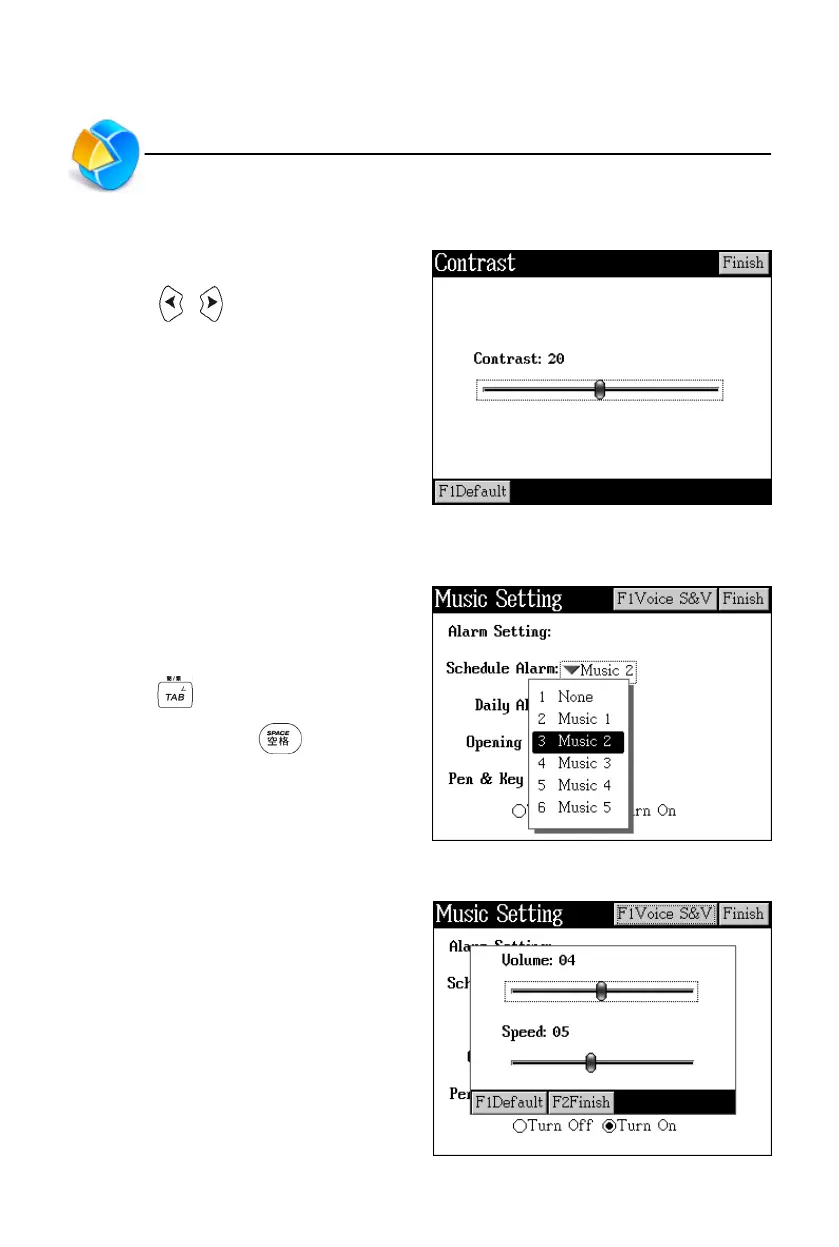
5. LCD Setting
You can set the screen contrast.
* Press / or tap the block to
adjust the contrast.
* Tap [Finish] to confirm and return
to the previous screen.
6. Music Setting
The device provides 5 alarm music to
be chosen from. Any downloaded MP3
can be used as alarm music.
* Press to move the broken line
frame, then press to open the
menu to select music or set pen
and key tone.
* Tap [Finish] to confirm and return to
the previous screen.
* Tap [F1Voice S&V] to adjust volume
and speed.
LCD Setting/Music Setting



 To Next Page