Study
85
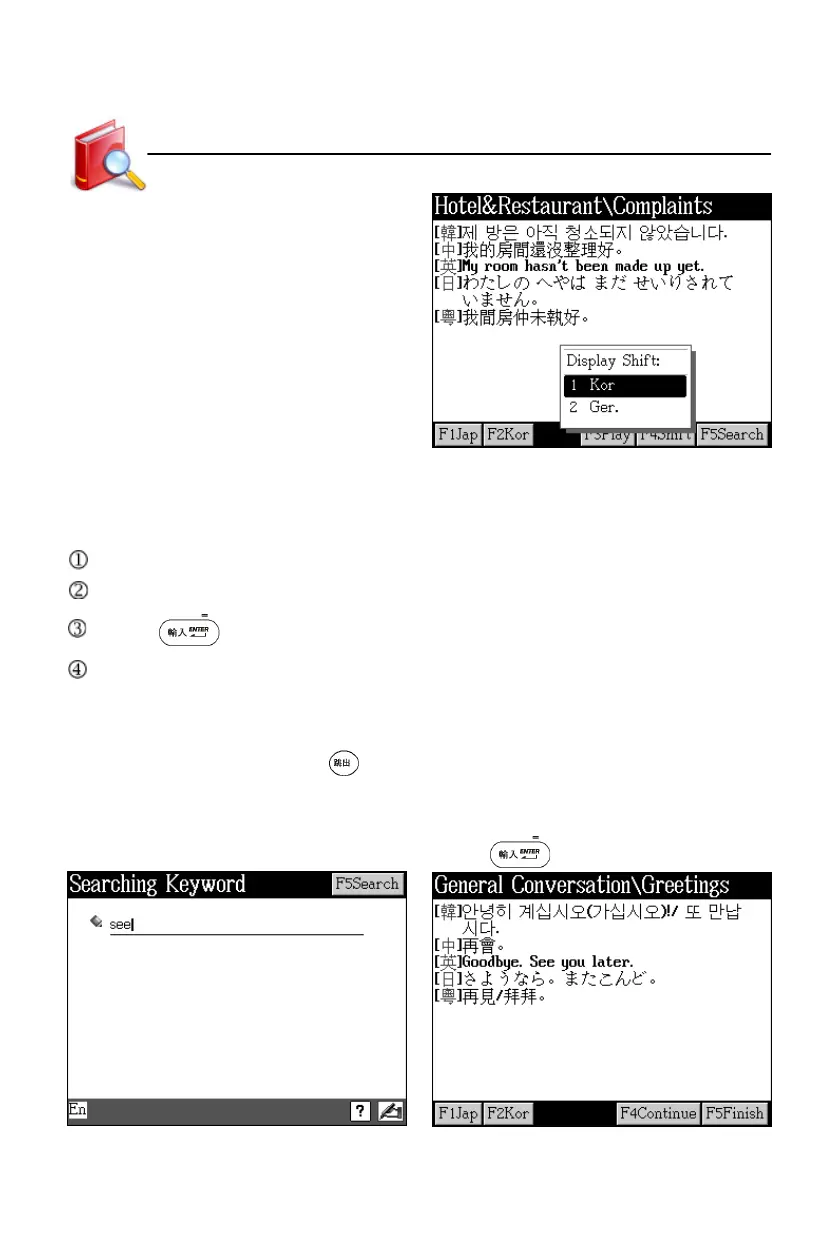
Tap [F4Shift]
9.2 Search
Input word(s), it will search all dialogues which contain the word(s).
Tap [F5Search].
Input word(s) (Chinese/English).
Press or tap [F5Search] to start search.
The result will be shown lately:
* Tap [F1Jap] to listen to Japanese pronunciation.
* Tap [F4Continue] to go to the next sentence.
* Tap [F5Finish] or press to stop and return to the dialogue screen.
Take searching for dialogues with “see” for example:
Tap [F5Search] and input “see” Press or tap [F5Search]
Travel Dialogue



 To Next Page