Multi
127
File Management
9.2 Rename
Choose your desired file, then tap [Func] to select “Rename”.
Input new file name, then press to confirm.
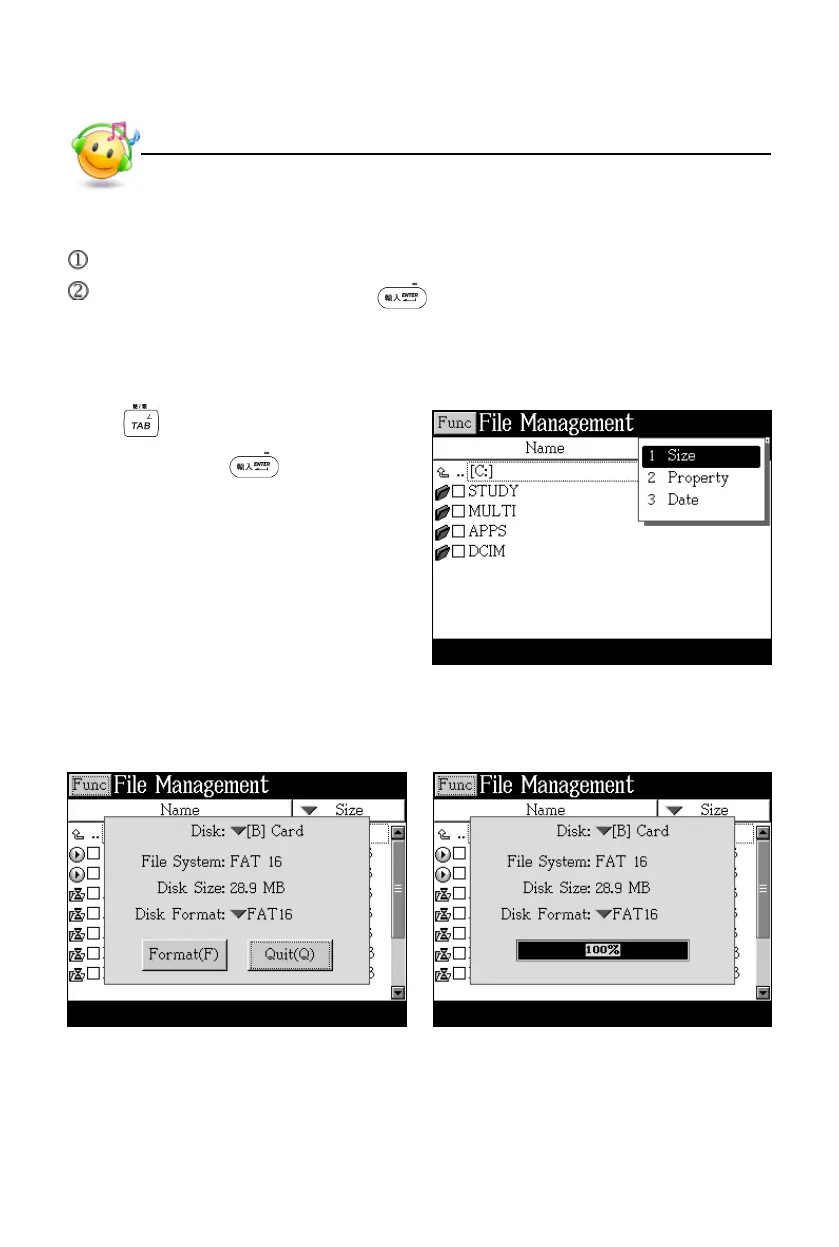
9.3 Put Folders in Order
Press to select column “Name” or
“Size”, then press to put these
folders in order.
9.4 Format
Select disk or file system to be formatted Formatting



 To Next Page