15
5. Indicator
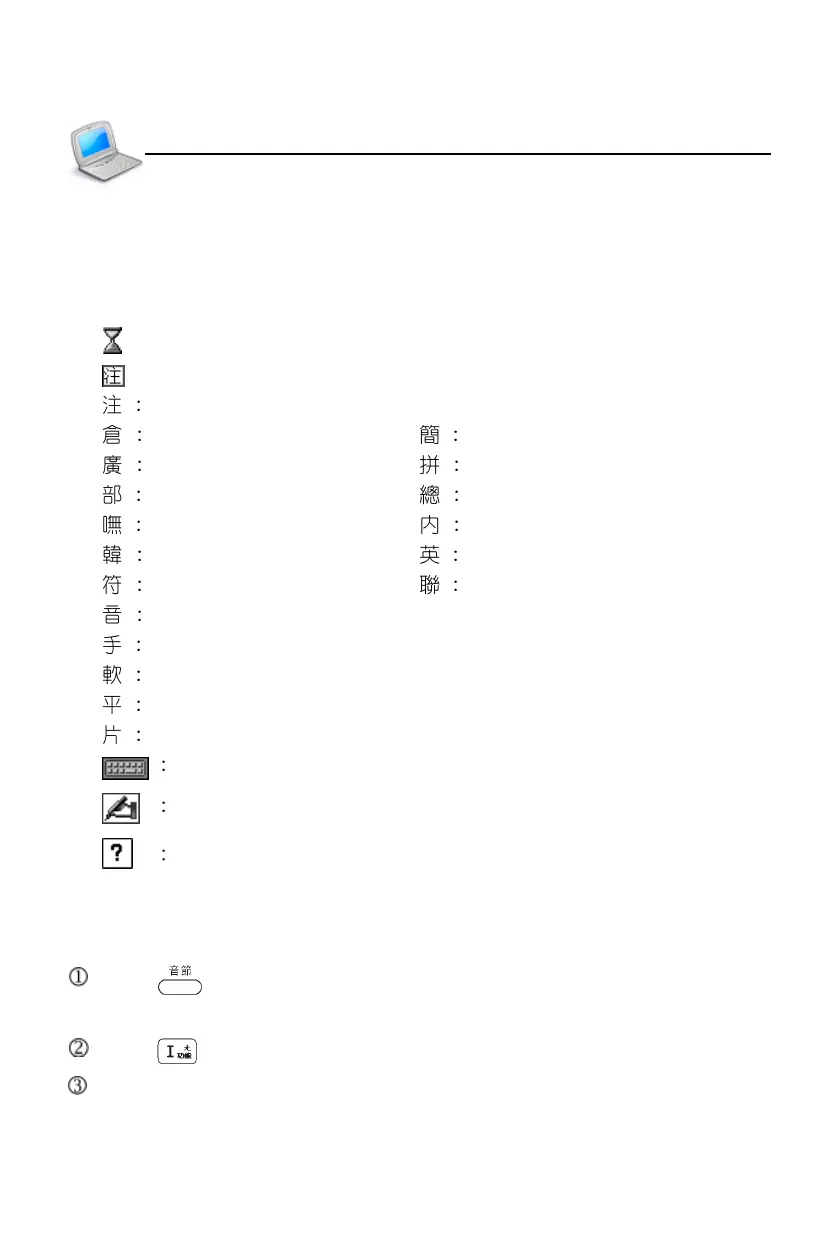
The following indicators will appear when specified functions are selected or
executed.
: Data searching
: Display the corresponding indicator according to selected input method
Zhu Yin symbol/Japanese Zhu Yin symbol
ChangJie Simplified ChangJie
Cantonese Pinyin Chinese Pinyin/General Pinyin
Radical strokes Total Strokes
BoShiAmy Internal code
Korean Pinyin English input
SBC case symbol Association
Phonetic symbol
Handwriting recognition (Chinese/Japanese/English)
Soft keyboard (English/Japanese/symbol)
Hiragana or Roman Hiragana
Katakana or Roman Katakana
Japanese soft keyboard
Tap to access handwriting or on-screen keyboard
View help for the current input method
6. Hot Key Functions
Press to pronounce syllable by syllable in the explanation screen of
dictionaries for multi-syllables words.
Press to open drop-down menu of [Func] in the current function.
The icon of the touch panel has all hot key functions. (Please refer to “Touch
Panel”.)
Indicator/Hot Key Functions
Preface



 To Next Page