30
5. Data Editing
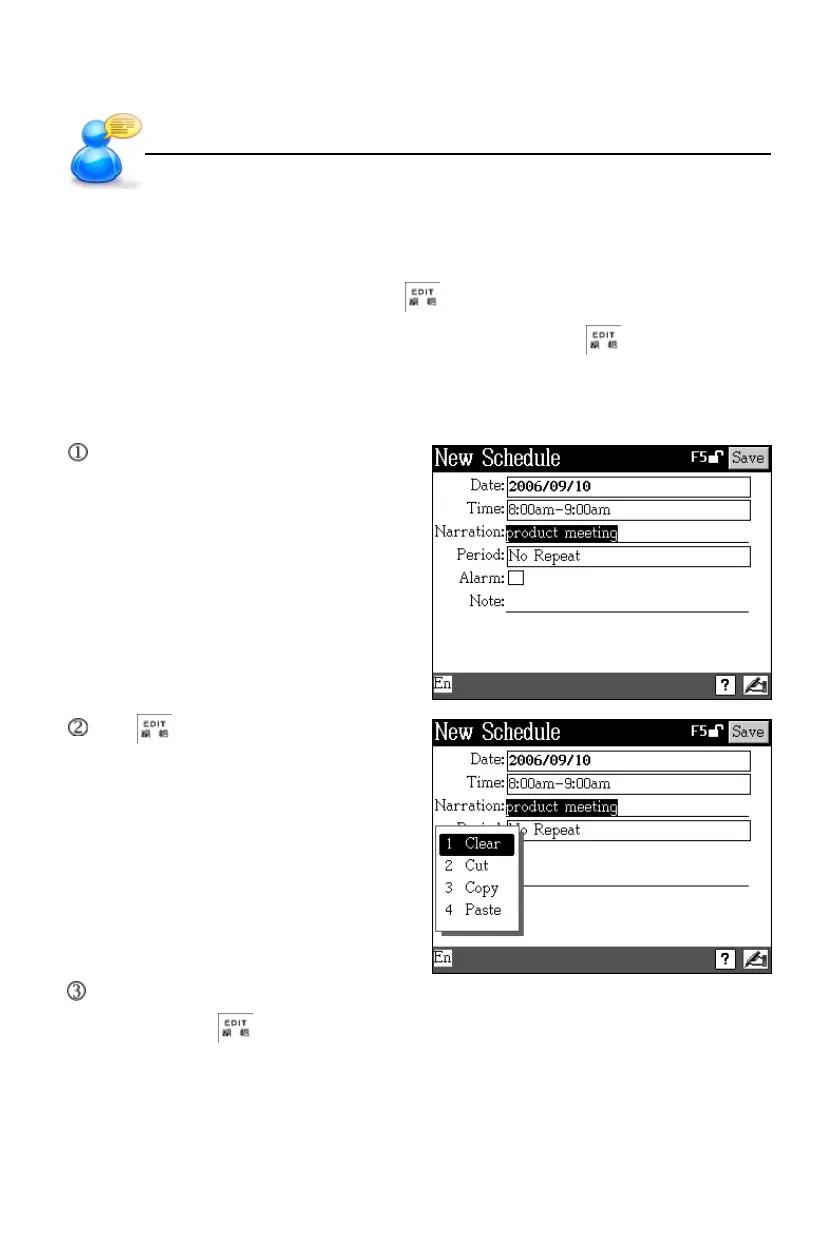
In the editing mode, you can clear, cut, copy or paste data by highlighting the
text first, and then tapping the shortcut in the screen. In the browsing screen,
you can cross search and copy. In the calculator mode, tap to copy the
numerals in the displaying area.
For example, input “product meeting” in “Narration” field of <F3PIM--3 Schedule>.
Input data, and select range.
Tap , then select “Clear”/
“Cut” / “Copy”. (If there is no
copied data, “Paste” will not
be displayed.)
Select “Copy”, then move the cursor to the desired place, or select data to be
replaced, tap , and then tap “Paste”.
Data Editing
User’s Guide



 To Next Page