144
2.4.3 Category Editing
In Name Card and Memorandum, you may add up to 8 categories (including
built-in categories).
Click “Manage Categories” in the task pane of picture 14:
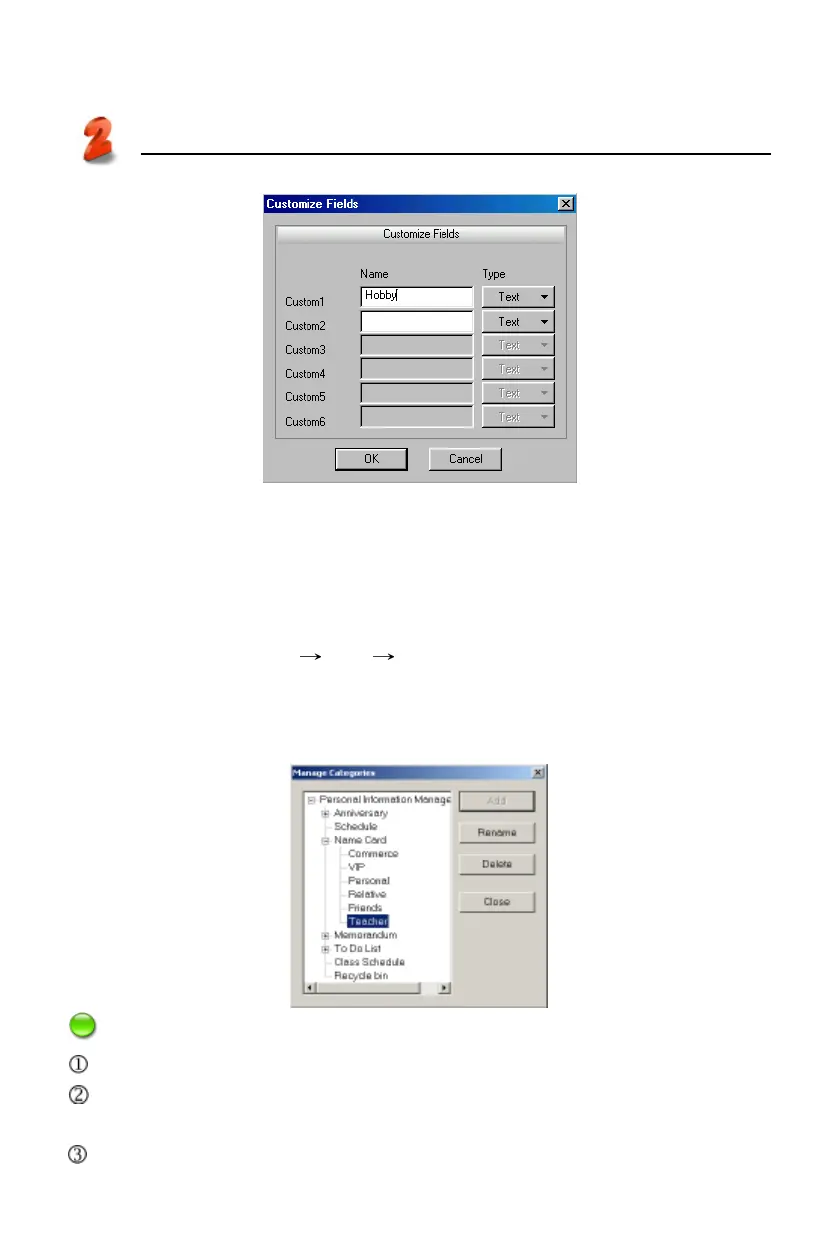
* Select “Name Card” “Add” input new category “Teacher” ;
* Select “Delete” to delete the newly added category (built-in category can not
be deleted);
* Select “Rename” to rename the selected category. (Picture 21)
Notes:
Data can not be copied or pasted in different functions.
Custom field is not available in Anniversary, Schedule, To Do List and Class
Schedule.
The name of custom field/category is up to 16 characters.
PC Service Home
Management
20
21



 To Next Page