Multi
126
9. File Management
This function allows to transmit data between the card and the device. You can
create new folder or rename folder.
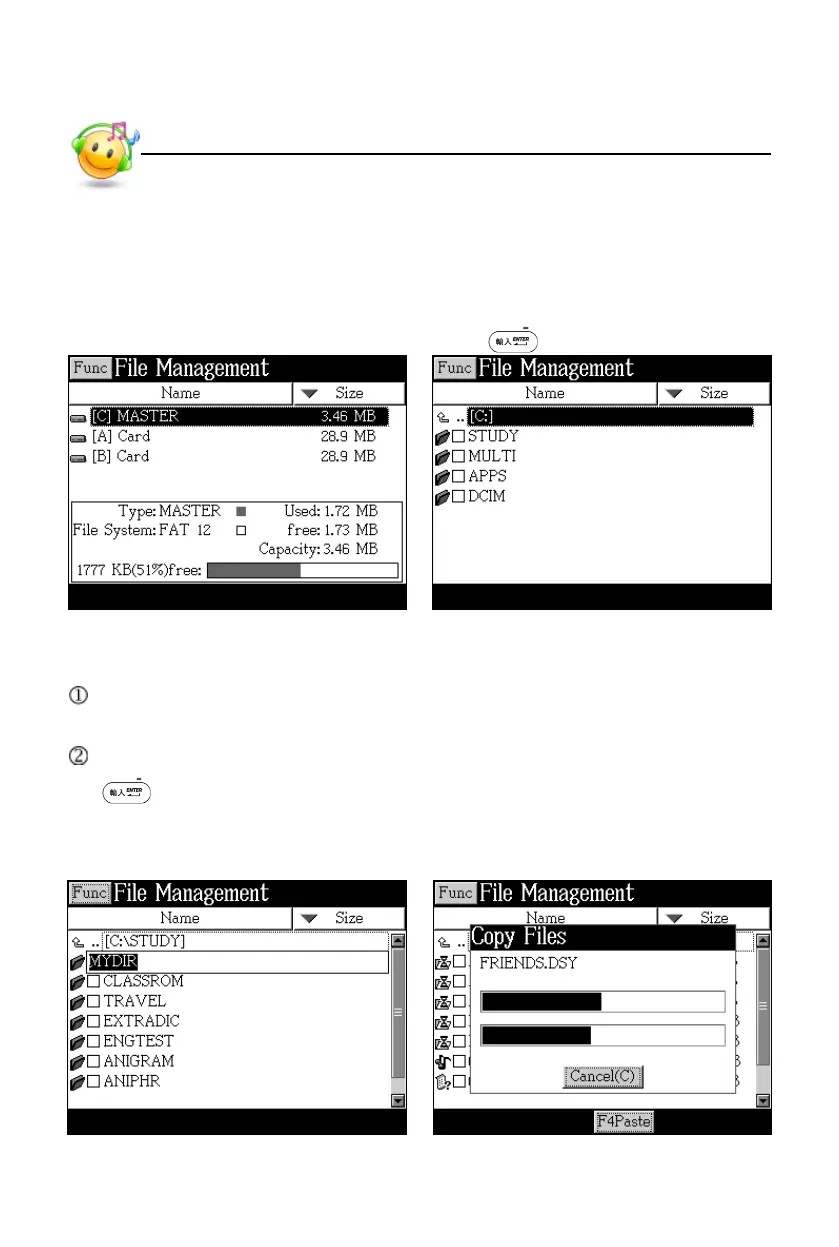
Open the top path Press to access the selected disk
9.1 Create New Folder
Open the path in which you want to create new folder, and tap [Func] to select
“Create Folder”.
The default name of new folder is “MYDIR”, input new name and then press
to confirm.
Create new folder Data exchange between device and
cards
File Management



 To Next Page