28
4.6 Handwriting Recognition
Whenever the icon appears in the screen, it indicates the handwriting
recognition is available.
Tap the handwriting icon.
Tap / / to switch to English/Japanese/Chinese input;
Tap to display the on-screen English keyboard;
Tap to display the on-screen symbol keyboard;
Tap / to open single/double window for handwriting.
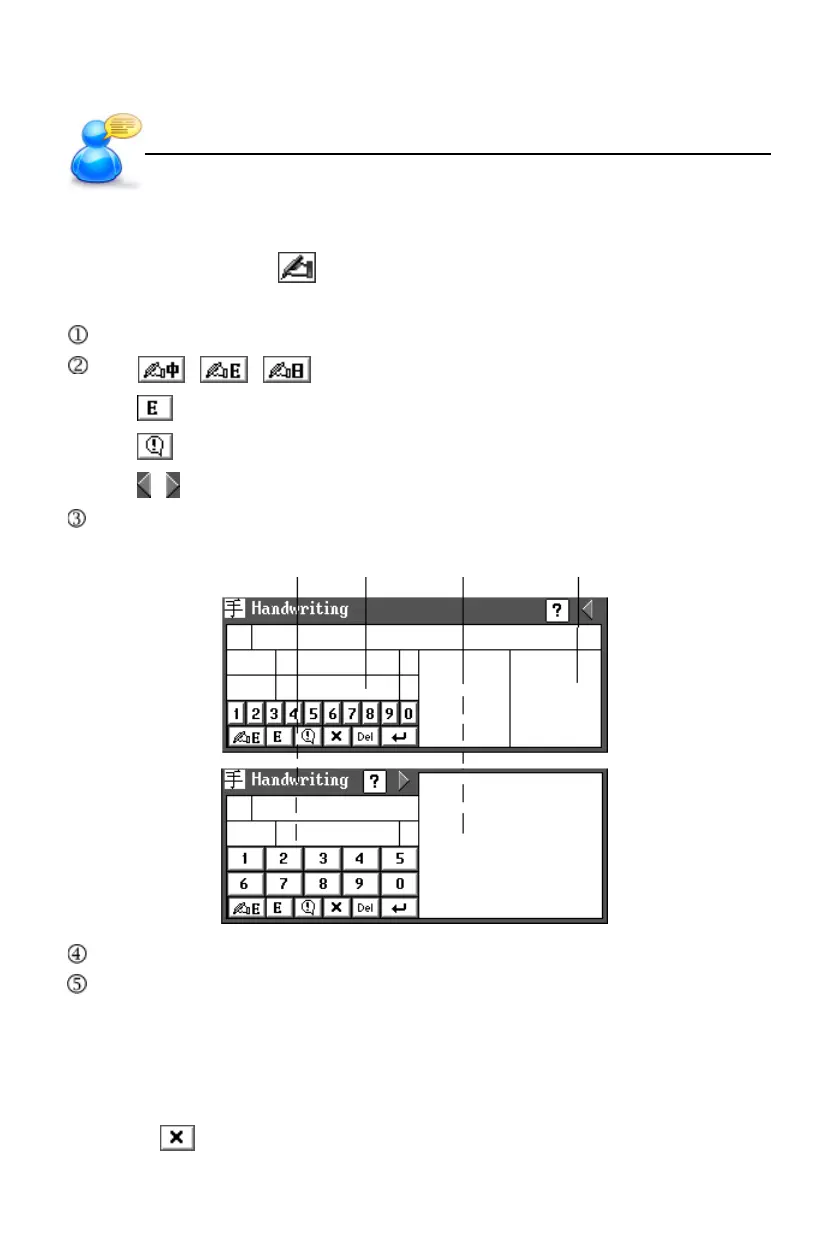
Write in the handwriting area with stylus.
standby 1 standby 2 handwriting 1 handwriting 2
The recognition result will be shown automatically in the standby area.
Tap the desired character in the standby area by stylus.
* If the input character can’t be recognized, please tap “Learn” (except input
English) to open the on-screen keyboard for inputting the correct one, so
that the device will be familiar with your handwriting, and it will recognize this
character when you write it again.
*Tap to return to keyboard input mode.
Input Methods
User’s Guide



 To Next Page