32
Date Selecting/Numeric Inputting
7. Date Selecting
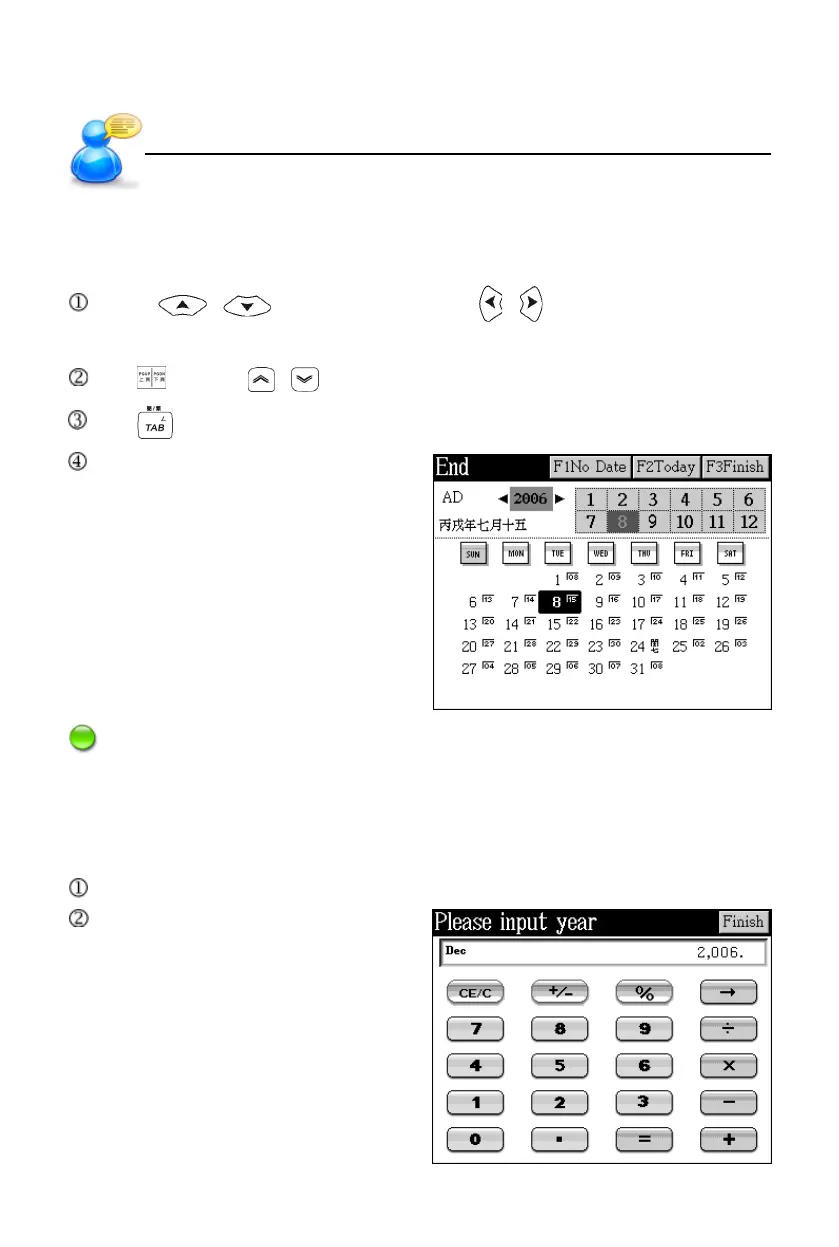
Several functions in [F3 PIM] are connected with date.
Press / to select month; press / to select date. Or directly
tap in the screen to set date, month and year.
Tap or press / to select year.
Tap to shift between choices.
Tap the two arrows at the ends of
year to set, or tap in the field of year
to open the numeric input screen to
edit year directly.
Note: [F1No Date] is only available in <F3PIM--4 To Do List--End>.
8. Numeric Inputting
Several functions in [F3 PIM] are connected with numeric inputting.
Tap or press the numeric and operator keys to input number for calculation.
Tap [Finish] to confirm.
User’s Guide



 To Next Page