Study
78
5.2 Audio Studio
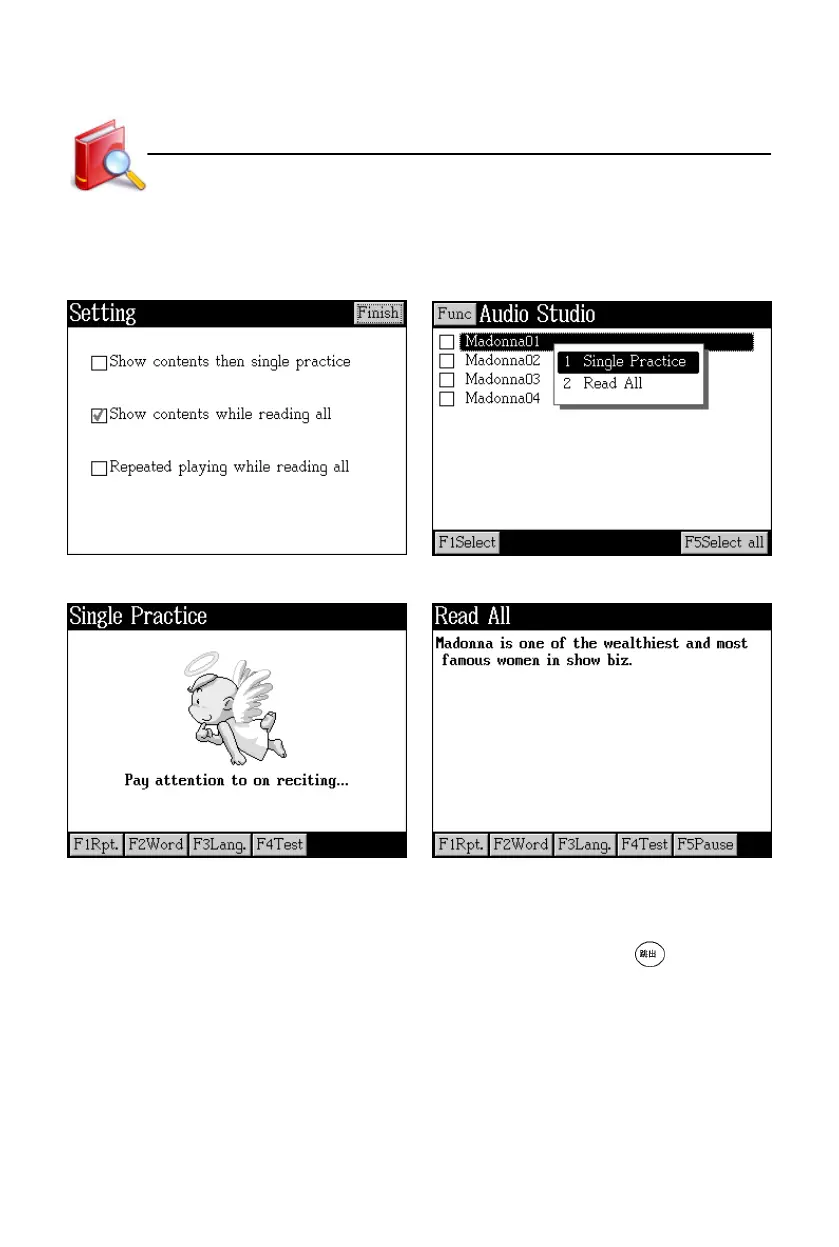
Tap [Func], then [1Setting] in the index Tap an item in the index screen to
screen to access the setting screen. select “Single Practice” or “Read All”.
Single practice Read all
* Tap [F1Rpt.] to listen to the sentence again. Tap [F1Rpt.] in Read All to select
whether to listen to the current sentence or the whole text once more.
* Tap [F2Word] to listen to single words in the sentence; press to stop.
* Tap [F3Lang.] to select Chinese/English/Chinese & English display.
* Tap [F4Test] to test at any time.
* Tap [F5Pause] in Read All to pause reading.
Listening&Speaking Classroom



 To Next Page