EasyManua.ls Logo

BMS alpha CR - Scraper Radio System

Default Icon
188 pages
Print Icon
To Next Page IconTo Next Page
To Previous Page IconTo Previous Page
Loading...
Layout and function
4
Operating elements
4.6
53
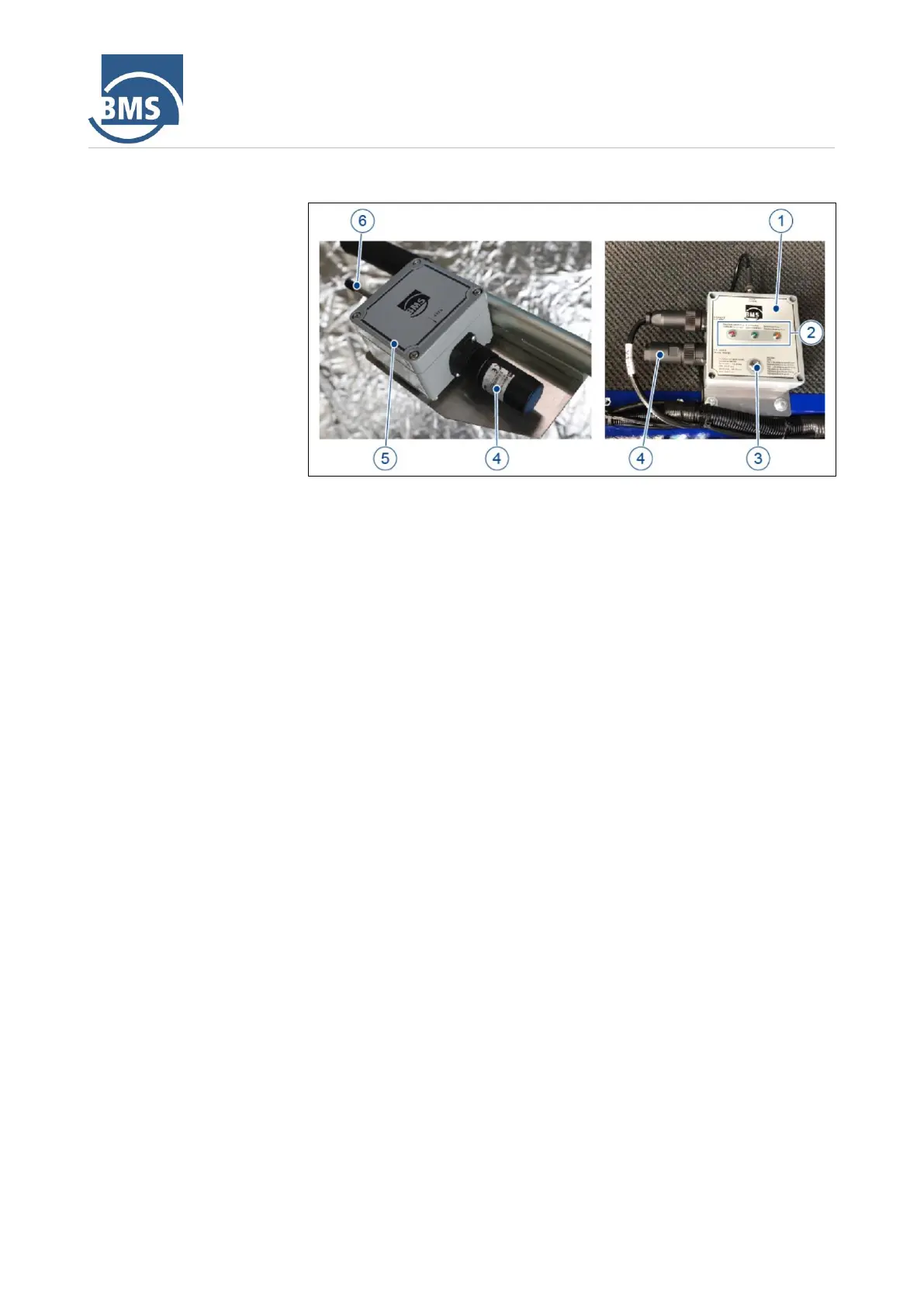
4.6.3 Scraper radio system
Figure 18: Scraper radio system
1
Radio receiver
2
LED display
3
Save/reset button
4
Battery
5
Radio transmitter
6
Thumb button
LED display
The LED display shows the different operating states of the radio system of
the scraper.
Red LED: If the red LED lights up, an error has occurred or the address
is changed.
Green LED: If the green LED lights up, the radio system is in operation.
It indicates the operating mode.
Yellow LED: If the yellow LED lights up, the battery is being charged.

Table of Contents