EasyManua.ls Logo

BMS alpha CR - Submenu

Default Icon
188 pages
Print Icon
To Next Page IconTo Next Page
To Previous Page IconTo Previous Page
Loading...
Layout and function
4
Menus
4.7
59
4.7.3 Submenu
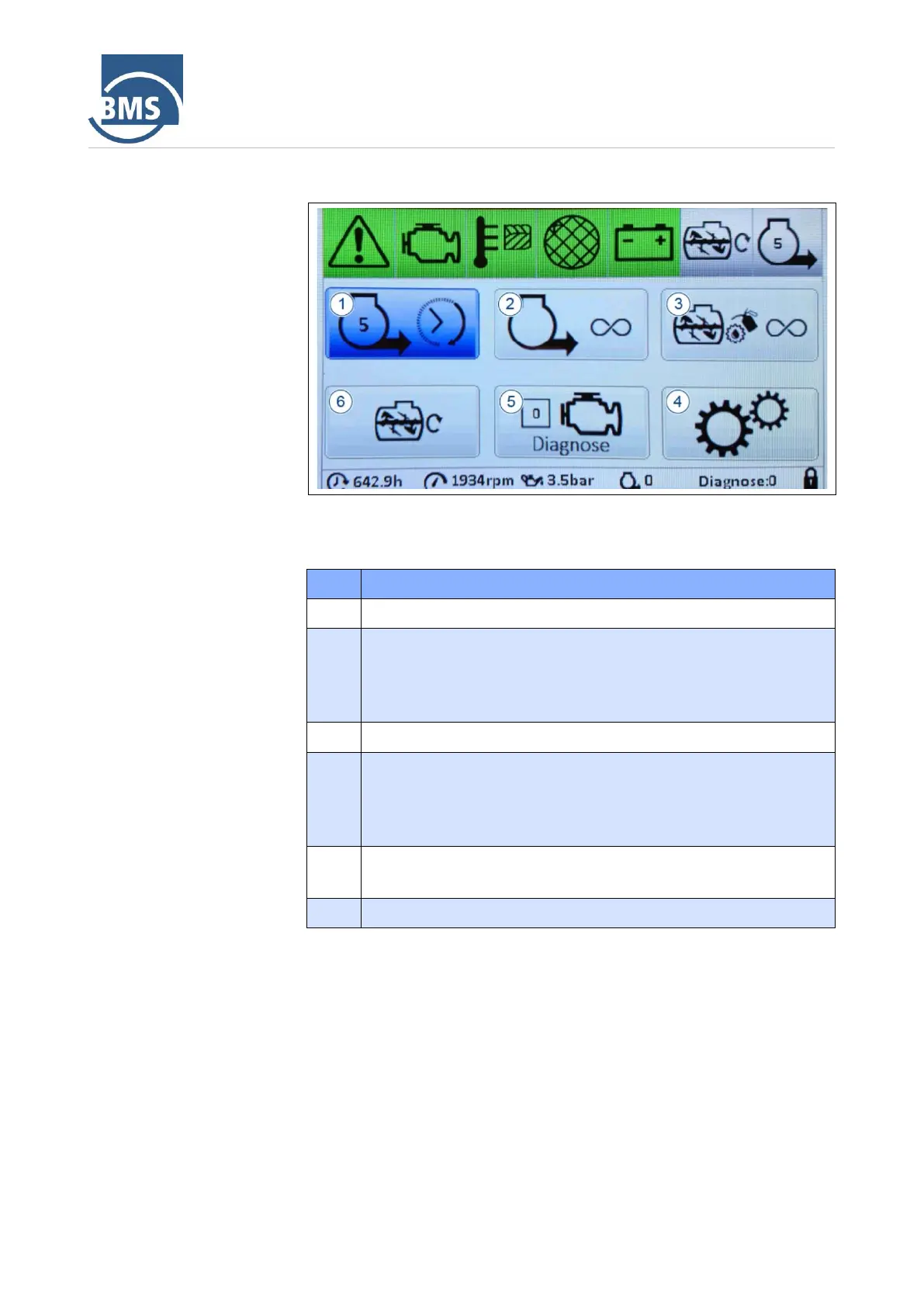
Figure 21: Submenu
The buttons in the submenu have the following meaning:
No.
Meaning
1
Set mixing time default
2
This button is used to switch manual mode on/off. The machine
conveys permanently.
If the motor is running smoothly, the button is displayed in
green.
3
Switch continuous lubrication on/off
4
Call up the service area
This area is accessible only to specialist personnel and is
protected with a code.
The code entry menu opens after selection.
5
Calling up the diagnostic menu
The button displays the sum of the pending diagnostic codes.
6
Switch the continuous mixer on/off.

Table of Contents