9E-926 6 SmartControl™ Meter & TouchPoint™
Operation Instructions
2. Operation
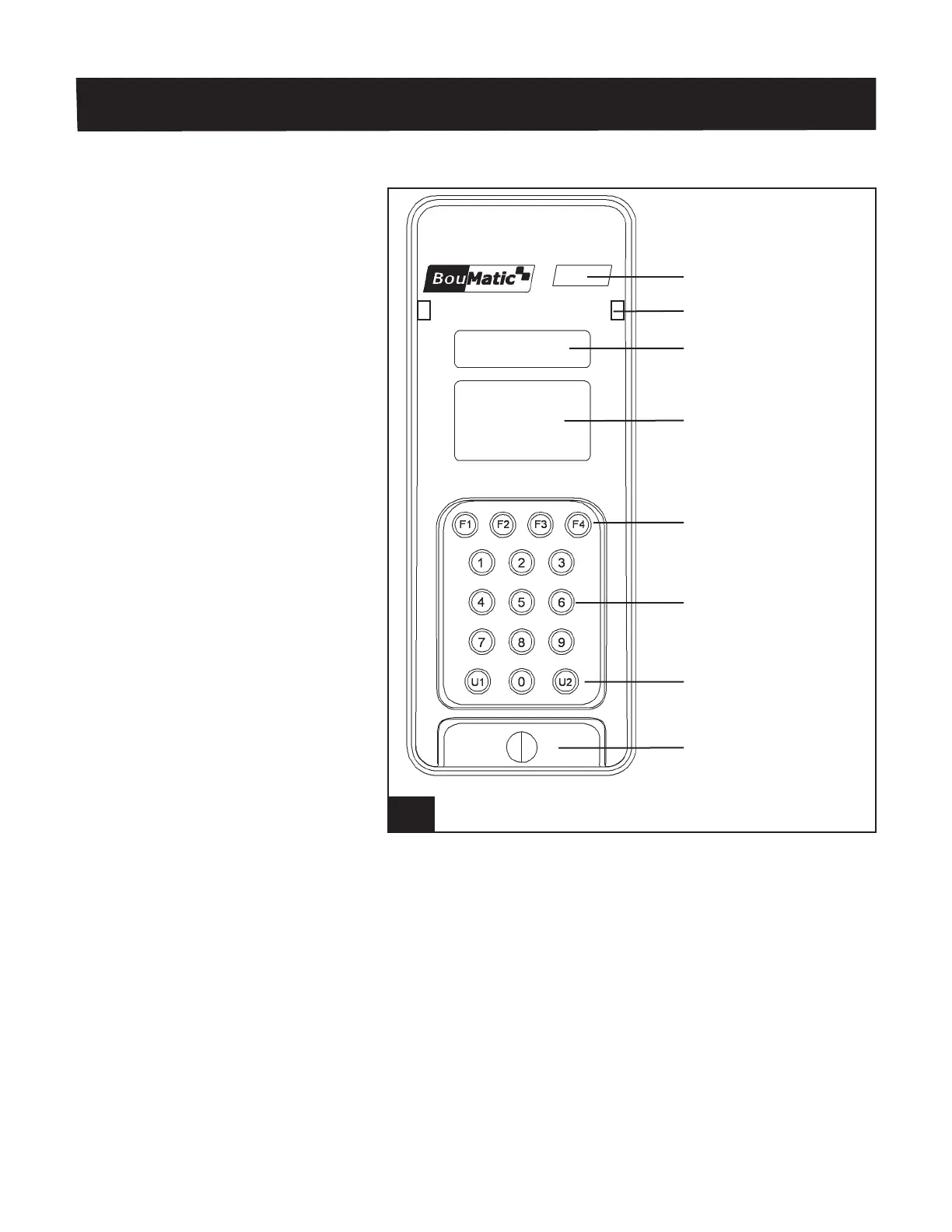
2.1 TouchPoint Overview
2.1.1 Front View of TouchPoint
The TouchPoint contains the following major components that
are used by the milkers.
Stall Number
The Stall Number is shown by a three digit LED display after
the TouchPoint has been addressed. The number will be zero
before it is addressed.
LED Status Indicators
The LED Status Indicators will display the color for the mode
that the TouchPoint is in, see Tables 1 and 2 for colors used
during “Milking” or “Washing” modes. The LEDs are visible
from either side of the TouchPoint.
1. TouchPoint Front View l926_1
Stall Number
LED Status Indicators
5 Digit LED Display
LCD Display
Function Keys
Numeric Keys
Auto/Manual Keys
U1 & U2
Attach/Detach Key



 To Next Page