4-14 BBP
®
33 Sign & Label Printer
User’s Manual
Printer Maintenance
Replacing the Media Wiper
Replacing the Media Wiper
Materials Required
• Media Wiper (5 pack) Kit, Cat #B31-WIPER (sold separately)
To replace the media wiper:
1. Remove power and media from the printer (see “Removing Power and Media
from Printer” on page 4-1).
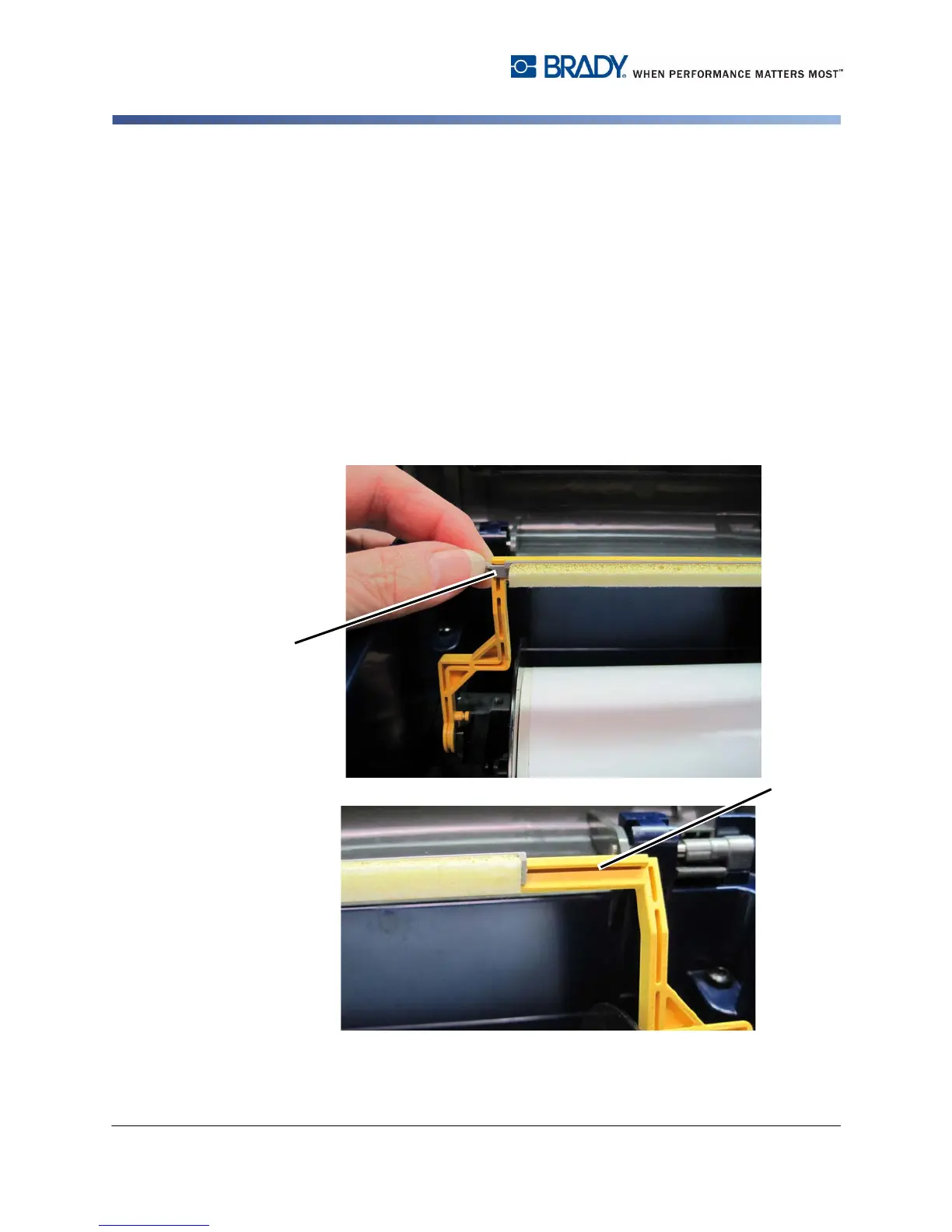
2. LIft and hold the wiper arm while grasping the tab of the wiper insert [2].
3. Pull the tab slightly forward and then slide the wiper insert out of the wiper
arm.
4. To replace the wiper, insert the lip of the wiper insert into the slot [4] of the
wiper arm and slide in until the tab snaps into place.
5. Replace the ribbon and tape.
6. Close all covers and plug in the power cord.



 To Next Page