2-54 BBP
®
33 Sign & Label Printer
User’s Manual
Brady Network Cards
Using Brady Network Card Configuration Utility
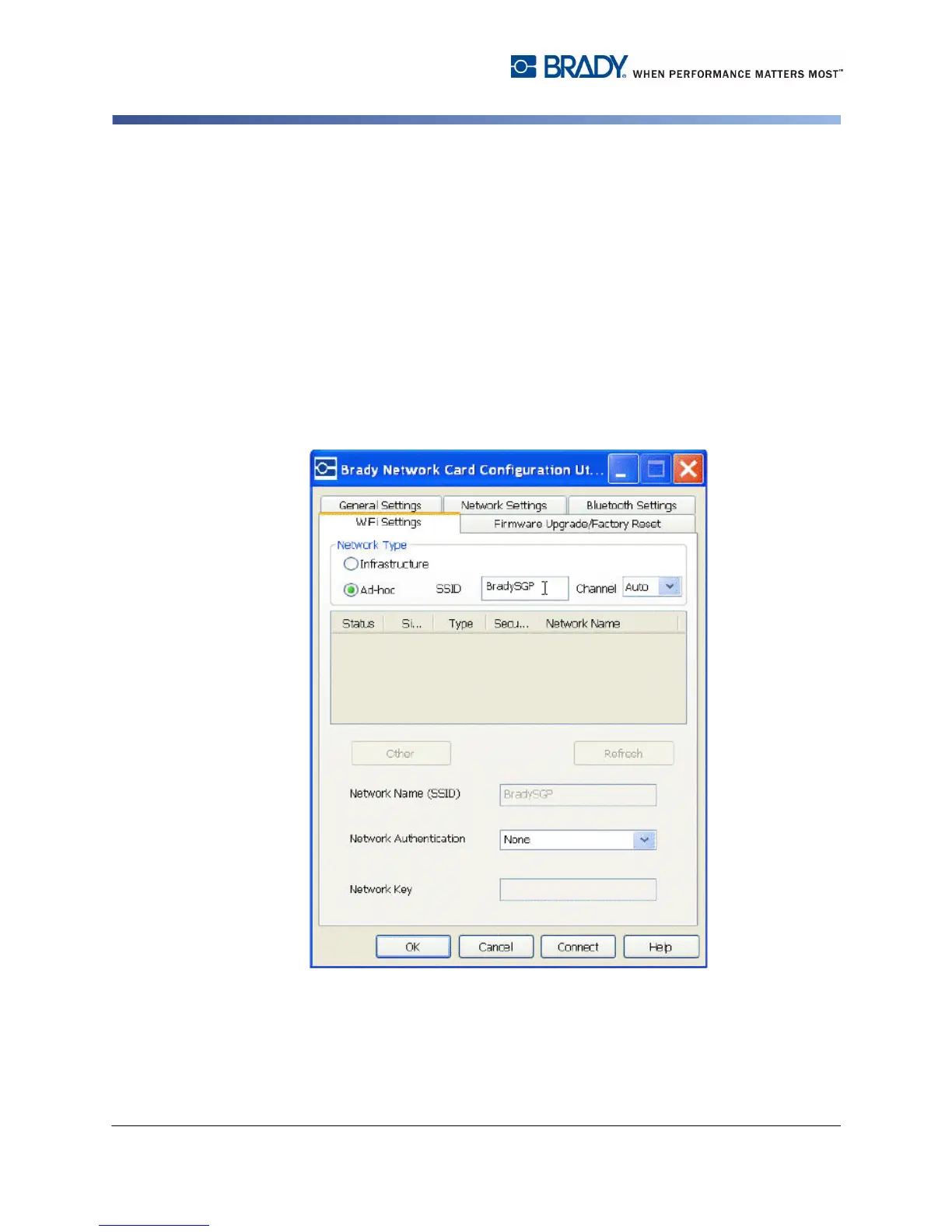
WiFi Settings
The WiFi Settings tab displays:
• The network type - Infrastructure vs. Adhoc.
• The currently connected network.
• Security settings for the currently connected network.
To setup WiFi settings:
1. Choose a network type:
• Select Infrastructure when your printer is connected to the PC using a router.
This is the most common case.
• Select Ad-hoc to connect your printer to the PC directly without a router.
2. Enter the SSID (network name) and Channel (leave at default Auto).



 To Next Page