4-10 BBP
®
33 Sign & Label Printer
User’s Manual
Printer Maintenance
Cleaning the Printer
Clean Tape Entrance
This procedure cleans the tape entrance, exit area and exit chute. The tape
entrance can become sticky because of adhesive buildup
Note: Clean the exit area after cleaning the sensors (see “Clean Sensors” on
page 4-9). The cleaning swab may be damaged when cleaning the exit area.
Materials Required
• Cleaning Kit (Cat # B31-CCT), includes foam swabs, adhesive scraping tool, plastic
bottle (not available in all regions)
• Kimwipes
®
or other non-abrasive cloth
• Isopropyl Alcohol
• Compressed Air Bottle, purchased locally (e.g., HOSA AIR-464 Gear Duster)
Always wear safety glasses when using compressed air.
To clean the tape entrance:
1. Lightly moisten a lint-free cloth with isopropyl alcohol.
Do not use isopropyl alcohol on the print head! Isopropyl alcohol may
permanently damage the print head.
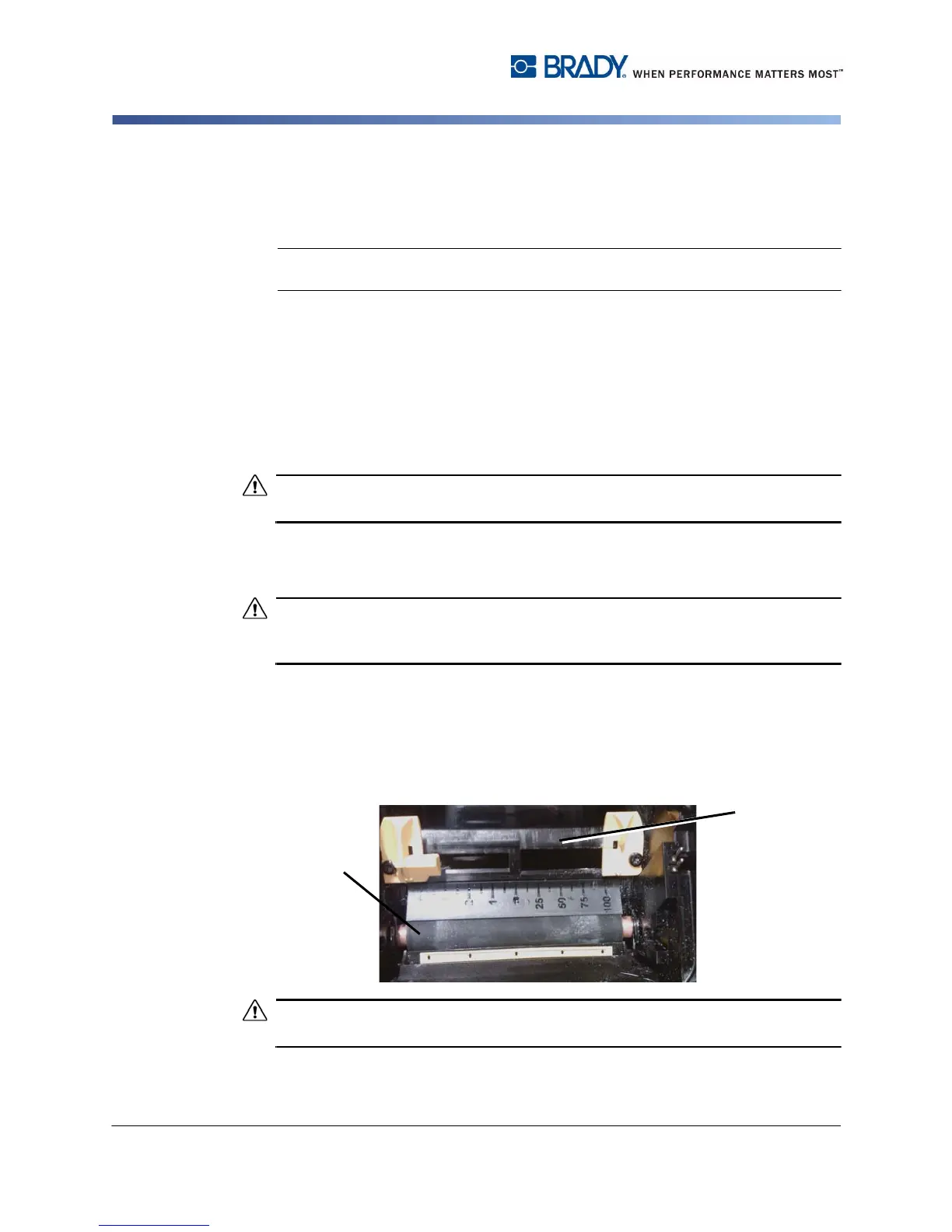
2. At the top of the tape entrance, rub along entire length of the tape entrance to
remove the adhesive residue [2]. If necessary, use the adhesive scraping tool
or other flat-edged tool, covered with the Kimwipe, to push against the tape
entrance to clean all of the residue from the entrance.
3. Wet a cotton swab with isopropyl alcohol and thoroughly clean along the entire
media entrance area.
When cleaning, don’t pinch or gouge the platen roller. Use only compressed air .
4. Use compressed air to clean off dust on the entire printer, including the platen
roller.



 To Next Page