BBP
®
33 Sign & Label Printer
User’s Manual
1-3
Keypad and Menu Functions
User Interface
Keypad and Menu Functions
The following describes the keys, buttons and display screen that are used to
navigate through and use the BBP
®
33 Sign & Label Printer system.
User Interface
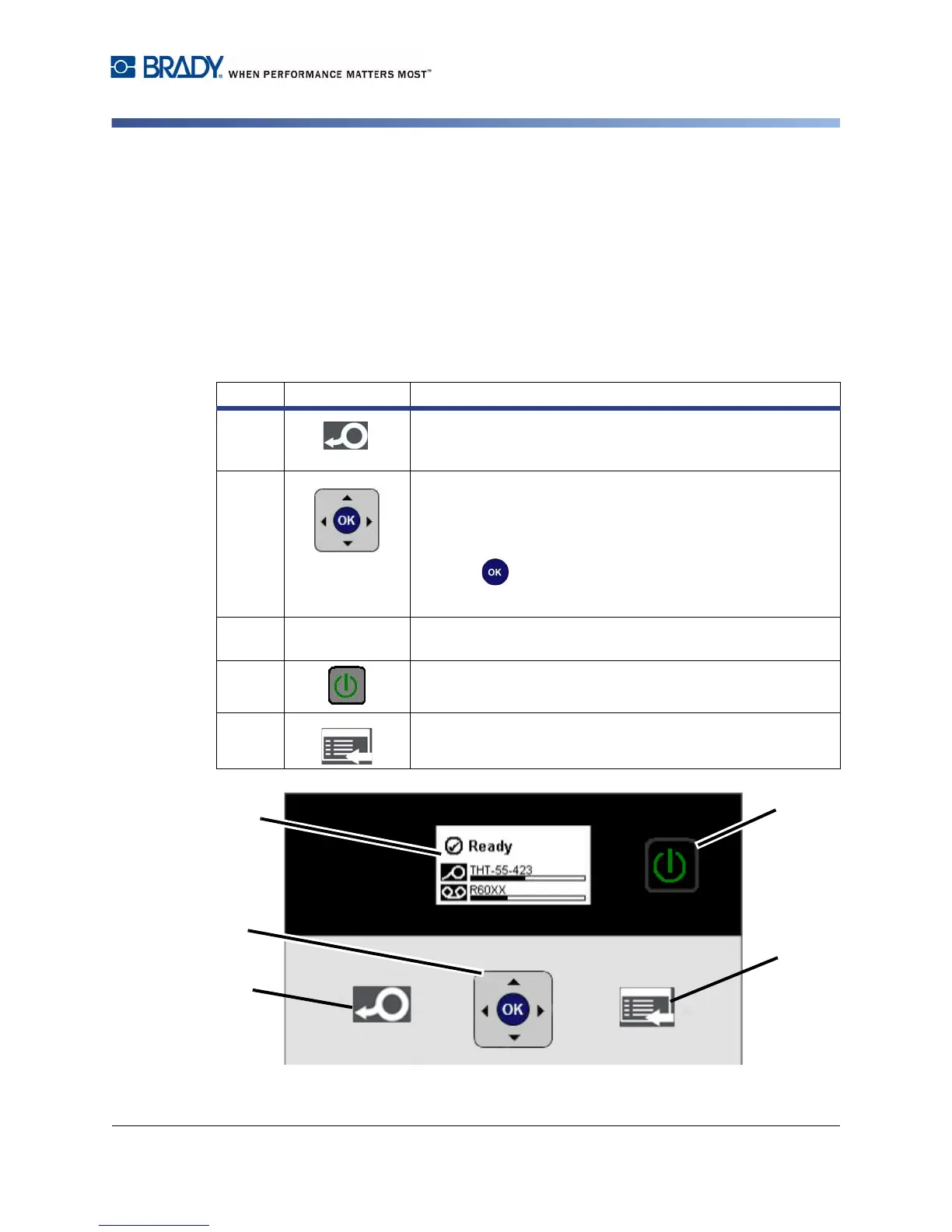
The user interface (UI) contains the keypad and buttons for using the printer. The
main functions are as follows:
Item # Icon Description
1
Feed: Feeds the labels through the printer to the next notch
on the liner. Feeds a full label for die cut; 0.5-inch (12.7 mm)
for continuous.
2
Keypad:
•Press Tor S to move through primary menu.
•Press W to exit or move up a menu.
•Press X for menu support functions.
• Press to accept a selection or move through
submenus.
3
-- Display Screen: See “Display Screen” on page 1-4 for
details.
4
Power Button: Turns the printer on and off.
5
Menu: The display screen.



 To Next Page