1-4 BBP
®
33 Sign & Label Printer
User’s Manual
Keypad and Menu Functions
Display Screen
Display Screen
The display screen has two modes:
•
Ready Mode
: Indicates printer status and displays estimated remaining media
and estimated remaining ribbon. Also indicates the media and ribbon installed.
•
Menu Selection Mode
: Lets you configure system defaults, view and set
printer information, perform input and output operations and perform
diagnostics.
Ready Mode
The printer has three ready modes (see “Connection” on page 3-8 for more detail):
•Initializing
•Ready
• Ready - USB Only
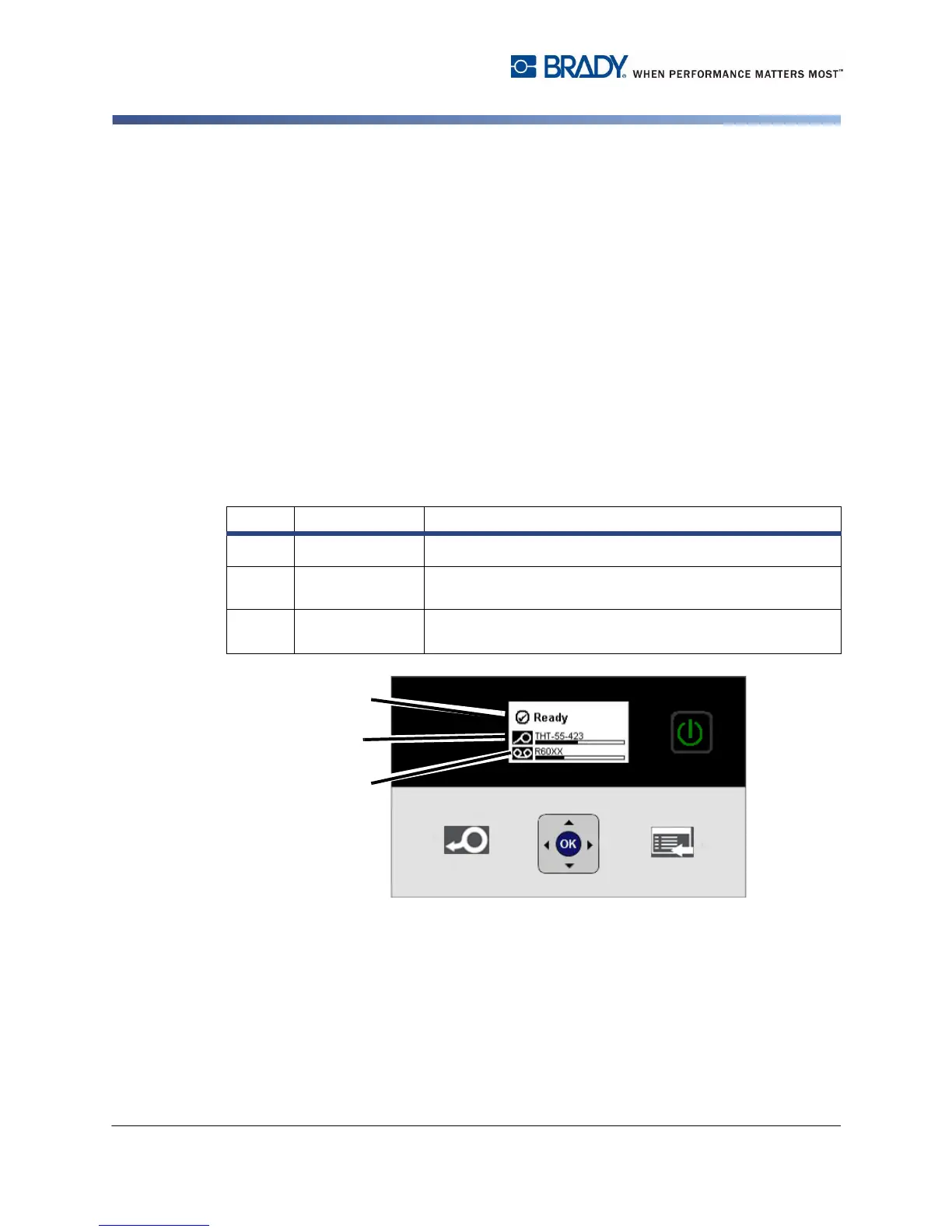
The table describes the display screen when in idle (Ready) mode.
Item # Condition Description
1
Printer Status
Displays the online printer status.
2
Media Status
Displays media part number and estimated amount of
remaining media.
3
Ribbon Status
Displays ribbon part number and estimated amount of
remaining ribbon.



 To Next Page