2-10 BBP
®
33 Sign & Label Printer
User’s Manual
Print Two-sided Sleeve Material
Feeding and Cutting Label Stock
Print Two-sided Sleeve Material
When printing two-sided sleeve material, side one is loaded and printed directly
from the roll. To print side two, the material is cut at the end of the job, then loaded
from the back of the printer.
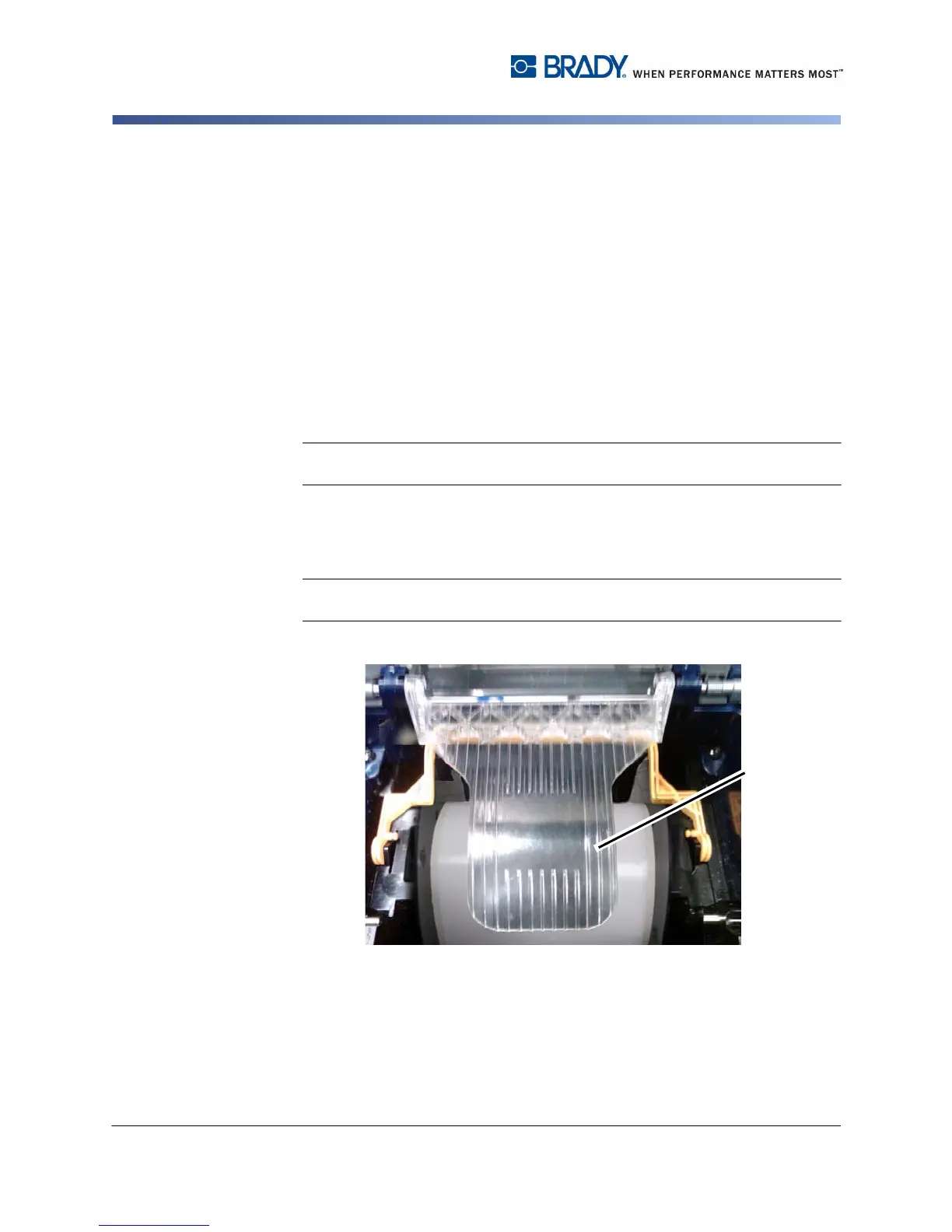
A media bridge holds the two-sided material above the the tape roll. The two-sided
material lays across the bridge to enter the tape entrance ramp. When done, the
bridge is raised and snaps into the enclosure cover.
To setup the media bridge:
1. Print side one of the two-sided markers.
2. When the job is done, cut the printed markers.
Note: Use scissors or auto-cutter to cut the markers. Using the tear bar is not
recommended.
3. Open the enclosure cover and ribbon cover.
4. Disengage the yellow wiper arm.
5. Back the media out of the printer but do not remove the media roll.
Note: The media roll must remain in the media slot or the printer will indicate a
tape out condition.
6. Flip the media bridge down so it lays over the roll of tape [6].



 To Next Page