4-12 BBP
®
33 Sign & Label Printer
User’s Manual
Printer Maintenance
Cleaning the Printer
Cleaning the Cutter Blade Exit Area (Auto Cutter only)
This procedure cleans the cutter blade exit area and the exit chute.
Note: You should clean the exit area after cleaning the cutter blade and sensors.
The cleaning swab may be damaged when cleaning the exit area.
Materials Required
• Cleaning Kit (Cat # B31-CCT), includes foam swabs, adhesive scraping tool,
plastic bottle (not available in all regions)
• Isopropyl Alcohol
To clean the exit chute:
1. If necessary, remove power and media from the printer (see “Removing Power
and Media from Printer” on page 4-1).
2. Close the ribbon cover. It does not need to snap into place.
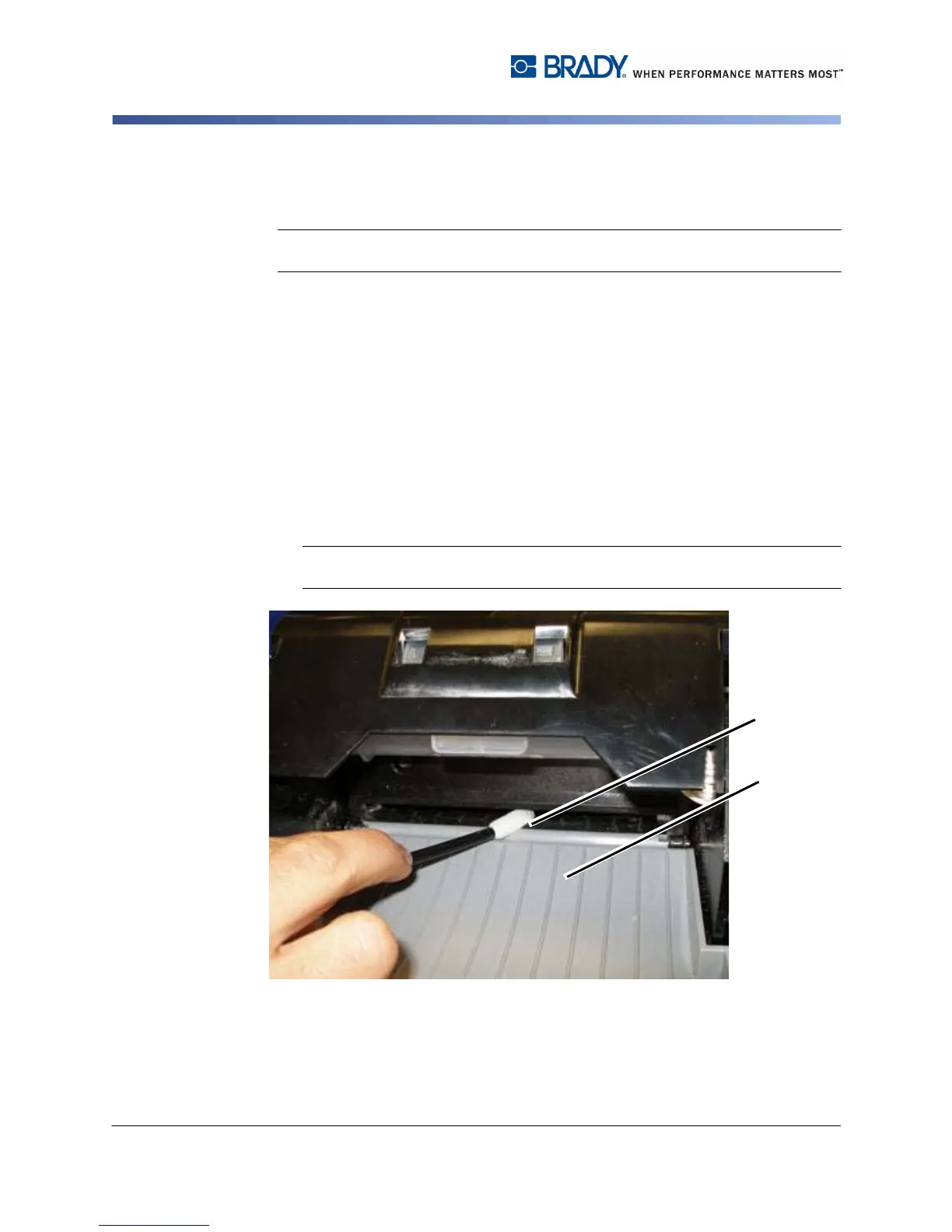
3. Using a swab pre-moistened with alcohol, clean the exit chute entrance [3a]
and exit chute ramp [3b].
Note: To reach all areas of the exit chute, you can close the enclosure cover
and tilt the printer up.
4. Replace the ribbon and tape.
5. Close covers and plug in the power cord.



 To Next Page