2-4 BBP
®
33 Sign & Label Printer
User’s Manual
Unpack and Set up Printer
Set up the Printer
Install or Change Supplies
The media and ribbon supply cartridges use a “smart cell” to define and track the
supply information. The system automatically recognizes the supply information
for the installed media and ribbon.
Note: The printer can be either on or off when changing supplies.
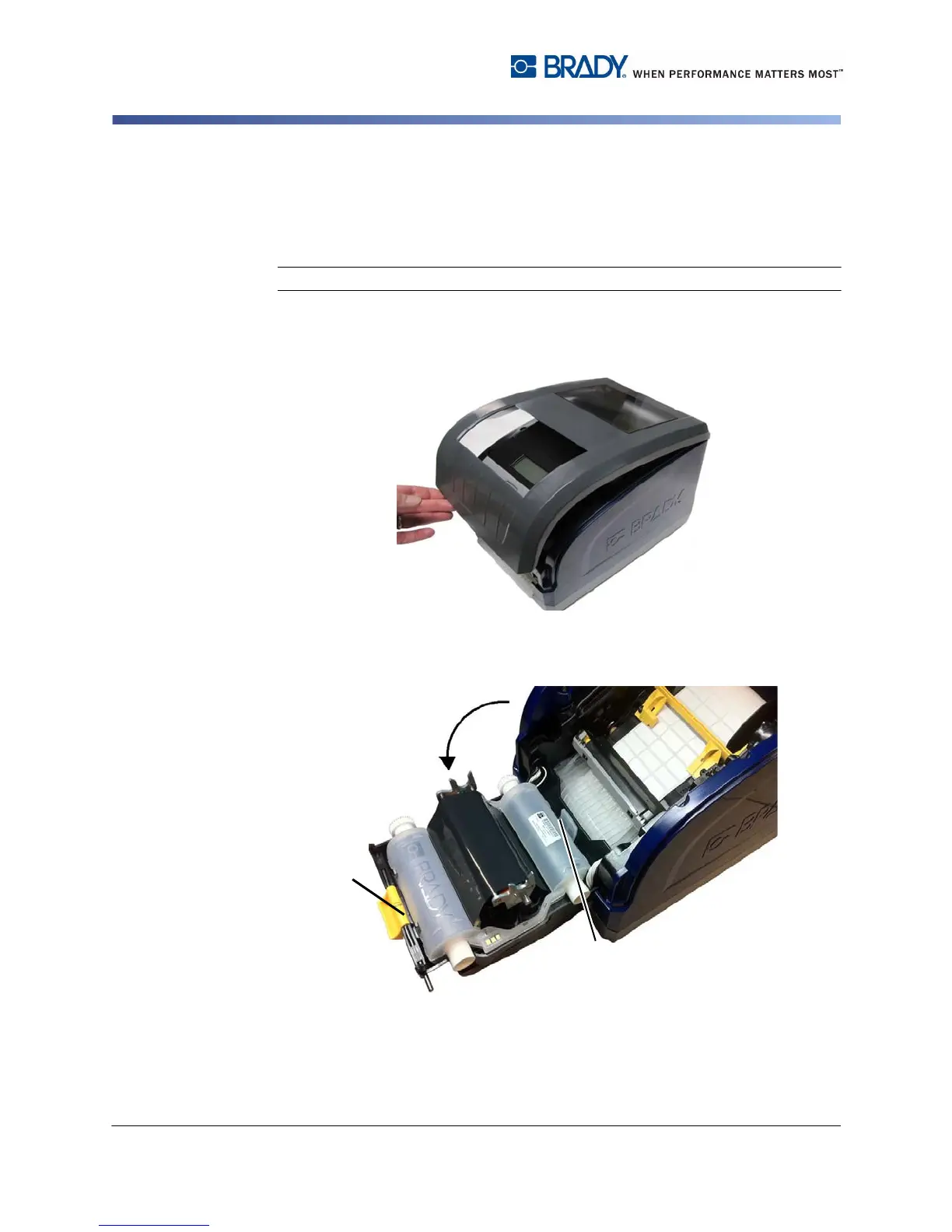
To install or change ribbon:
1. To remove ribbon, open the enclosure cover.
2. Release the latch on the ribbon cover [2] and swing open.
3. Release the ribbon cartridge latch [3] and lift the ribbon cartridge up and out.



 To Next Page