SMART MATRIX WARP Operation
SMART MATRIX - 2-3 -
1 – Navigation inside the Selected Window (TENS)
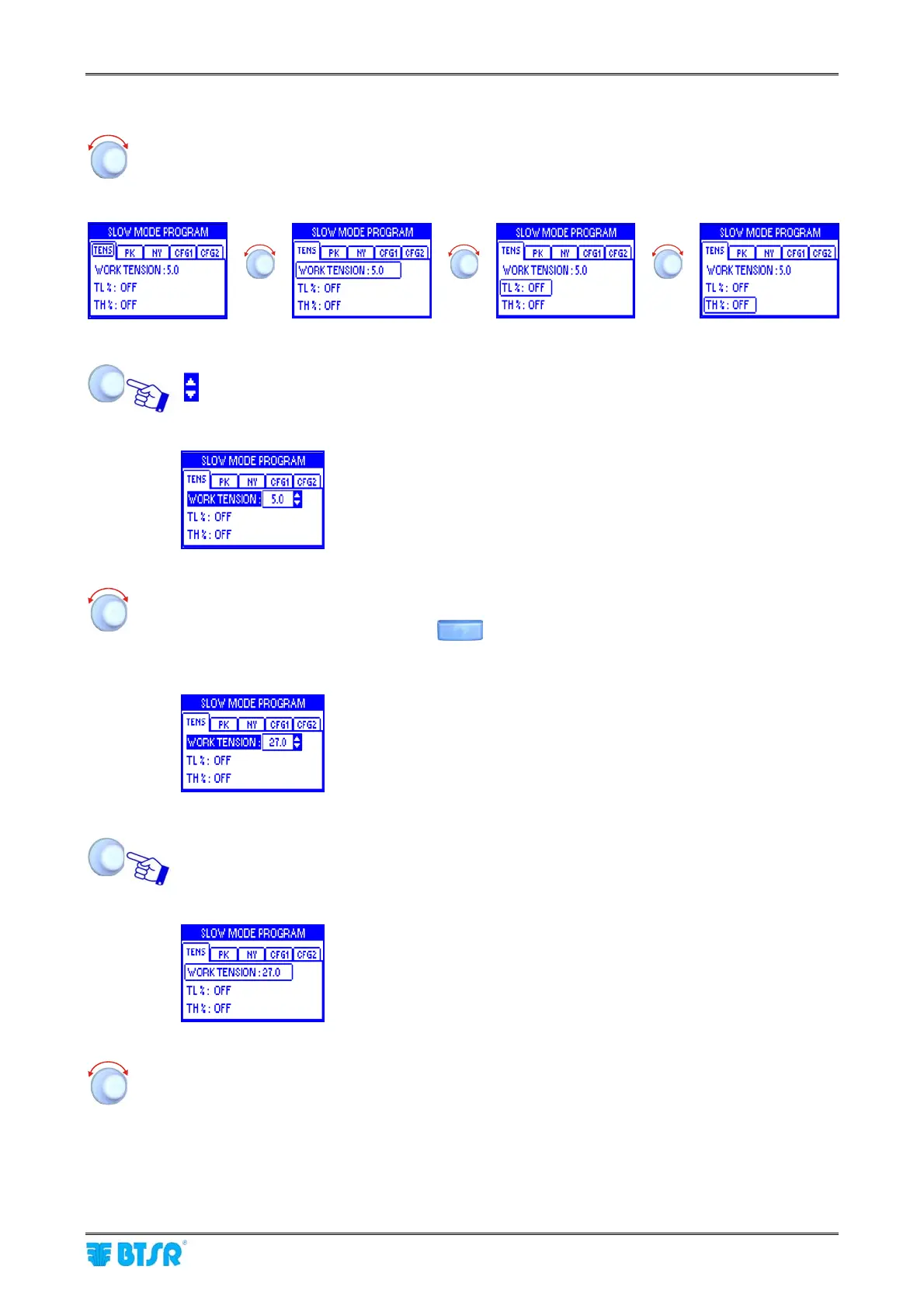
Turn the selector to “Point” in sequence the various items of the window
(TENS → WORK TENSION → TL% → TH%).
The frame indicates the “Pointed” field.
Î Î
Î
Click to “Select” the pointed item. The field name will be shown in reverse and the symbols:
appear to the right of the field value.
Example:
WORK TENSION field selected (reverse)
Turn the selector either to Clockwise direction to increase the value, or to Counterclockwise
direction to decrease it (resolution 0.1).
Turn the selector holding the button
pressed to increase/decrease the value more
quickly.
Example:
New value of WORK TENSION field = 27.0
Once you have set the desired value (e.g. 27.0), click to confirm.
Example:
WORK TENSION fileld no more selected
Turn the selector to select a new field and so on……










 To Next Page