SMART MATRIX WARP Operation
SMART MATRIX - 2-4 -
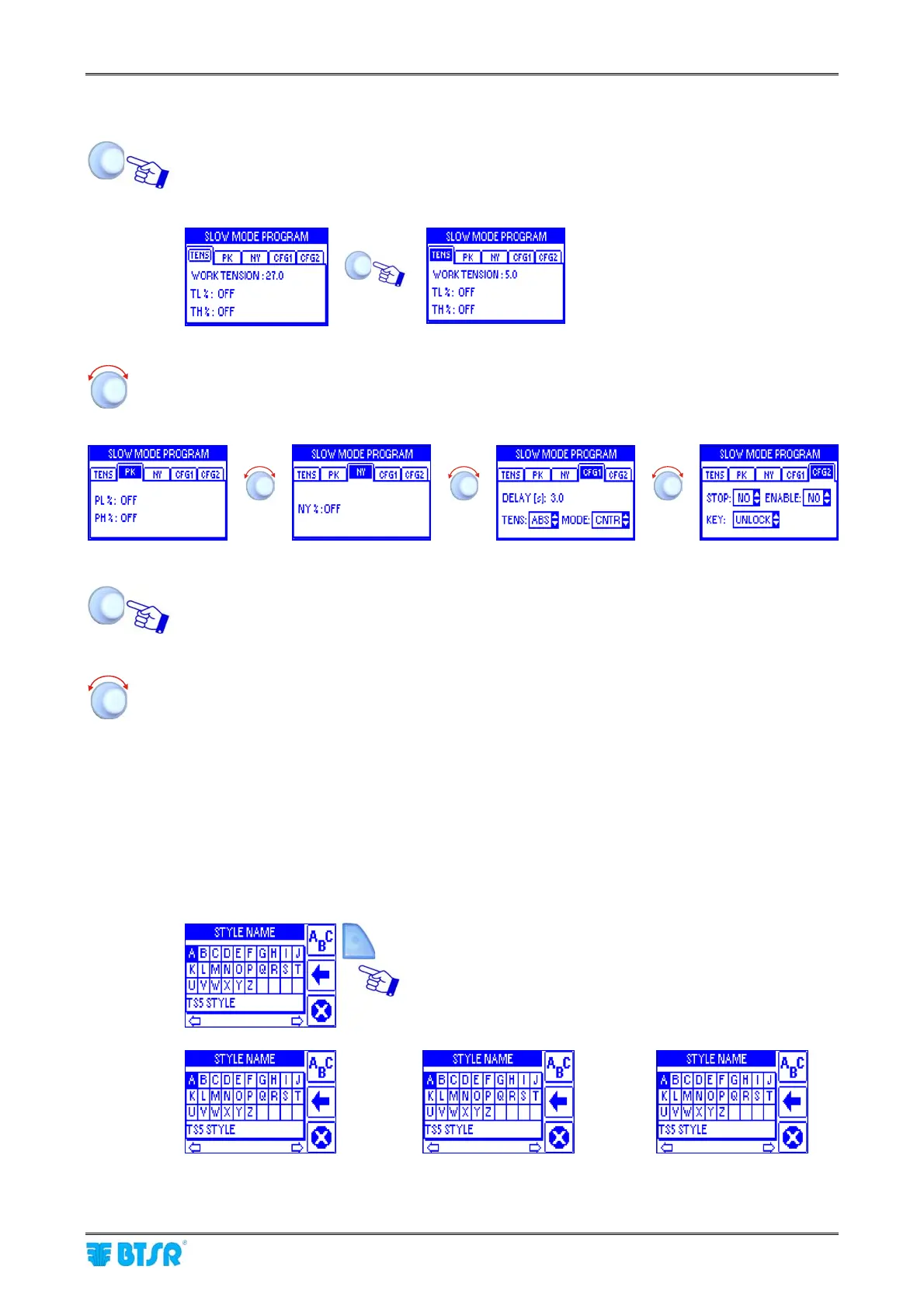
2 – Windows Swap
Turn the selector to “Point” the label of the current window (TENS) and click to select it.
Example:
Î
Turn the selector to “Point” in sequence the various windows
(TENS → PK → NY → CFG1 → CFG2).
Î Î
Î
Click to select the desired window and enable the access to its parameters.
Select the desired parameter as explained on previous paragraph:
1 – Navigation inside the Selected Window (TENS)
3 Entering Alphanumeric Values
Some functions of SMART MATRIX WARP terminal require typing alphanumeric data fields (e.g. Style Name
setup or change).
To make this operation easier, a soft keyboard has been implemented, which allows entering capital/small
letters, numbers and graphic symbols.
While entering the desired character string, the quick function activation buttons provide the following
functions:
It allows selecting, in sequence, the set of capital letters,
small letters and numbers/graphic symbols.
Î
Î
1)










 To Next Page