SMART MATRIX WARP Operation
SMART MATRIX - 2-5 -
DEFAULT STYLE NAME
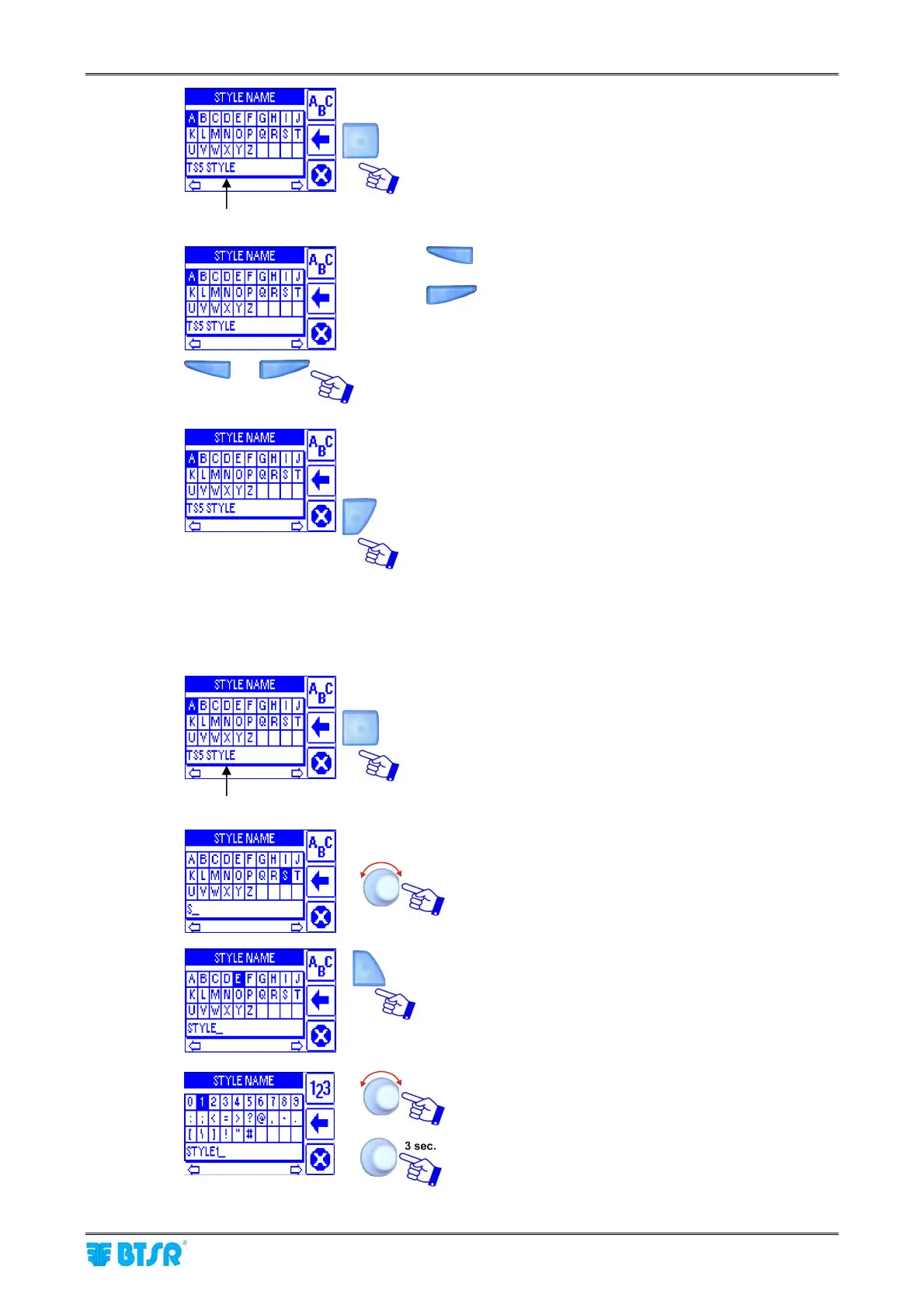
It allows clearing the character to the left of cursor
It allows moving the cursor one position to the left.
It allows moving the cursor one position to the
right.
It allows leaving the string entering function.
Example
To enter a Style Name (e.g. STYLE1), operate as follows:
DEFAULT STYLE NAME
Press repeatedly the indicated button to clear the
Default Style Name.
Select, in sequence, the S, T, Y, L, E keys.
Press 2 times the indicated button to select the
numeric keypad.
Select 1.
Confirm the entered string
2)
4)
3)










 To Next Page