8630 - 107
OPERATING THE PROCESS CONTROLLER
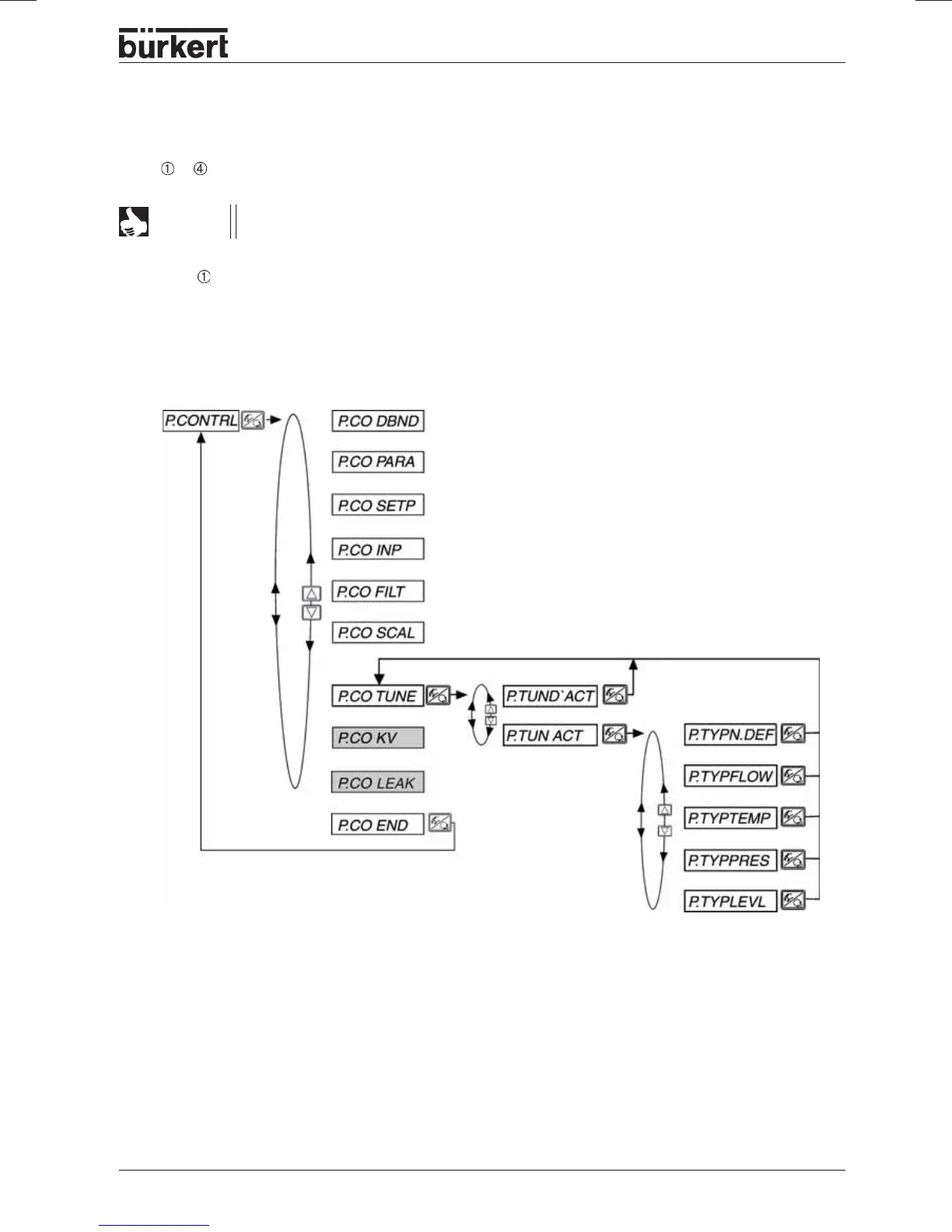
Activate process tune
Select the controlled
member
Controlled member
unknown
Flow rate control
Temperature control
Pressure control
Filling level control
Operation
To carry out self-optimization (process tune) on the process controller, proceed as follows with the
steps
...
described.
All operating steps for the execution of process tune are performed on the spot using the
operating elements (keypad and display) of the TOP Control Continuous.
NOTE
Step - Activate process tune
You are in the menu item
P.CONTROL
in the
configuration level
of the TOP
Control
Continuous.
Activate process tune on the process controller
P.TUN ACT
and select the process type corresponding
to your control job.
If the process is unknown, enter
P.TYP N.DEF
(not defined).
Change to the process operation level by leaving the configuration level via the menu item
END X.XX
and switching the device to the operating mode
AUTOMATIC
(yellow LED in the MANUAL/AUTOMATIC
key flashes).



 To Next Page