108 - 8630
OPERATING THE PROCESS CONTROLLER
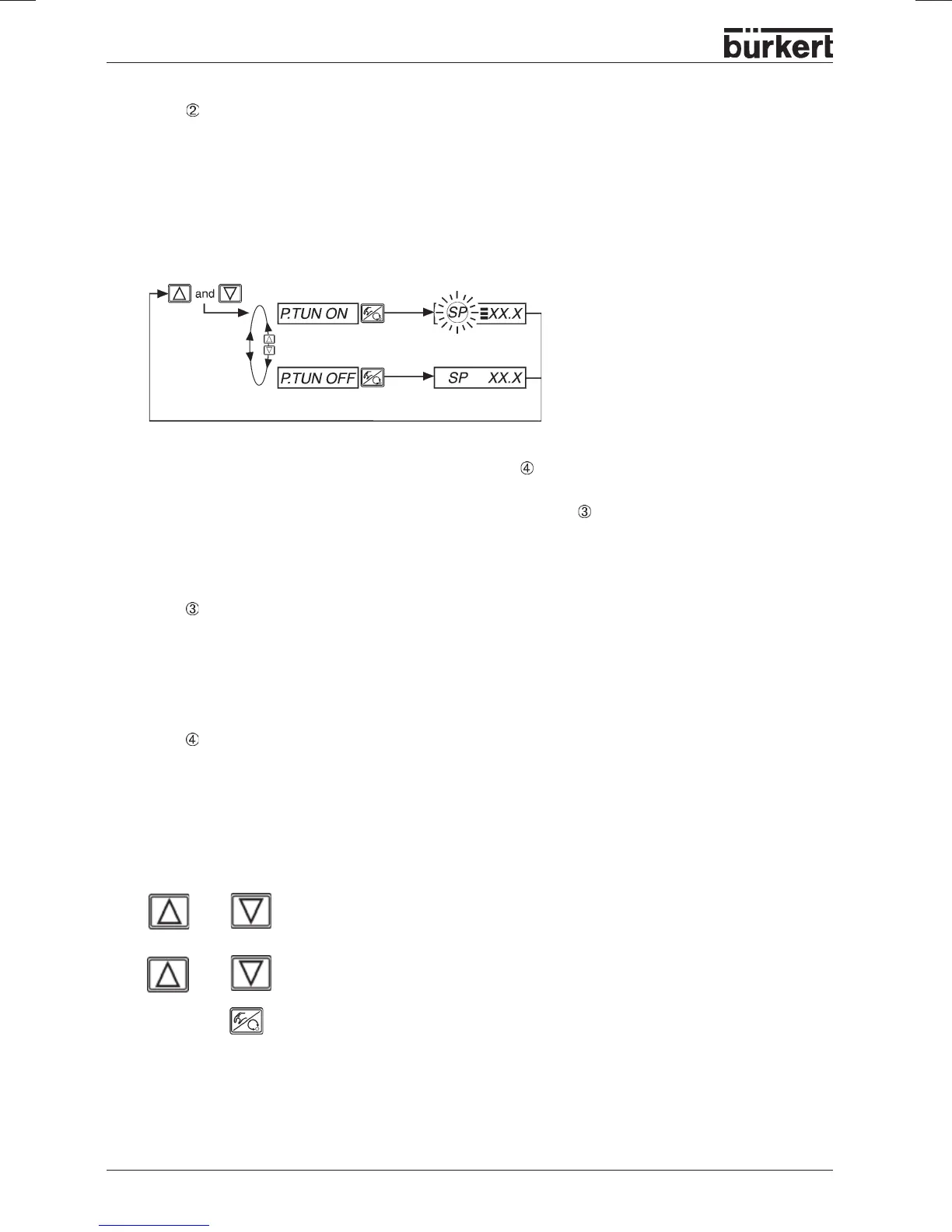
Step - Process tune ready to start
You are in the
process operating level
in the
AUTOMATIC
mode (yellow LED in the MANUAL/
AUTOMATIC key flashes).
Make ready process tune by the following operating procedure:
The next setpoint step entered via the keypad (see Step
) is now used for parameter optimization. The
setpoint
SP
is set equal to the actual sensor value
PV
and is the starting value for the optimization step.
Adaptation/modification of this starting value is described in Step
.
Readiness of process tune is symbolized int he display by three horizontal bars behind the flashing
setpoint symbol
SP
.
Step - Adaptation of the starting value for the optimization step (optional)
If required you can carry out an adaptation of the starting value for the optimization step. Switch the
device to the
MANUAL
mode (LED in the MANUAL/AUTOMATIC key is off). By pressing the arrow keys,
open or close the process valve, which causes a corresponding change in the process value
PV
. As
soon as the desired starting value is set, switch the device back to the
AUTOMATIC
mode.
Step - Initiate process tune
You are in the
process operating level
in the AUTOMATIC mode (yellow LED in the MANUAL/
AUTOMATIC key flashes).
Process tune is now initiated by entering via the keypad a setpoint step. This step should take place in
the future working range of the process control system.
The procedure is as follows:
Make ready
P.TUNE
(process tune)
process tune
ready
process tune
not ready
With the display
SP
(setpoint) set, press one of the arrow keys for longer than 3
seconds to activate the mode for changing the process setpoint. After release of the
key, the first digit of the process setpoint flashes.
or
> 3 s
Set the value of the flashing digit of the process setpoint
SP
.
Confirm the value set and move to the next digit. After confirmation of the fourth
digit, the process setpoint set is stored as the end value of the process setpoint
step.
or



 To Next Page