125
Replaying, Erasing
○○○○○○○○○○○○○○○○○○○○○○
• Movie images play for the length of time that they were recorded regardless of the
time set in the slide show settings.
• The power-saving function is disabled while a slide show plays on the camera (p. 30).
Selecting Images for Slide Shows
You can mark images for inclusion in slide shows 1-3. Up to 998 images may be
marked per slide show. Images display in the order of their selection.
1
Display the slide show menu (p. 124).
2
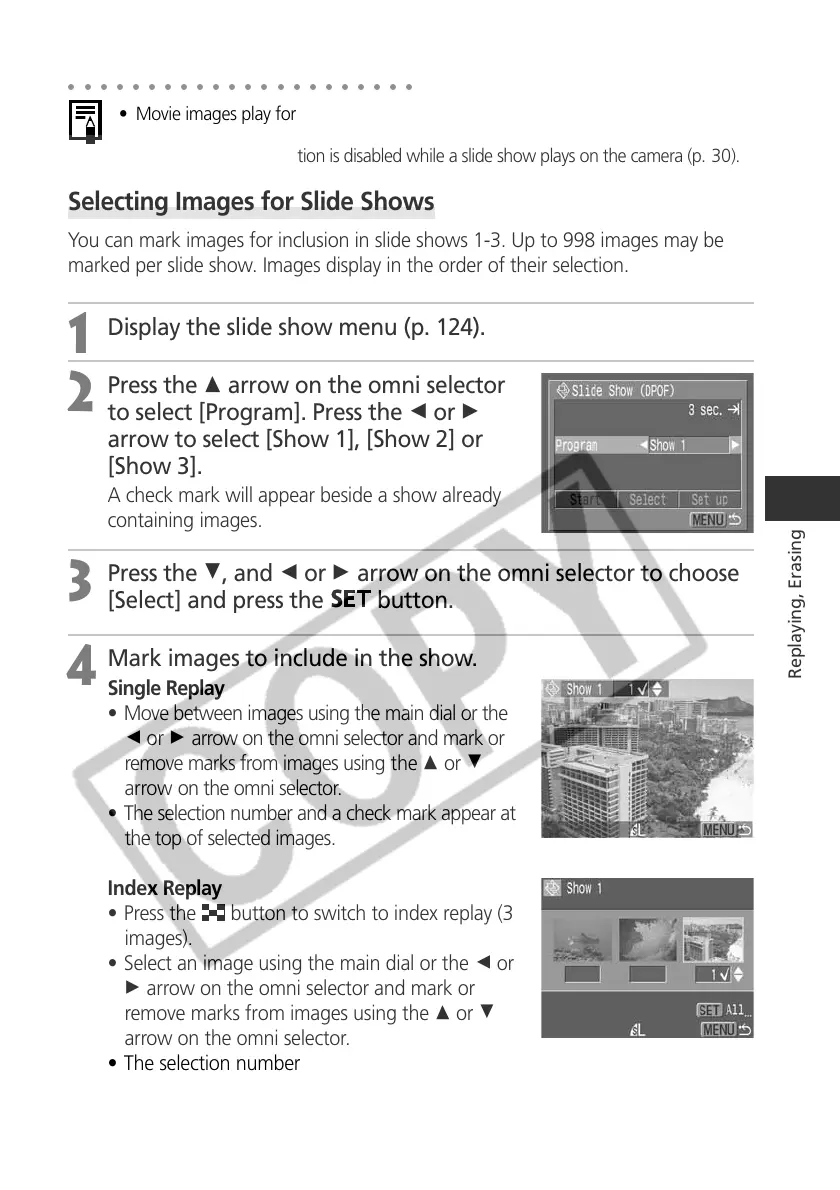
Press the C arrow on the omni selector
to select [Program]. Press the B or A
arrow to select [Show 1], [Show 2] or
[Show 3].
A check mark will appear beside a show already
containing images.
3
Press the D, and B or A arrow on the omni selector to choose
[Select] and press the
button.
4
Mark images to include in the show.
Single Replay
• Move between images using the main dial or the
B or A arrow on the omni selector and mark or
remove marks from images using the C or D
arrow on the omni selector.
• The selection number and a check mark appear at
the top of selected images.
Index Replay
• Press the
button to switch to index replay (3
images).
• Select an image using the main dial or the B or
A arrow on the omni selector and mark or
remove marks from images using the C or D
arrow on the omni selector.
• The selection number and a check mark appears
at the bottom of selected images.



 To Next Page