16
Charging the Battery Pack
Use the following procedures to charge the battery pack the first time and
subsequently when the “Change the battery pack” message displays on the LCD
monitor or the low battery icon (
) and Lb ( ) message flash on the Display Panel.
1
Turn off the power (p. 29).
Make sure that the power/mode indicator is off.
2
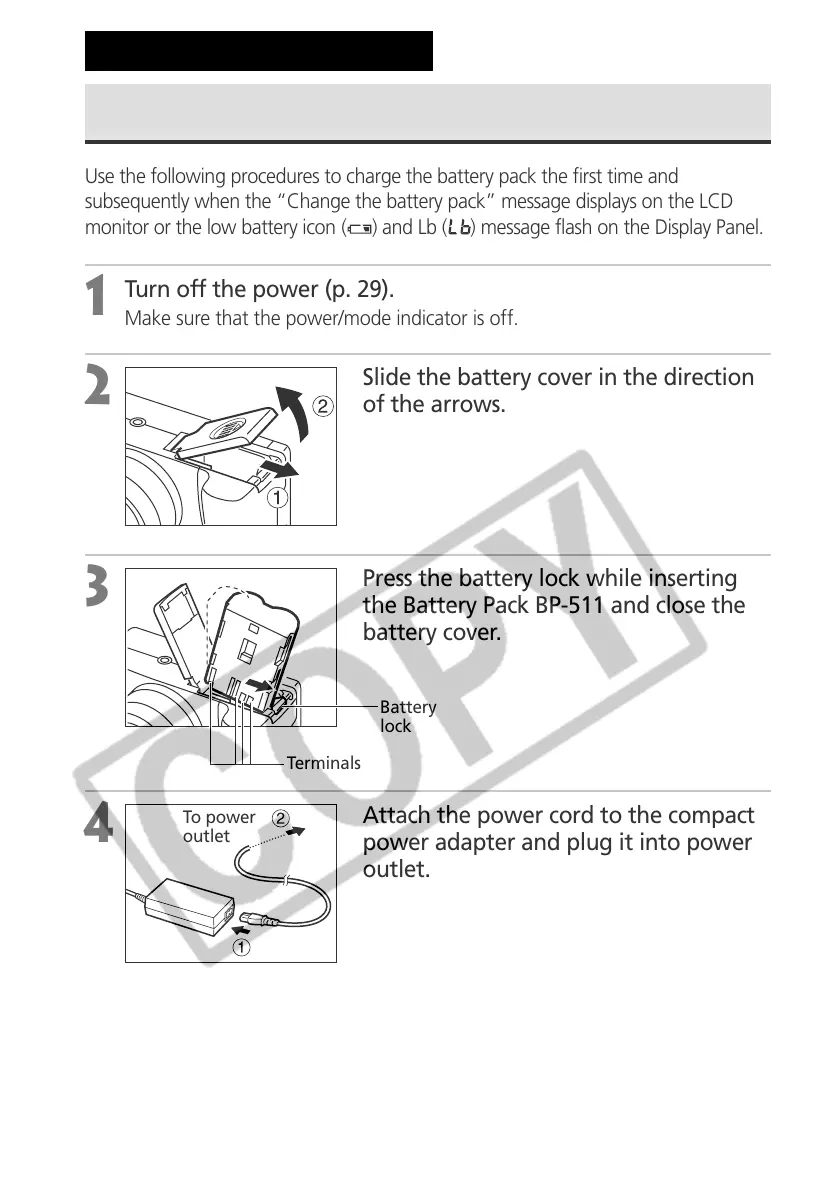
Slide the battery cover in the direction
of the arrows.
3
Press the battery lock while inserting
the Battery Pack BP-511 and close the
battery cover.
4
Attach the power cord to the compact
power adapter and plug it into power
outlet.
Preparing the Camera
Terminals
To power
outlet
Battery
lock



 To Next Page