180
Using an Externally Mounted Flash (Optional)
(continued)
How to Mount Macro Ring Lite MR-14EX and Macro Twin Lite MT-24EX
The separately sold Conversion Lens Adapter LA-DC58B is required to mount
Macro Ring Lite MR-14EX or Macro Twin Lite MT-24EX on the camera.
1
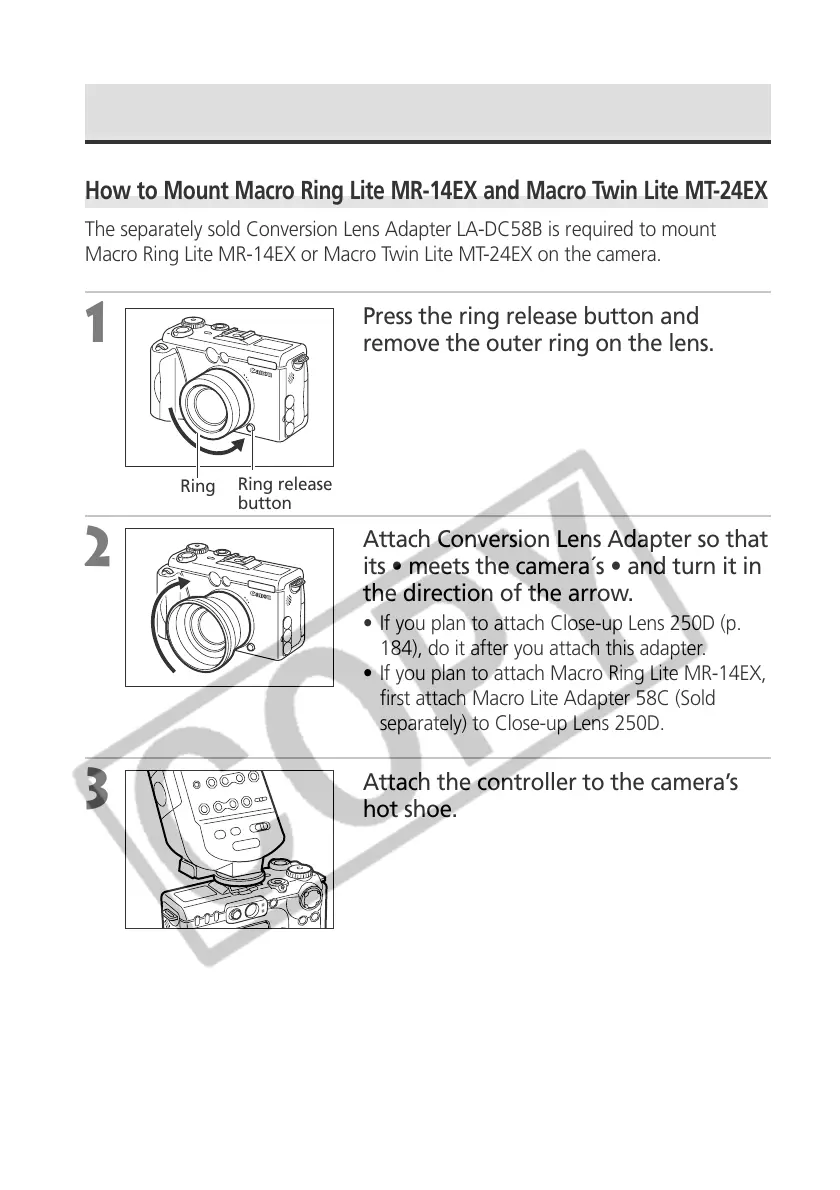
Press the ring release button and
remove the outer ring on the lens.
2
Attach Conversion Lens Adapter so that
its • meets the camera´s • and turn it in
the direction of the arrow.
• If you plan to attach Close-up Lens 250D (p.
184), do it after you attach this adapter.
• If you plan to attach Macro Ring Lite MR-14EX,
first attach Macro Lite Adapter 58C (Sold
separately) to Close-up Lens 250D.
3
Attach the controller to the camera’s
hot shoe.
Ring release
button
Ring



 To Next Page