49
Preparing the Camera, Basic Functions
5
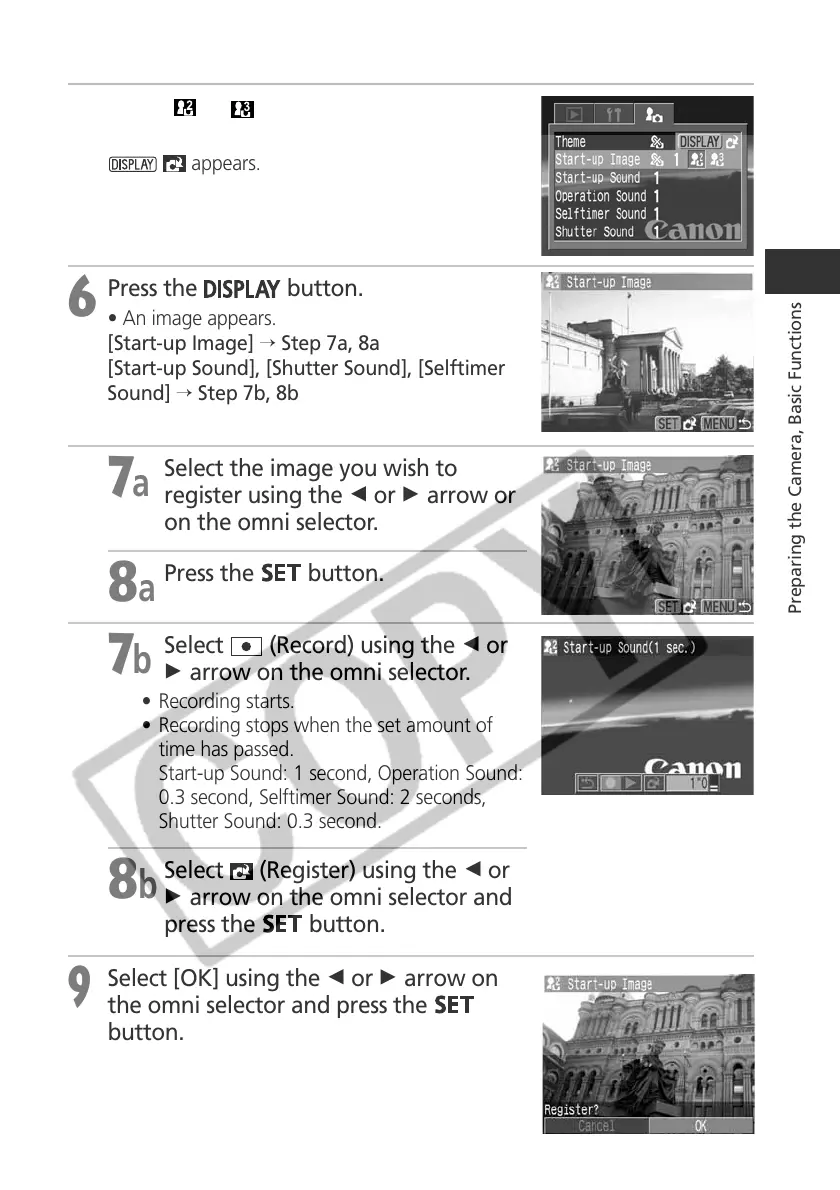
Select or using the B or A arrow
on the omni selector.
appears.
6
Press the
button.
• An image appears.
[Start-up Image] → Step 7a, 8a
[Start-up Sound], [Shutter Sound], [Selftimer
Sound] → Step 7b, 8b
7a
Select the image you wish to
register using the B or A arrow or
on the omni selector.
8a
Press the
button.
7b
Select (Record) using the B or
A arrow on the omni selector.
• Recording starts.
• Recording stops when the set amount of
time has passed.
Start-up Sound: 1 second, Operation Sound:
0.3 second, Selftimer Sound: 2 seconds,
Shutter Sound: 0.3 second.
8b
Select (Register) using the B or
A arrow on the omni selector and
press the
button.
9
Select [OK] using the B or A arrow on
the omni selector and press the
button.



 To Next Page