174
Using the Wireless Controller
Installing the Battery
Install the date battery (CR2025) into Wireless Controller WL-DC100 before use.
○○○○○○○○○○○○○○○○○○○○○○
Be particularly careful to keep the date batteries out of the reach of children. Seek
medical assistance immediately if a child swallows a battery since corrosive battery
fluids could damage the stomach or intestinal wall.
1
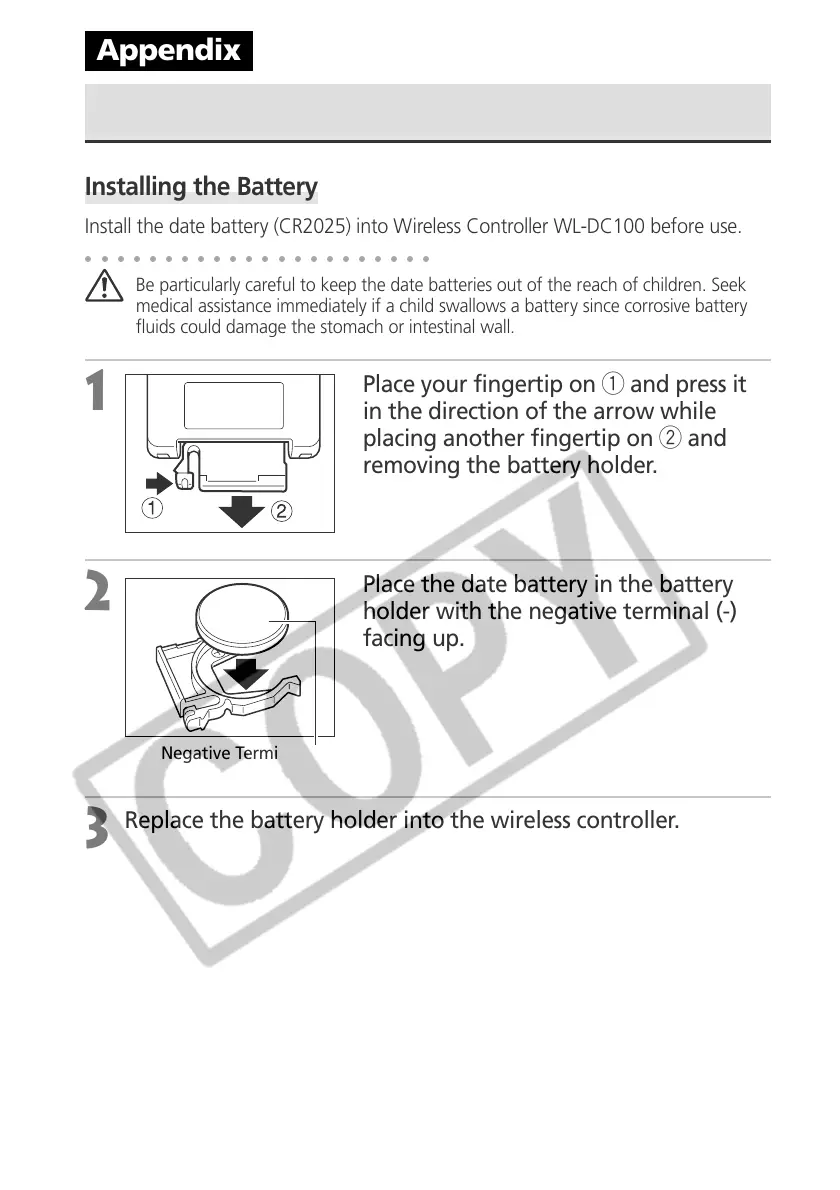
Place your fingertip on q and press it
in the direction of the arrow while
placing another fingertip on w and
removing the battery holder.
2
Place the date battery in the battery
holder with the negative terminal (-)
facing up.
3
Replace the battery holder into the wireless controller.
Appendix
Negative Terminal (-)



 To Next Page