142
1
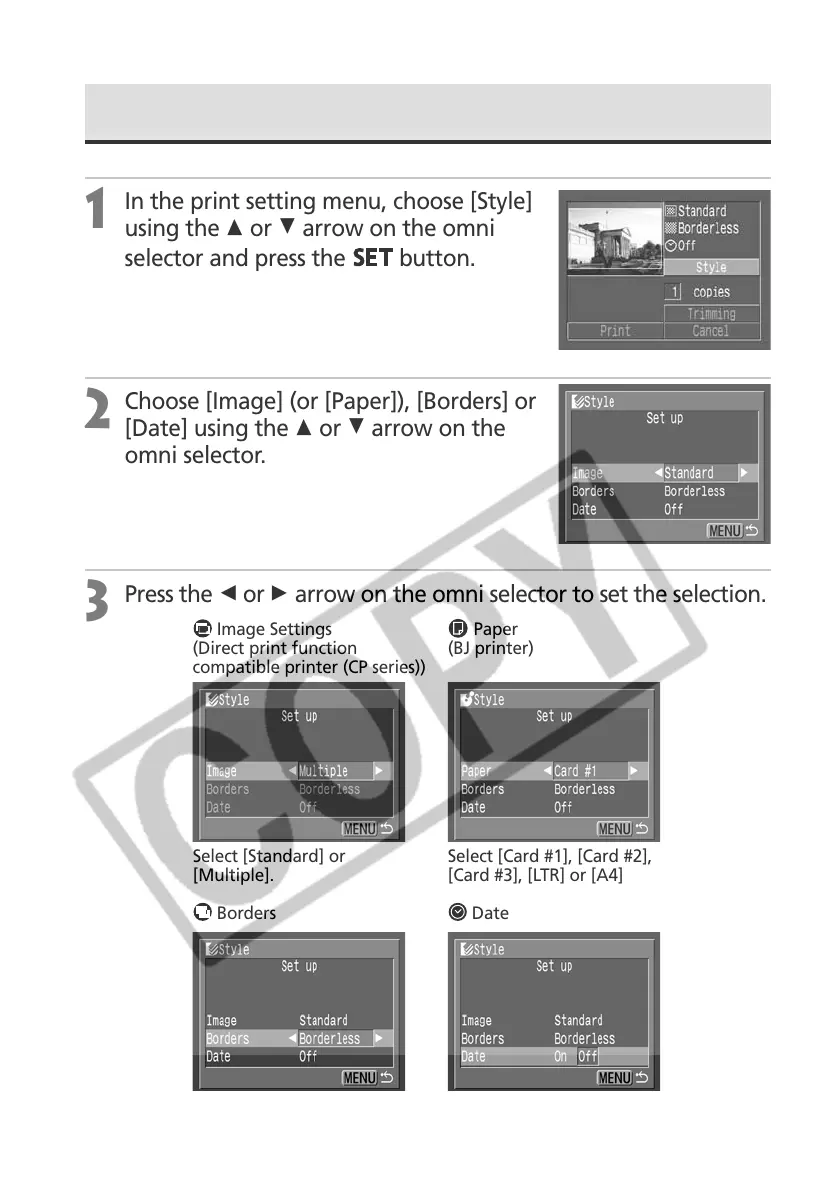
In the print setting menu, choose [Style]
using the C or D arrow on the omni
selector and press the
button.
2
Choose [Image] (or [Paper]), [Borders] or
[Date] using the C or D arrow on the
omni selector.
3
Press the B or A arrow on the omni selector to set the selection.
Choose [On] or [Off].
Select [Standard] or
[Multiple].
Choose [Borderless] or
[Bordered].
Borders Date
Image Settings Paper
(Direct print function (BJ printer)
compatible printer (CP series))
Select [Card #1], [Card #2],
[Card #3], [LTR] or [A4]
Setting the Print Settings (Direct Print Function) (continued)



 To Next Page