148
○○○○○○○○○○○○○○○○○○○○○○
• When [Print Type] is set to [Index], the [Date] and [File No.] cannot be set to [On].
• If [Print Type] is set to [Both], both [Date] and [File No.] can be set to [On],
however, only the file number is printed for the index print.
○○○○○○○○○○○○○○○○○○○○○○
The date prints as the date and time in the format specified in the Set Date/Time
menu (p. 24).
4
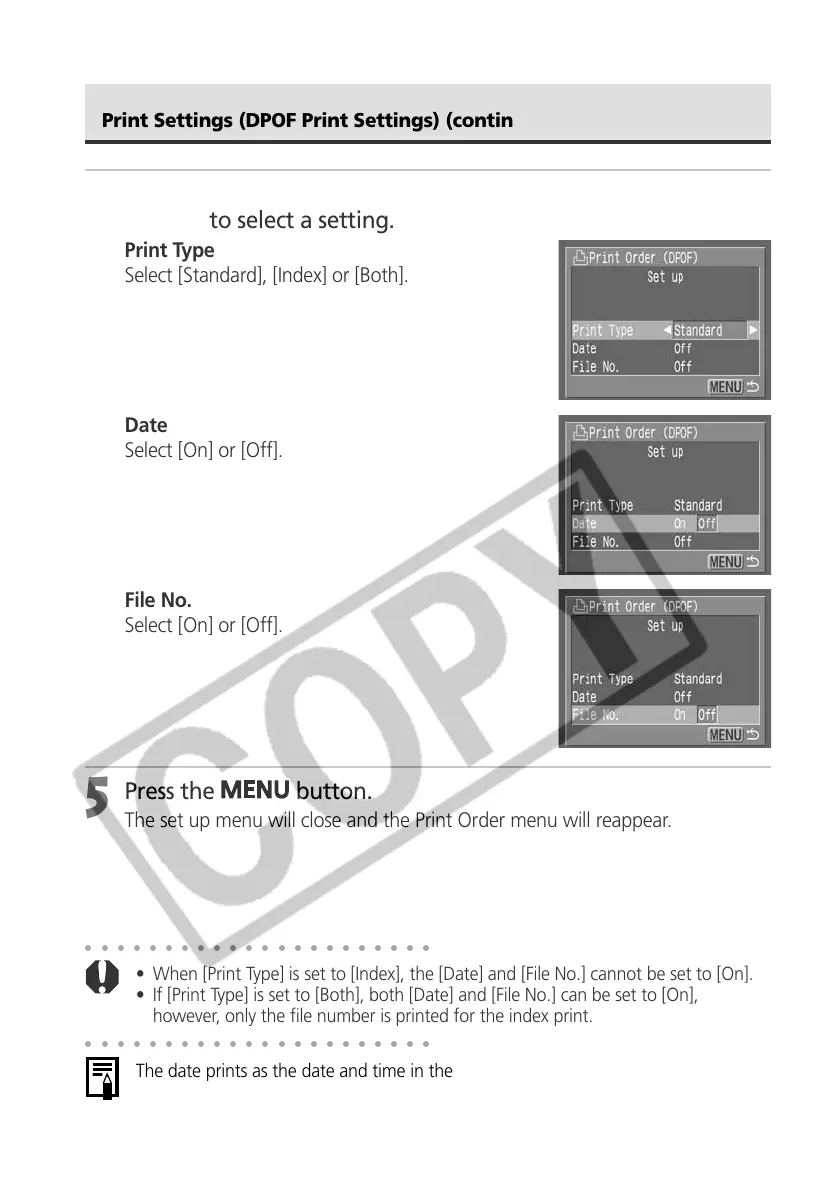
Press the B or A arrow on the omni
selector to select a setting.
Print Type
Select [Standard], [Index] or [Both].
Date
Select [On] or [Off].
File No.
Select [On] or [Off].
5
Press the
button.
The set up menu will close and the Print Order menu will reappear.
Print Settings (DPOF Print Settings) (continued)



 To Next Page