2
2
2-3
2-3
Technology > Controls (Reader)
Technology > Controls (Reader)
Controls (Reader)
■
Controlling the Scanner Drive System
●
Overview
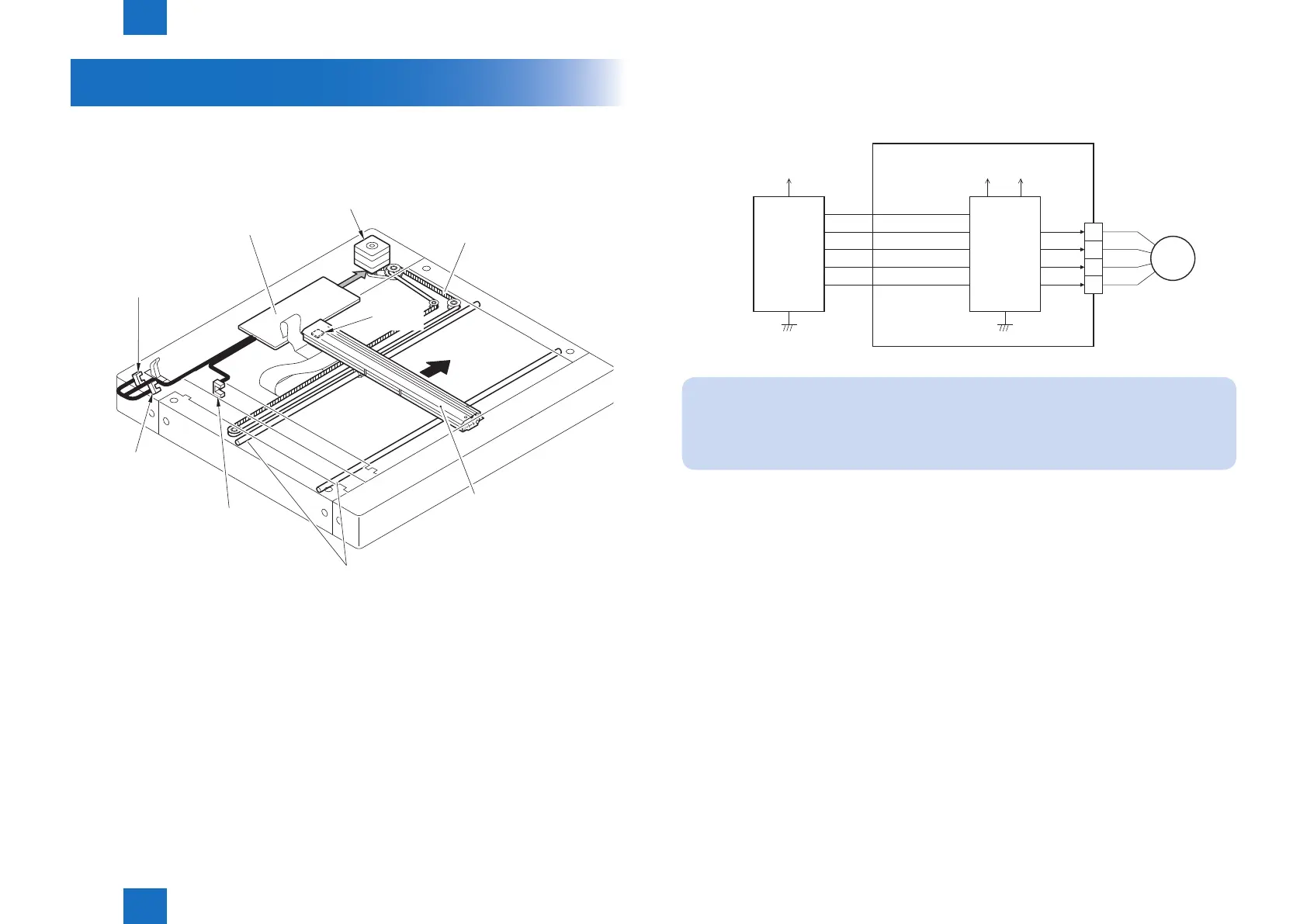
Parts conguration of scanner drive is described below.
Forward
Backward
Sensor light
block plate
CCD HP sensor (SR1)
Scanner motor (M1)
CCD unit
Reader relay PCB (PCB1)
Copyboard cover
open/closed sensor (SR2)
Guide shaft
Carriage drive belt
Copyboard cover
open/closed sensor (SR3)
- Scanner motor (M1) drive signal
Turns on/off the motor and controls its direction/speed of rotation.
- CCD HP sensor (SR1) detection signal
Checks if CCD is at home position.
- Copyboard cover open/closed sensor (front: SR2/rear: SR3) detection signal
Detects the open/close status of the copyboard cover
F-2-4
●
Scanner Motor Control
Scanner motor driver turns on/off the motor and controls its direction/speed of rotation
according to the signals from CPU.
Main controller PCB 2
3.3V +24V
OPM_ENB
OPM_CLK
OPM_CWB
MOT_VREF
+5V
B*
B
A
A*
CPU
Motor
driver
1
2
3
4
M1
Reader relay PCB
OPM_STB
NOTE:
The scanning speed of this machine is as follows.
Black/white (600dpi x 600dpi):30ipm
Color (600dpi x 600dpi):30ipm
F-2-5



 To Next Page