4
4
4-17
4-17
Parts Replacement and Cleaning Procedure > Consumable Parts Requiring Periodic Replacement and Cleaning Points (DADF) > Replacing the Stamp
Parts Replacement and Cleaning Procedure > Consumable Parts Requiring Periodic Replacement and Cleaning Points (DADF) > Replacing the Stamp
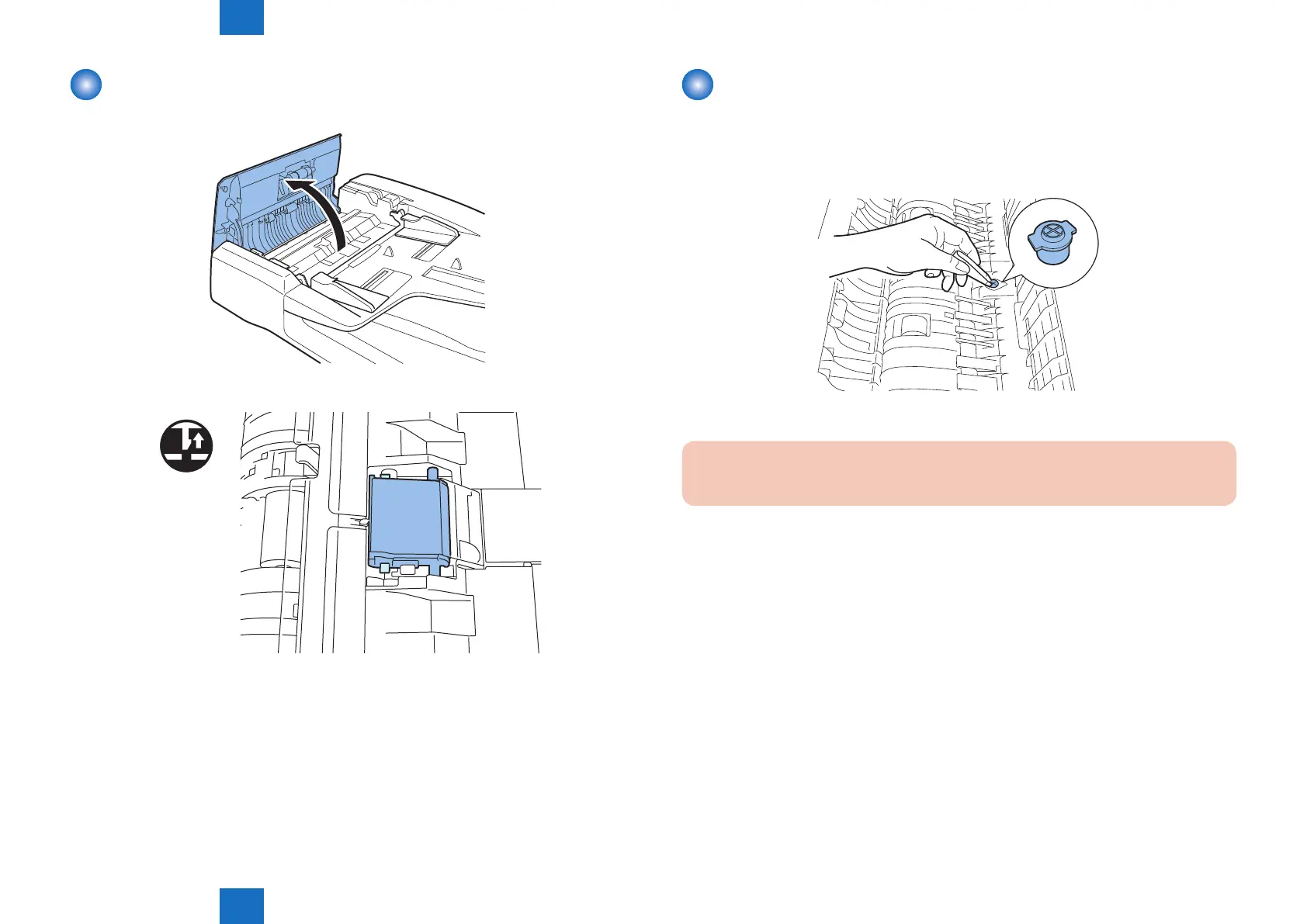
Removing the Separation Pad
1)Open the feeder cover.
2)Remove two hooks to remove the separation pad.
x2
F-4-34
F-4-35
Replacing the Stamp
1)Open the feeder cover and separation guide.
2) Using tweezers, remove the stamp
3)Using tweezers or the like, attach a new stamp.
Be sure to attach the new stamp with the stamp face up.
4)Close the feeder cover and separation guide.
Caution:
If the stamp is oating, a jam can occur. Be sure to push in the stamp until it clicks.
F-4-36



 To Next Page