2
2
2-19
2-19
Technology > Controls (DADF) > Document Detection > Detecting Jams
Technology > Controls (DADF) > Document Detection > Detecting Jams
■
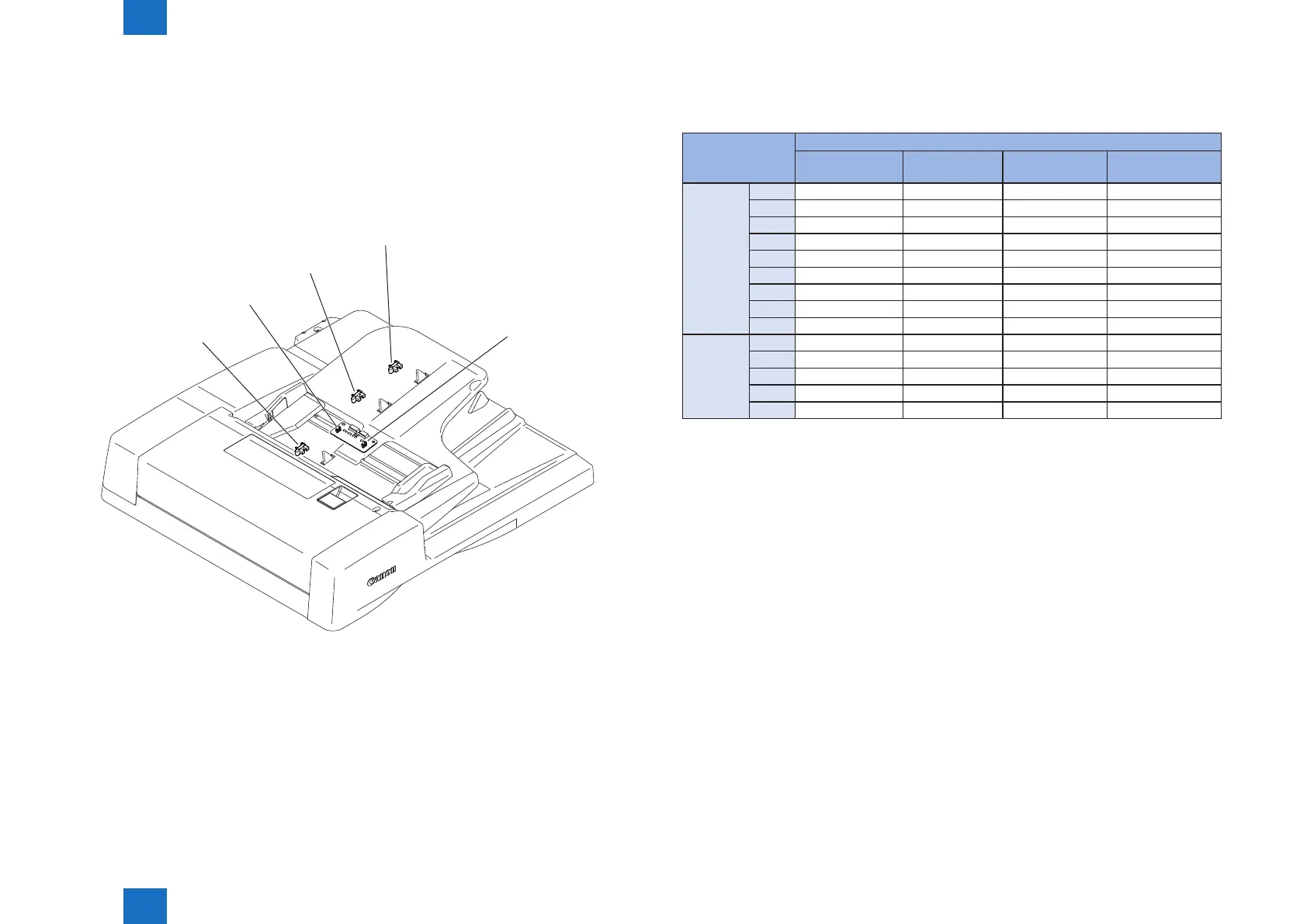
Initial Document Size Detection
The document length sensor 1 (SR8) and document length sensor 2 (SR8) detect the
longitudinal size of the document placed on the document tray, and the document
width sensor 1 (PS2) and the document width sensor 2 (PS1) detect the lateral size of the
document.
Document sizes are determined by the combination of the ON/OFF states of document length
sensors, the combination of ON/OFF states of document width sensor.
SR7
SR9
SR8
PS1
PS2
F-2-34
The following table shows the relationship among length detection sensor signals, document
widths, and initial document sizes.
type Sensor name
Document width
sensor 1(PS2)
Document width
sensor 2(PS1)
Document length
sensor 1(SR9)
Document length
sensor 2(SR8)
AB.type A3 ON ON ON ON
B4 OFF ON ON ON
A4R OFF OFF OFF ON
B5R ON OFF OFF ON
A4R ON ON OFF OFF
A5R ON OFF OFF OFF
B5R OFF ON OFF OFF
A5R OFF OFF OFF OFF
B6 ON OFF OFF OFF
Inch type LDR OFF ON ON ON
LGL OFF OFF ON ON
LTRR OFF OFF OFF ON
LTR OFF ON OFF OFF
STMT OFF OFF OFF OFF
■
Detecting Jams
1 Jams
This machine detects document jams using the sensors shown below. Document jam check
timings are stored in the ROM on the reader controller PCB to check
whether a jam has occurred according to presence/absence of a document at the relevant
sensor position.
When a jam occurs, the host machine stores its code.
Jam codes can be checked by outputting a jam error log report in the service mode of the
host machine.
T-2-9



 To Next Page