5
5
5-6
5-6
Adjustment > Adjustment Method (DADF) > Adjusting the Perpendicularity
Adjustment > Adjustment Method (DADF) > Adjusting the Perpendicularity
Adjusting the Perpendicularity
1) Load a test chart in the DADF to make a copy.
NOTE:
The test chart is printed on the back cover of the Installation Procedure (this manual).
Copy it or clip it out.
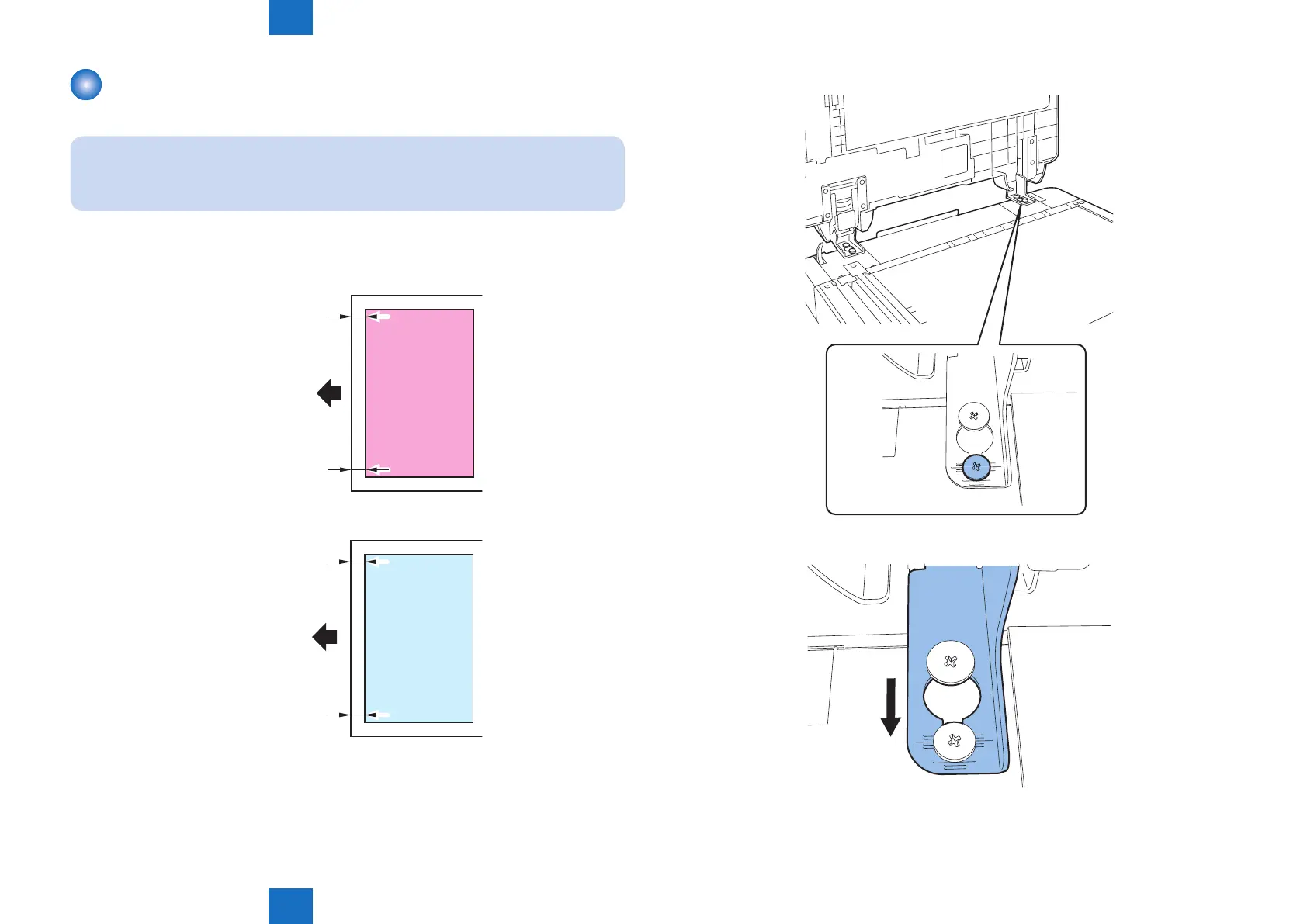
2) Check the perpendicularity at the leading edges of the test chart and copy.
Measure dimensions A and B on the test chart and dimensions A' and B' on the copy. If
it is not (A-B) = (A'-B'), go through steps 3) and later.
B
A
feed direction
Test chart
B’
A’
Copy
feed direction
F-5-10
3) Loosen the screw securing the right hinge.
• A'>B'
Slide the hinge of the DADF forward.
• B'>A'
Slide the hinge of the DADF backward.
4) Tighten back the xing screw you loosened in step 3).
F-5-11
F-5-12



 To Next Page