5
5
5-2
5-2
Adjustment > Image position adjustment(Reader) > Left Non-Image Width
Adjustment > Image position adjustment(Reader) > Left Non-Image Width
Image position adjustment(Reader)
Copy 10 sheets from each pickup position to check that the image margin and non-image
area is within the standard.
• Each cassette
• Pickup tray
If it is not within the standard, go through the following procedures to adjust it.
CAUTION:
If changing the value of service mode item in this adjustment, enter the changed value
in the service label.
Leading Edge Non-Image Width
Service mode> COPIER> ADJUST> ADJ-XY> ADJ-X
2 54 6 8 10 12 141618 200
1st side of copy: 2.5+/-1.5mm
Image leading
edge
Decrease the value.
(a decrease of '10' will decrease
the non-image width by 1 mm)
Increase the value.
(an increase of '10' will
increase the non-image
width by 1 mm)
F-5-1
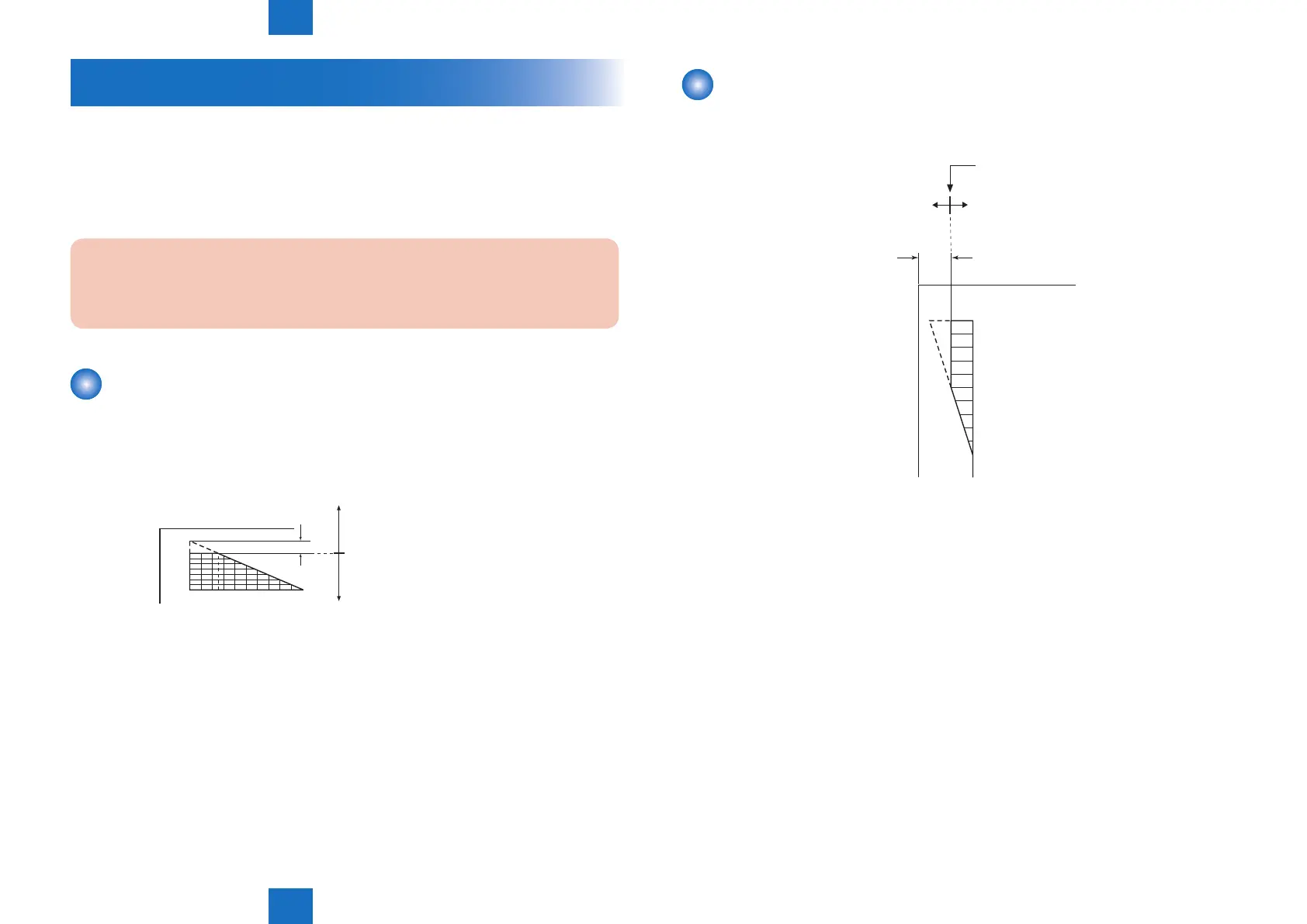
Left Non-Image Width
Service mode> COPIER> ADJUST> ADJ-XY> ADJ-Y
10
8
6
5
4
2
0
1st side of copy: 2.5+/-1.5mm
Image edge
Increase the value.
(an increase of '10' will
increase the non-image
width by 1 mm)
Decrease the value.
(a decrease of '10' will
decrease the non-image
width by 1 mm)
F-5-2



 To Next Page