5
5
5-4
5-4
Adjustment > Adjustment Method (DADF) > Adjusting the Height > Checking the left hinge height
Adjustment > Adjustment Method (DADF) > Adjusting the Height > Checking the left hinge height
■
Checking the left hinge height
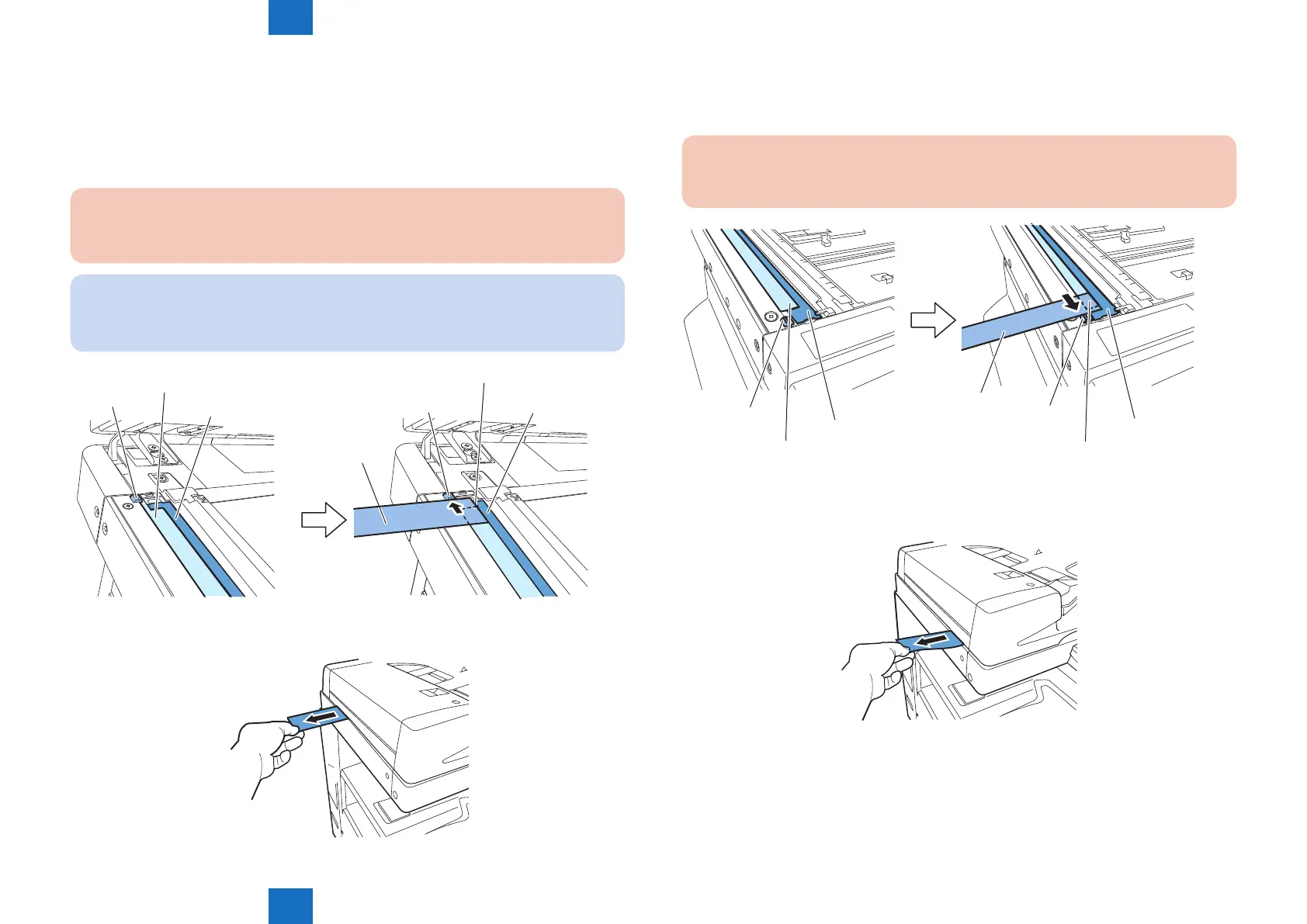
1) Checking the rear-left height of the DADF.
Cut a sheet of A4 paper to make a paper slip with width of 45mm.
Set paper against the protrusions of the stream reading glass in such a manner that the
seat of the stream reading glass is nearly hidden.
Caution:
Set paper so that it does not reach the document reader.
NOTE:
By placing the paper slip as instructed, it does not interfere the soundproong sheet
stuck on the bottom of the DADF when closing it.
Protrusions
Sheet
Document reader
Paper
Protrusions
Document reader
Sheet
2) Pulling out the set paper
Pull out the paper in the direction of the arrow to check that you feel slight resistance.
F-5-4
F-5-5
3) Checking the front-left height of the DADF.
Set paper against the protrusions of the stream reading glass in such a manner that the
seat of the stream reading glass is nearly hidden.
Caution:
Set paper so that it does not reach the document reader.
Pepar
Protrusions
Sheet
Document reader
Protrusions
Sheet
Document reader
4) Pulling out the set paper.
Pull out the paper in the direction of the arrow to check that you feel slight resistance.
F-5-6
F-5-7



 To Next Page