4
4
4-3
4-3
Parts Replacement and Cleaning Procedure > External Covers(Reader) > Removing the Platen Glass
Parts Replacement and Cleaning Procedure > External Covers(Reader) > Removing the Platen Glass
External Covers(Reader)
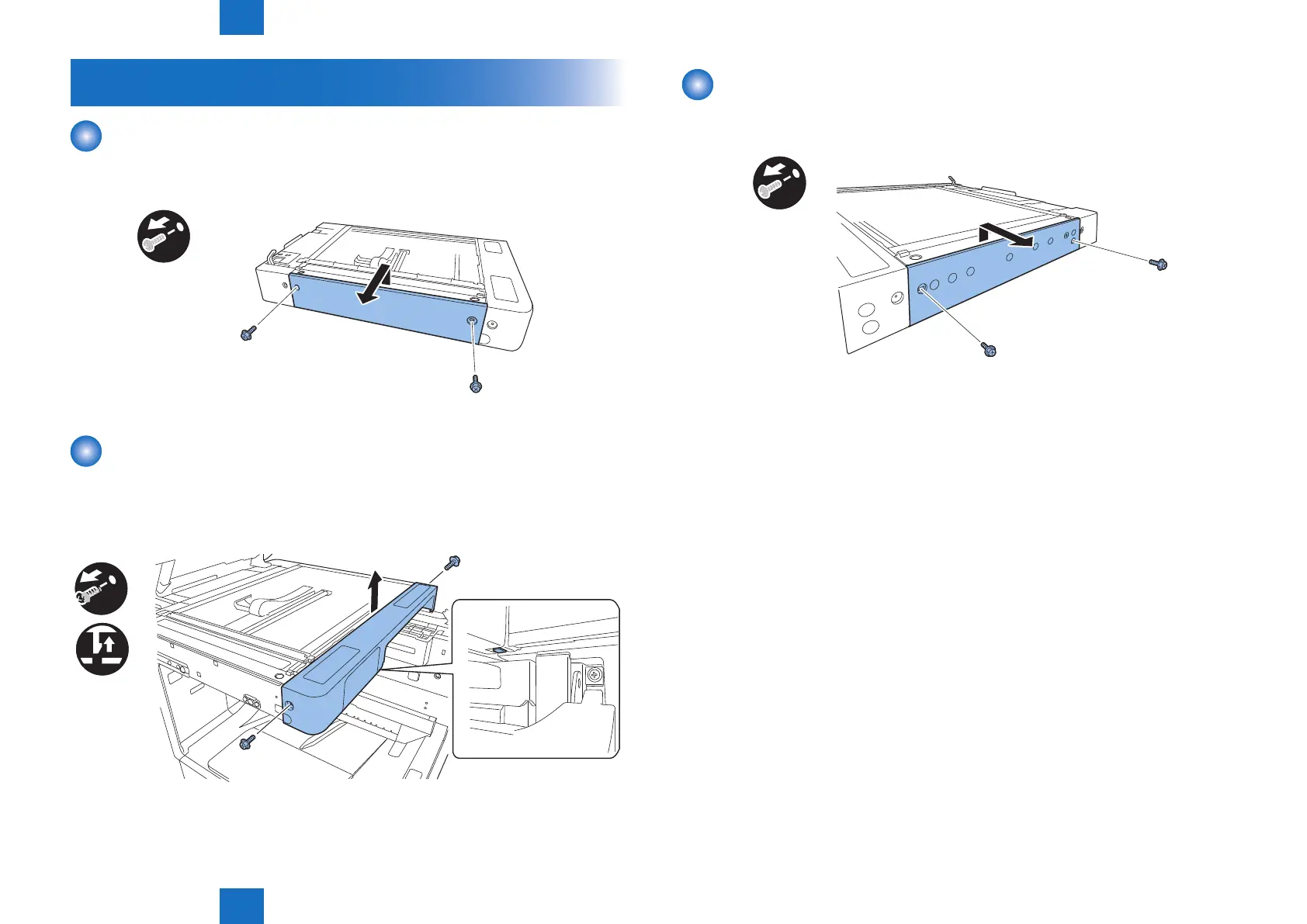
Removing the Reader Left Cover
1) Remove the reader left cover.
• 2 screws (RS tightening; M3)
x2
Removing the Reader Front Cover
1) Open the platen cover (ADF/platen board cover).
2) Remove the reader front cover.
• 2 screws (RS tightening; M3)
x2
F-4-3
F-4-4
Removing the Reader Right Cover
1) Remove the reader right cover by removing four screws, and then remove one screw from
the reader front cover.
x2
F-4-5



 To Next Page