2
2
2-11
2-11
Technology > Controls (Reader)
Technology > Controls (Reader)
●
Shading Correction (Overview)
The output of the CCD is not necessarily even for the following factors even when the density
of the original is uniform:
1) Variation in the sensitivity of the CCD among pixels
2) Variation in the intensity of the rod lens array
3) Variation in the intensity of light that goes through the center and surroundings of lens
4) Variation in the intensity of light at the center and surroundings of LED
5) LED deterioration
The machine executes shading correction to even out the output of the CCD.
Shading correction may be the shading correction executed for each job.
●
Shading Correction
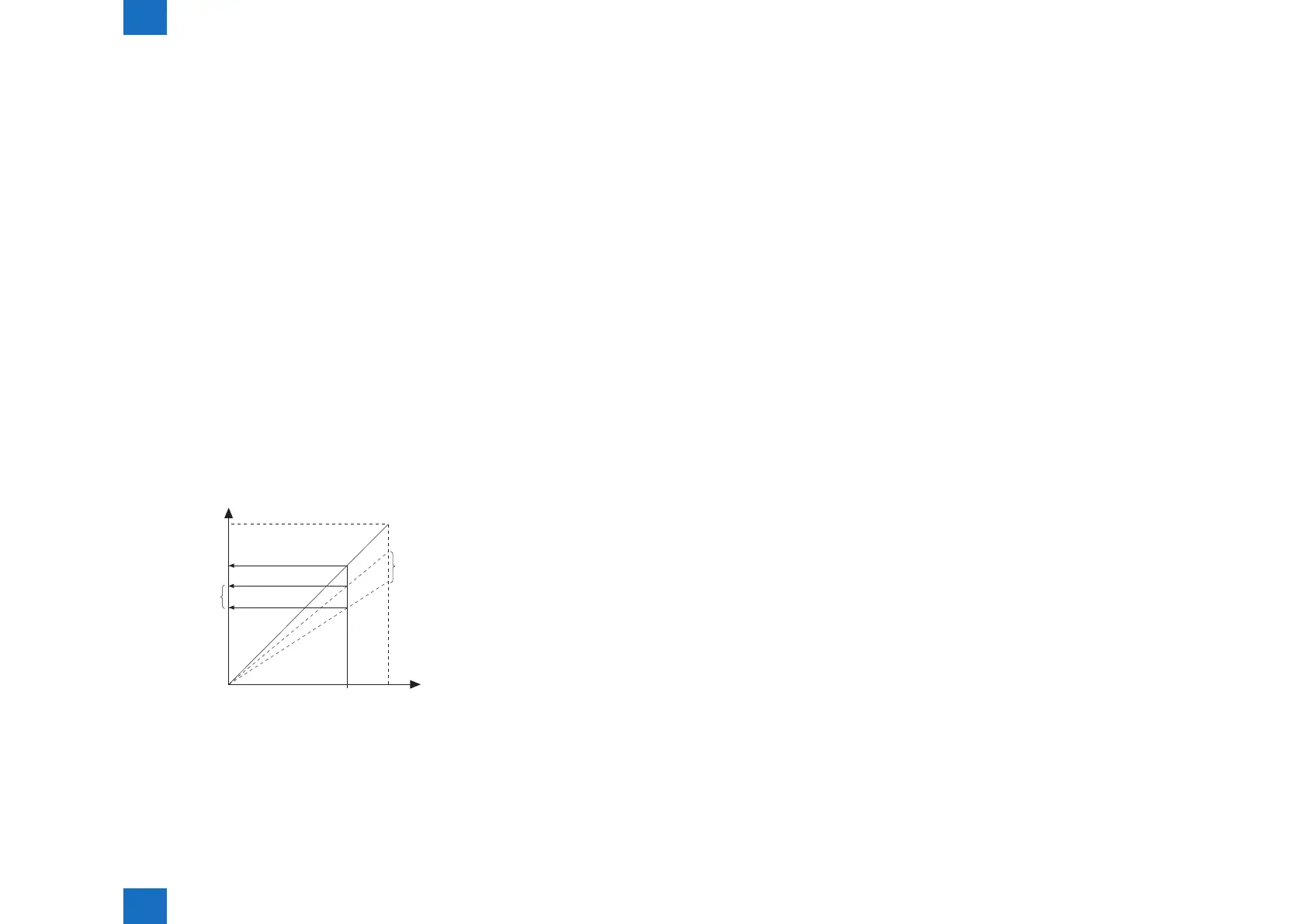
The machine executes the shading correction for every scan made.
In this correction, the analog image process unit on CCD PCB digitalizes the LED light
reected by the standard white board. After the reected light is digitalized, it is held in the
shading correction circuit on main controller PCB as a shading coefcient.
Shading correction circuit compares the stored target value with the shading coefcient. The
difference between the two will be held as the shading correction value for use in correcting
variation among CCD pixels when scanning the original, thus evening out the density levels
of the image.
CCD output
Original density
Standard white plate
Features before correction
Target value
Measurement
value
Features after correction
White
F-2-23
●
PASCAL Control (image gradation)
Changes in temperature/humidity or wear on the machine can cause changes in gradation
characteristics. The PASCAL control mechanism is used to stabilize gradation characteristics
of images on paper. It makes up for the changes in gradation characteristics in response to
changes in temperature/humidity or wear on the machine.
Description of Control
Start-up
• COPIER>ADJUST>PASCAL>OFST-P-Y
• COPIER>ADJUST>PASCAL>OFST-P-M
• COPIER>ADJUST>PASCAL>OFST-P-C
• COPIER>ADJUST>PASCAL>OFST-P-K
V
Prints out the test pattern stored in the main controller.
V
Sets the previously printed-out test print in the reader and reads it by the scanner.
V
Prepares the image correction table A *1(data processing)
V
End
*1 The image correction table A created in PASCAL control is applied only in copy mode.
Timing of Control
Any time: During execution of automatic gradation correction in the user mode



 To Next Page