Playback
•••••
--------------------------'---
6 Press
~
to stop the playback and
return to the scene index screen.
(1)
.NOTES
•
To
use the viewfinder, close the LCD panel.
• When playing back a DVD-R DL (dual-
layered) disc, you might notice a brief stop
(approx. 1 second) at the point where the
playback switches from Layer 1 to Layer
2.
•
About
the
screen
display:
During playback, the
recording's time code will
be
displayed at the
upper right corner
of
the screen
in
hours:
minutes:
seconds.
You
can also choose to
display instead the date and time when the
scene was recorded and additional recording
data
(CO
37).
• As long as you don't turn off the camcorder
you can resume playback from the point you
stopped last.
Special
Playback
Modes
POINTS
TO
CHECK
-
....
1
~+
1
~/II
~
@
DRIVE
MODE
D.EFFECTS
~
Fast
Forward
Playback
I
...
Fast
Reverse
Playback
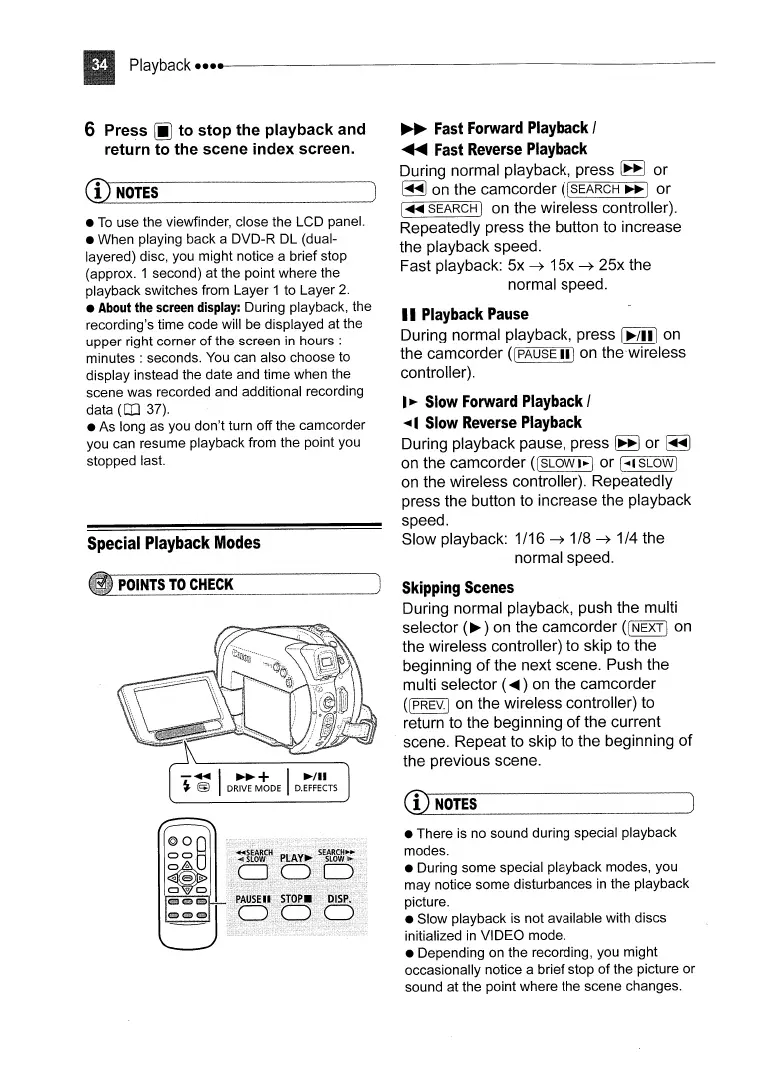
During normal playback, press
~
or
~
on
the camcorder
((SEARCH
~I
or
1"-SEARCH I on the wireless controller).
Repeatedly press the button to increase
the playback speed.
Fast playback: 5x
~
15x
~
25x the
normal speed.
II
Playback
Pause
During normal playback, press I
~/ill
on
the camcorder
([
PAUSE
ilion
the'wireless
controller).
I
~
Slow
Forward
Playback
I
....1
Slow
Reverse
Playback
During playback pause, press
~
or
~
on the camcorder
(ISLOWI~1
or \"'ISLOWj
on
the wireless controller). Repeatedly
press the button to increase the playback
speed.
Slow playback: 1/16
~
1
/8
~
1/4 the
normal speed.
Skipping
Scenes
During normal playback, push the multi
selector
(~)
on the camcorder
(INEXTI
on
the wireless controller) to skip to the
beginning
of
the next scene. Push the
multi selector (
~)
on
the camcorder
([ PREV.j
on
the wireless controller) to
return to the beginning of the current
scene. Repeat to skip to the beginning of
the previous scene.
(1)
NOTES
• There is no sound during special playback
modes.
• During some special playback modes, you
may notice some disturbances
in
the playback
picture.
• Slow playback
is
not available with discs
initialized
in
VIDEO mode.
• Depending on the recording, you might
occasionally notice a brief stop of the picture or
sound at the point where the scene changes.



 To Next Page